End a Wake-Up Alarm with a Typing Challenge
Set a wake time and complete a mixed-case typing challenge to finish the app's alarm flow, with a separate practice mode.
The short answer
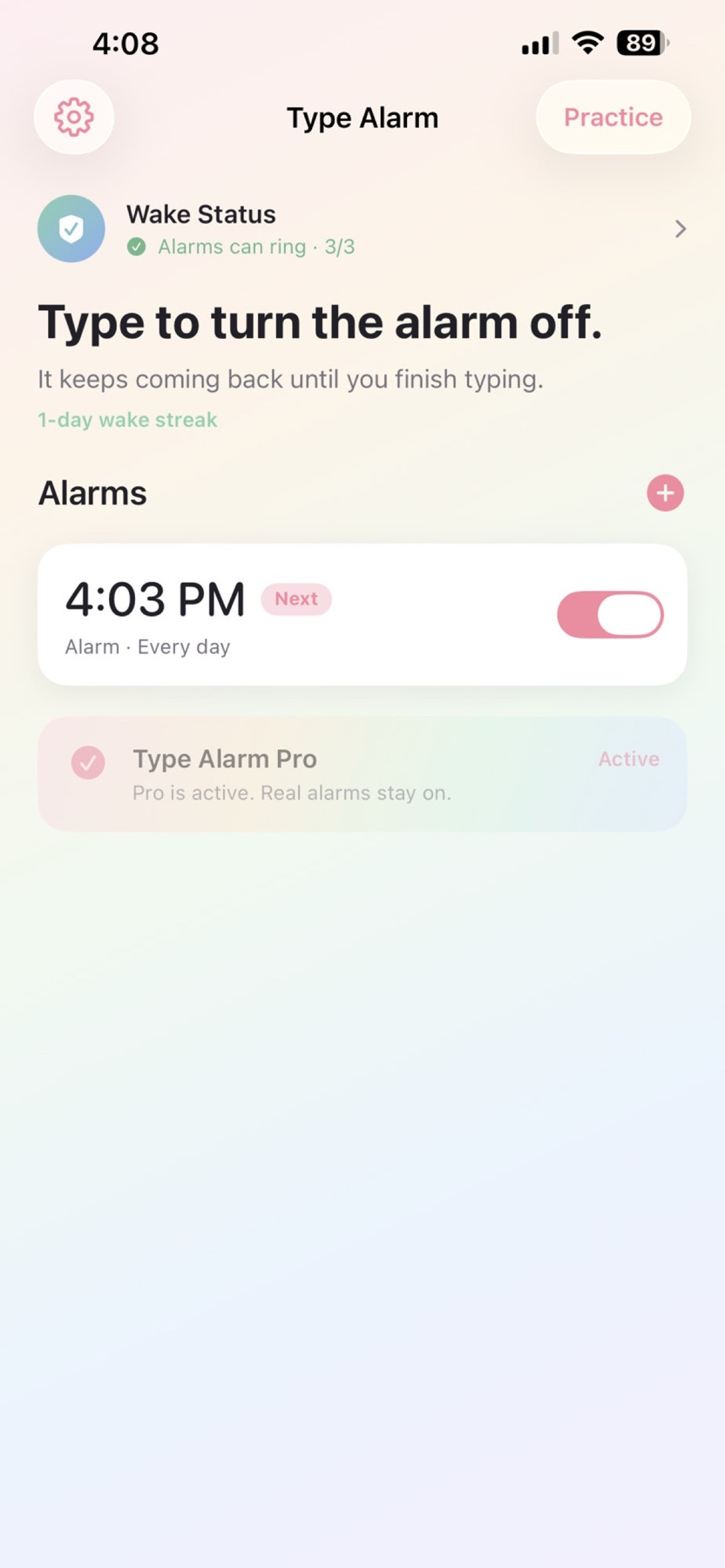
Type Alarm may suit someone who wants more involvement than a quick swipe at wake-up time. The documented loop asks the user to read and type a phrase, with re-arming behavior when the challenge is left unfinished. Practice the flow while awake and check the Pro requirement before making it part of a morning routine.
Start with one small attempt
Use practice mode and complete a phrase so you understand the challenge before an actual morning.
Check the result and access
Set a daytime sample alarm and check the return/re-arming behavior. Confirm Pro access and keep a backup routine for an important wake time.
Limitations & considerations
- Requires iPhone with iOS 26 or later. Alarm behavior in Silent/Focus, interruptions and re-arming were not tested.
- A typing challenge does not establish that someone is fully awake. Keep an independent backup for an important morning.
Use the linked official pages for current platform, access and purchase conditions.
Sources & scope
Reviewed November 11, 2026. Workflow based on linked official documentation checked November 11, 2026. Publisher images are credited.
- Type Alarm · App Store
Official product, access and compatibility information checked November 11, 2026.
- Type Alarm · official information
Official product, access and compatibility information checked November 11, 2026.