Keep an Important Reminder Visible on the Lock Screen
Show a priority reminder as a Lock Screen Live Activity, with repeated prompts and a deliberate hold-to-complete action.
The short answer
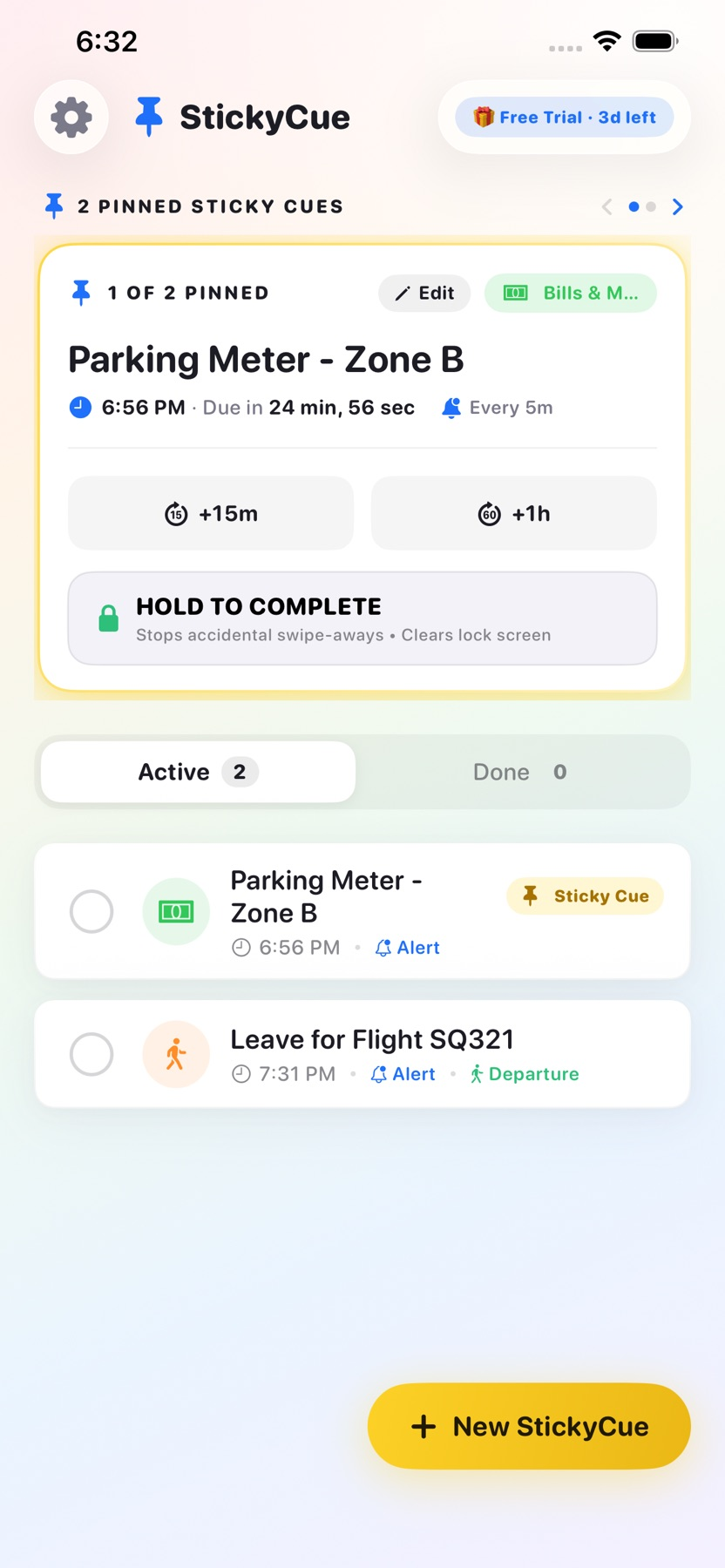
StickyCue may suit someone whose ordinary reminders disappear into notification clutter. The documented workflow keeps a selected cue visible and adds departure timing or repeated prompts. Treat visibility and renewal as something to check on the actual device, because Live Activities and notifications follow system permissions and time limits.
Start with one small attempt
Create a low-stakes sample cue with a short label and check how it appears on the locked device.
Check the result and access
Try completing it with the documented hold action and inspect notification/renewal settings before using it for a time-sensitive task.
Limitations & considerations
- Live Activity duration, renewal and notification permissions can affect visibility. Repeated prompts and completion behavior were not tested.
- The store's permanent-visibility positioning is not a verified system guarantee. Ongoing free scope still needs clarification.
Use the linked official pages for current platform, access and purchase conditions.
Sources & scope
Reviewed November 11, 2026. Workflow based on linked official documentation checked November 11, 2026. Publisher images are credited.
- StickyCue: Lock Screen Cues · App Store
Official product, access and compatibility information checked November 11, 2026.
- StickyCue: Lock Screen Cues · developer privacy policy
Official product, access and compatibility information checked November 11, 2026.