Keep the Story Behind Your Photos
Add writing, voice and attachments to photo Moments, then revisit them through a timeline, calendar or collection.
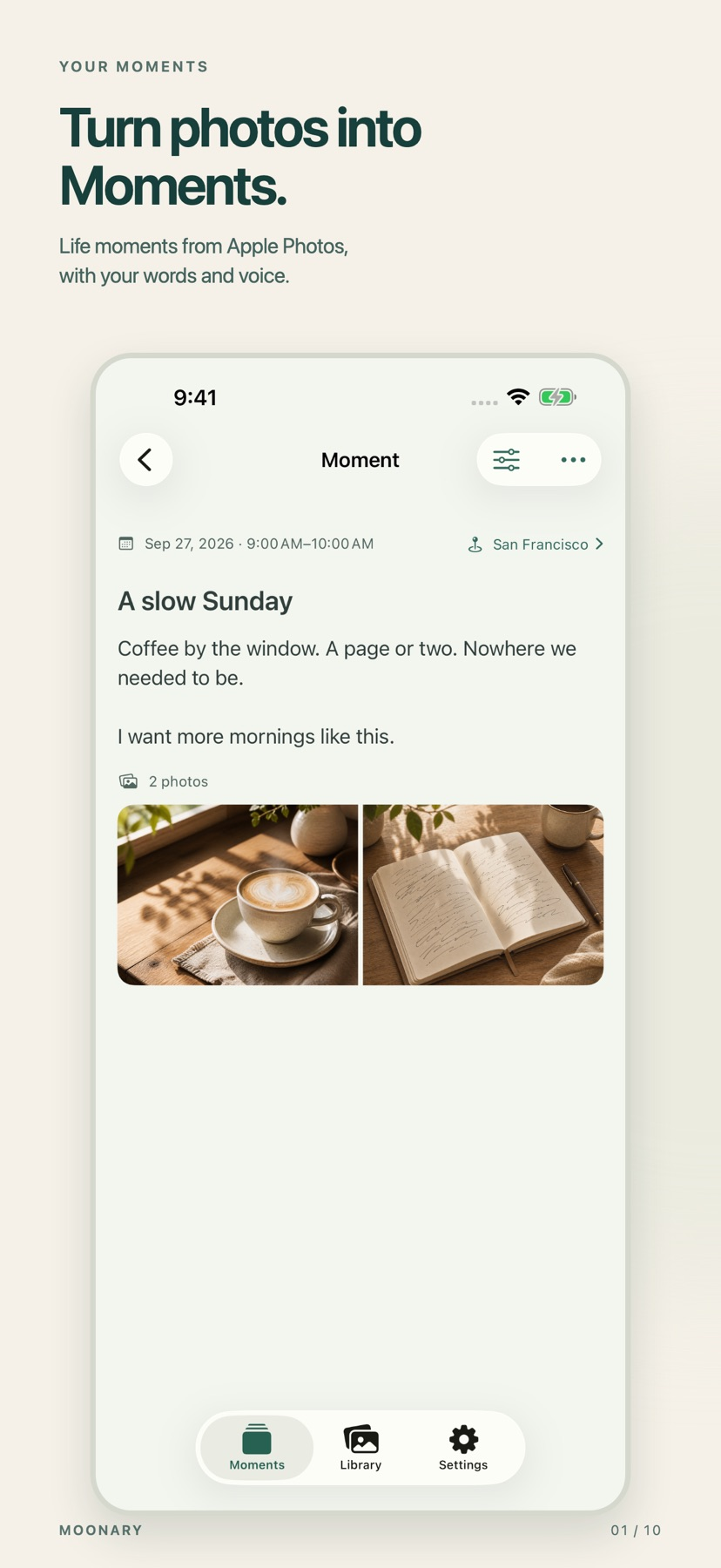
The short answer
Moonary suits someone whose photographs need a little context to remain meaningful. Its documented workflow links a Moment to photos already in Apple Photos and adds the words or recordings that explain the occasion. The free allocation is enough to try a small collection before choosing Plus.
Start with one small attempt
Choose a small set of related photos, add a title and a short note, then revisit the saved Moment from the timeline or calendar.
Check the result and access
Try the free 20-Moment and 3-Collection allocation first. Check the original photos and saved writing on each device before relying on synchronization.
Limitations & considerations
- Original-photo availability follows Apple Photos. Thumbnails, writing, recordings and imported file copies still use storage.
- Drafts remain on their originating device. Trial eligibility, deletion behavior and multi-device sync were not exercised.
Use the linked official pages for current platform, access and purchase conditions.
Sources & scope
Reviewed November 11, 2026. Workflow based on linked official documentation checked November 11, 2026. Publisher images are credited.
- Moonary: Photo Companion · App Store
Official product, access and compatibility information checked November 11, 2026.
- Moonary: Photo Companion · official information
Official product, access and compatibility information checked November 11, 2026.