Practise a Steady Tempo with an iPhone Metronome
Choose a comfortable pulse, set the subdivision you need and keep the exercise short enough to repeat.
The short answer
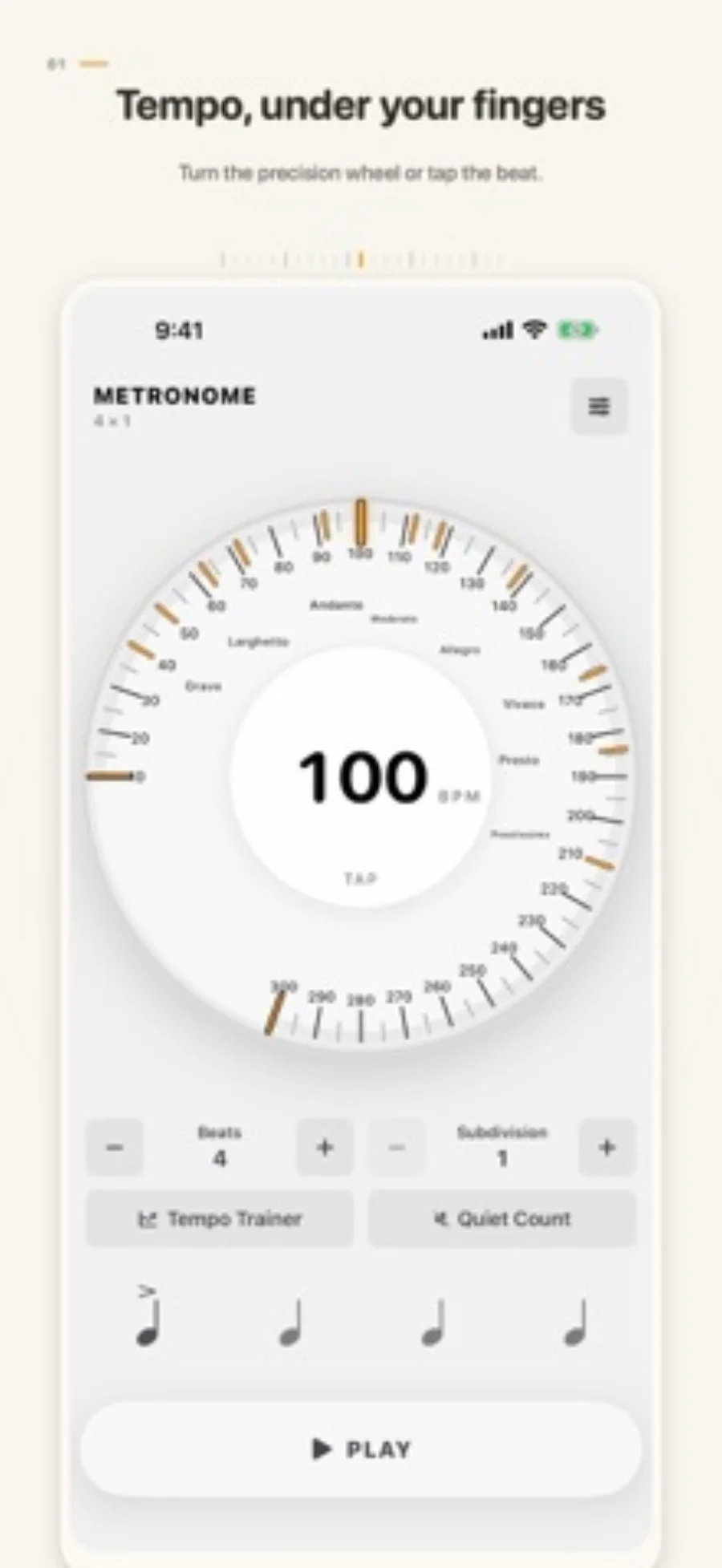
Choose a comfortable pulse, set the subdivision you need and keep the exercise short enough to repeat. Tempo Wheel’s free tools cover 10–300 BPM and four subdivisions. If the click must continue behind sheet music or on a locked phone, its background and Lock Screen features require Pro.
Compare your options
| Approach | Intended result | Tradeoff | Evidence boundary |
|---|---|---|---|
| Free foreground pulse | 10–300 BPM, basic meters and subdivisions | Keep the free app in the intended foreground workflow | US listing |
| Pro background practice | Continue with another app or locked screen | One-time paid upgrade | US listing |
| Tempo Trainer and Quiet Count | Gradual speed changes or alternating silent bars | Structured practice features in Pro | US listing |
Choose a tempo you can repeat
Start below the speed where the passage falls apart. Set a clear BPM and repeat a short section. Tap Tempo can help estimate a starting pulse, but a fixed numerical setting makes it easier to return to the same exercise tomorrow.
Use subdivision for a specific difficulty
Eighths, triplets and sixteenths divide a pulse differently. Pick the subdivision that matches the passage rather than adding more clicks simply to make the exercise feel precise. The reviewed free tier includes all four listed subdivisions.
Decide where the music will be displayed
If you read printed music while the metronome stays visible, the basic foreground route may suffice. If the score is in another app, background playback is material. Tempo Wheel places that capability and Lock Screen features behind the one-time Pro purchase.
Add training modes after the basic pulse works
Tempo Trainer changes the BPM after complete bars. Quiet Count alternates audible and silent bars. Use one mode to answer a specific practice question, such as whether you can keep the pulse without constant clicks; these are tools, not a guarantee of improved timing.
Limitations & considerations
- The listing’s precision description is not an independent timing or Bluetooth-latency benchmark.
Use the linked official pages for current platform, access and purchase conditions.
Sources & scope
Reviewed October 28, 2026. Editorial choices based on the linked official documentation and dated US listings. No performance ranking or device benchmark is claimed.
- Metronome · Tempo Wheel · US App Store
Apple US listing and developer-supplied description, checked October 28, 2026. Used for identity, compatibility, feature boundaries and provider statements; not independent performance testing.