How to Get Started with Gojiberry AI: Signals, Leads and Follow-Up
Define the audience and the evidence you want to see before connecting senders or enabling a campaign.
The short answer
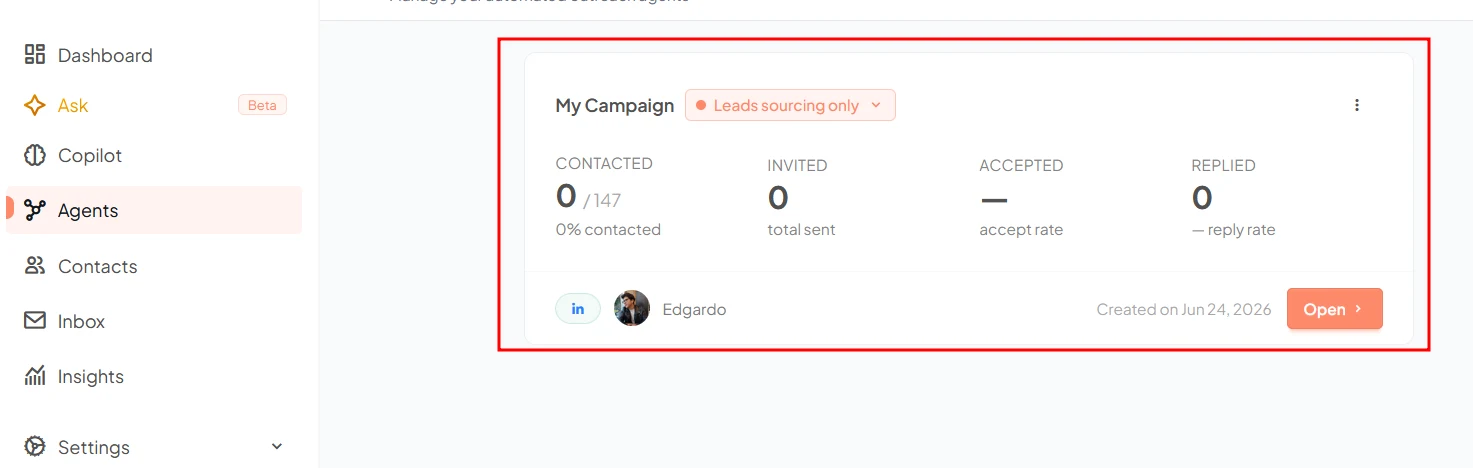
Start by defining an ideal customer profile and a useful signal, then review the resulting prospects before enabling outreach. Gojiberry’s documented workflow moves from signal monitoring to leads and campaigns. Keep sender access, message review and stopping conditions explicit; a signal is a reason to investigate, not proof of buying intent.
Side by side
| Your situation | Useful route | Check before choosing |
|---|---|---|
| First setup | One audience and one signal | Separate facts from assumptions |
| Prospects appear | Review company, role and source | Deduplicate against the CRM |
| Outreach considered | Check sender and campaign entitlement | Use review and explicit stop rules |
Confirm the product and define one audience
This guide concerns Gojiberry AI’s sales workflow at gojiberry.ai, not a similarly named survey product. Begin from its official help and product links. Choose one audience with a concrete business problem, rather than mixing several unrelated customer types into the first campaign.
Describe company characteristics, the relevant role and a reason the problem is likely to matter now. Add exclusions such as existing customers, partners or accounts already owned by another salesperson. A narrow audience makes the resulting leads easier to review and the first message easier to write honestly.
Choose one signal and preserve its context
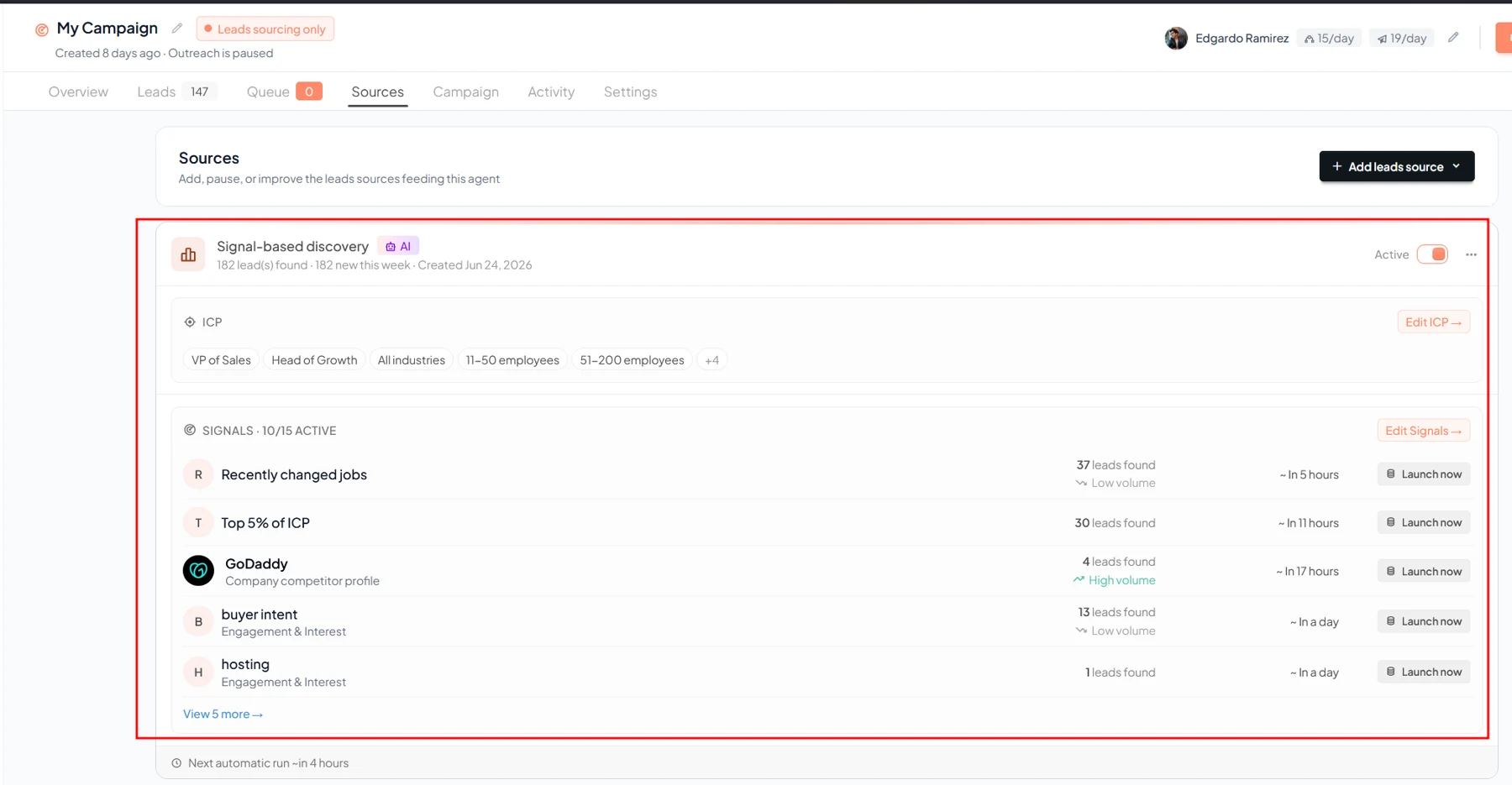
Gojiberry’s help describes signals such as company activity and interactions around relevant topics or competitors. Select one that has a plausible relationship to your offer. Keep the original source and date visible in your working notes.
Do not turn an interaction into a claim that the person is actively shopping. A new role, a company announcement or a public discussion may provide context without establishing a purchasing project. Write down what the signal actually shows and what remains an assumption. That distinction should survive into the outreach draft.
Gojiberry: what it is and how it works
Image source and original context
Review the lead set before connecting execution
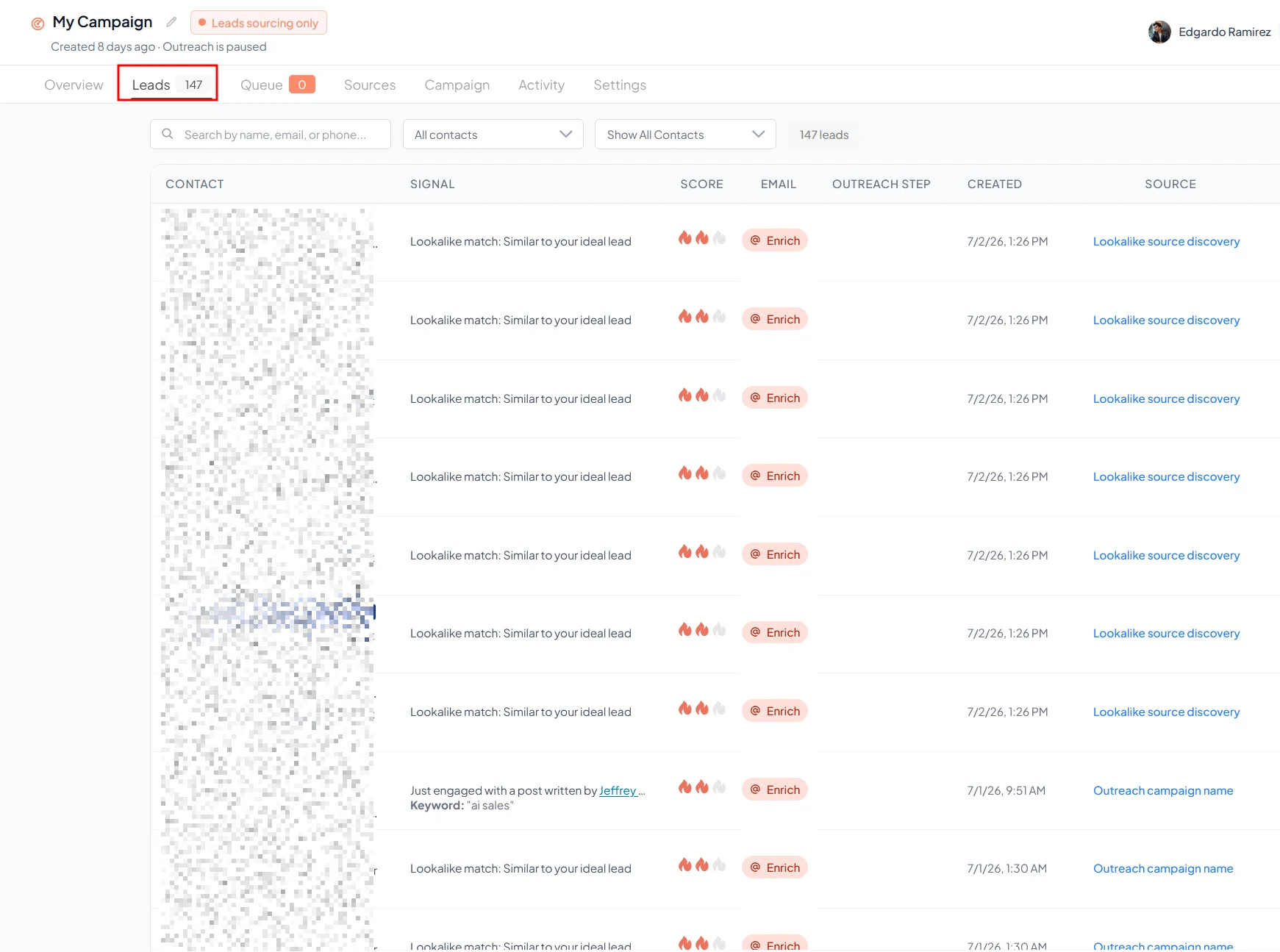
Inspect a small collection of resulting prospects. Confirm that the person is connected to the intended company, the role fits and the source still exists. Remove obvious duplicates and people outside the audience. Check existing CRM ownership before creating a new outreach path.
If the set is weak, revise the audience or signal rather than compensating with more aggressive messaging. A detailed personalized sentence does not fix a fundamentally irrelevant recipient. Save a short reason for including each account so the next review is based on evidence rather than a growing pile of names.
Image source and original context
Configure a draft-first campaign
Prepare a short message structure: a relevant reason for writing, the problem you help with and one modest next step. Use the signal as context only when the wording is accurate and appropriate. Avoid implying that a public action gives you private knowledge of the person’s intentions.
Gojiberry’s plan documentation describes agents, LinkedIn seats, enrichment credits and campaign capabilities. Check your actual entitlement before connecting senders. If the product’s current review controls do not support the process you need, keep the work at research or draft stage rather than assuming an approval setting exists.
Define the end of the sequence
Specify what should stop follow-up: a reply, an opt-out, a wrong-person response, an existing opportunity or a defined end date. Keep the CRM record synchronized so another team member does not start an overlapping sequence.
After the first reviewed batch, assess relevance and the quality of conversations rather than celebrating the number of messages generated. The useful outcome is a better-targeted sales process with understandable evidence, not merely an automated version of a large untargeted list.
Limitations & considerations
- Check current access and purchase terms for your country and account before paying.
Use the linked official pages for current platform, access and purchase conditions.
Sources & scope
Reviewed October 24, 2026. Product facts follow the linked provider documentation. Selection advice and example prompts are iApp4Me editorial guidance. Screenshots and provider examples are credited beside each image. Availability and plan terms are dated October 24, 2026.
- Gojiberry: what it is and how it works
Provider signal-to-outreach workflow; conversion claims are not independent results.
- Gojiberry: pricing explained
Seats, agents, credits and optional add-ons; base price not established here.
No comments yet. Be the first to share your experience.