Check Violin, Viola or Cello Intonation During Practice
Choose your instrument, understand the free tools and decide whether guided practice is worth paying for.
The short answer
Choose the violin, viola or cello edition for the instrument you play. The three apps share a practice toolkit; they are not competing choices for the same player. Start with free live pitch feedback and basic tools. Consider Pro for guided scales, wider fingerboard access and complete take history.
Free tools and Pro features
| What you need | Included free | Requires Pro |
|---|---|---|
| Check a note | Live pitch feedback and adjustable A4 reference | Advanced intonation controls |
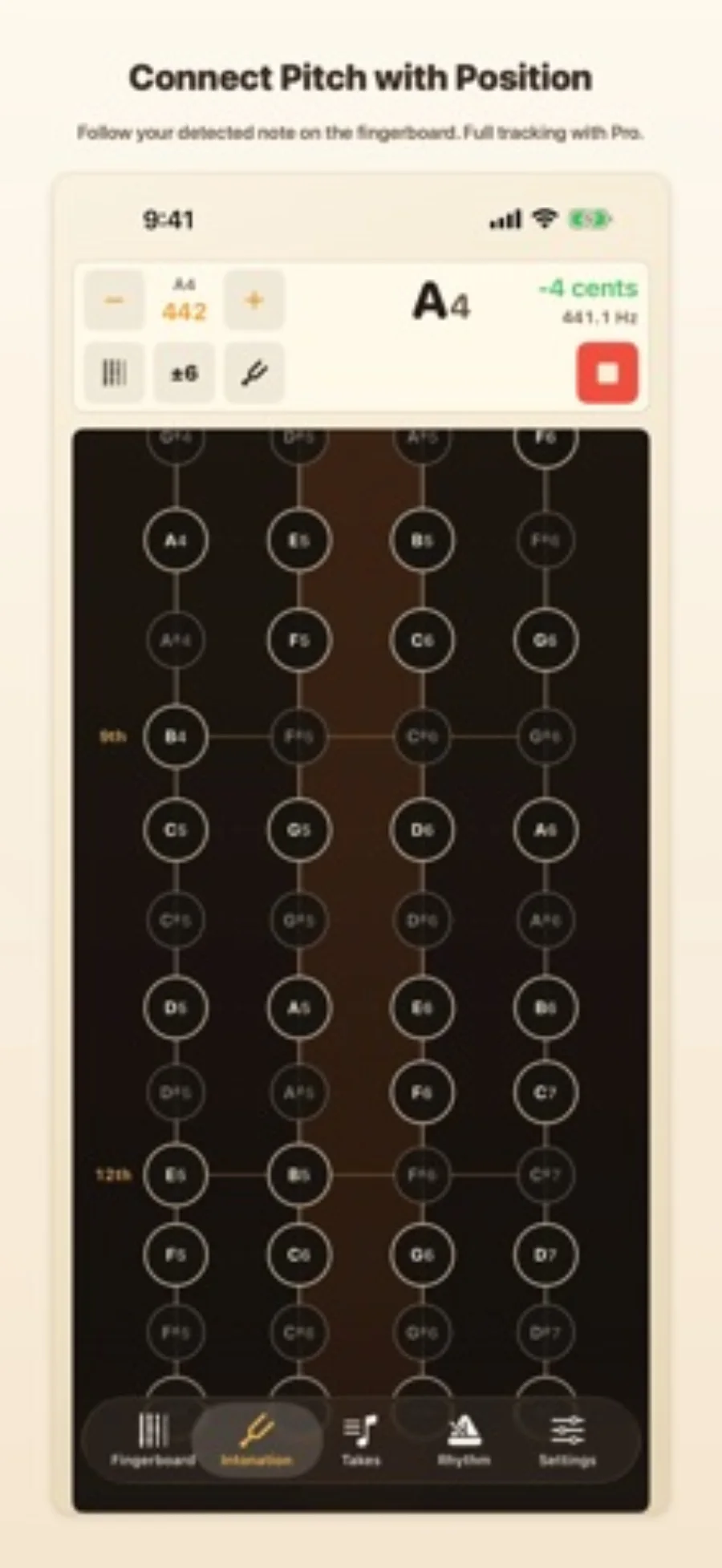
| Find a position | First-position fingerboard exploration | Full fingerboard access and key highlighting |
| Structure an exercise | Basic ear training and metronome | Guided scales and arpeggios |
Start with the free tools
For an open-string check or occasional feedback during a slow passage, begin with live pitch feedback. First-position exploration, basic ear training and a metronome are also included. You do not need a guided exercise simply to check a note.
Pro is more relevant when you want a prepared scale or arpeggio routine, positions beyond the included fingerboard area, or a complete history of takes. The listings offer monthly, yearly and lifetime options; compare the actual checkout before purchasing.
Use a short, repeatable practice loop
Use the display to investigate one passage at a time, then return your attention to listening. Keep the same reference setting across your app and any other tuning reference.
- Select the edition for your instrument and set the A4 reference.
- Check an open string before working on a moving phrase.
- Play a short passage slowly and identify notes to revisit.
- Repeat the passage with the same settings; use guided practice or saved review when those paid tools help.
What the display can tell you
The useful result is identifying where you want to listen or practise again. A centered indicator does not evaluate tone, phrasing or how a note fits the ensemble. Keep teacher feedback and listening in the workflow.
The listings say takes retain pitch samples without saving microphone audio. Those samples can show a pitch trace, but they do not preserve the complete sound of your performance.
Working on rhythm instead?
For a steady pulse, subdivisions or tempo training, follow the separate metronome task. Tuning feedback and rhythm practice answer different questions.
Limitations & considerations
- A fixed pitch display is a practice reference, not a complete assessment of musical intonation.
Use the linked official pages for current platform, access and purchase conditions.
Sources & scope
Reviewed October 28, 2026. Editorial choices based on the linked official documentation and dated US listings. No performance ranking or device benchmark is claimed.
- Violin Tuner & Intonation · US App Store
Apple US listing and developer-supplied description, checked October 28, 2026. Used for identity, compatibility, feature boundaries and provider statements; not independent performance testing.
- Viola Tuner & Intonation · US App Store
Apple US listing and developer-supplied description, checked October 28, 2026. Used for identity, compatibility, feature boundaries and provider statements; not independent performance testing.
- Cello Tuner & Intonation · US App Store
Apple US listing and developer-supplied description, checked October 28, 2026. Used for identity, compatibility, feature boundaries and provider statements; not independent performance testing.