Find the oldest unfinished item on a simple checklist
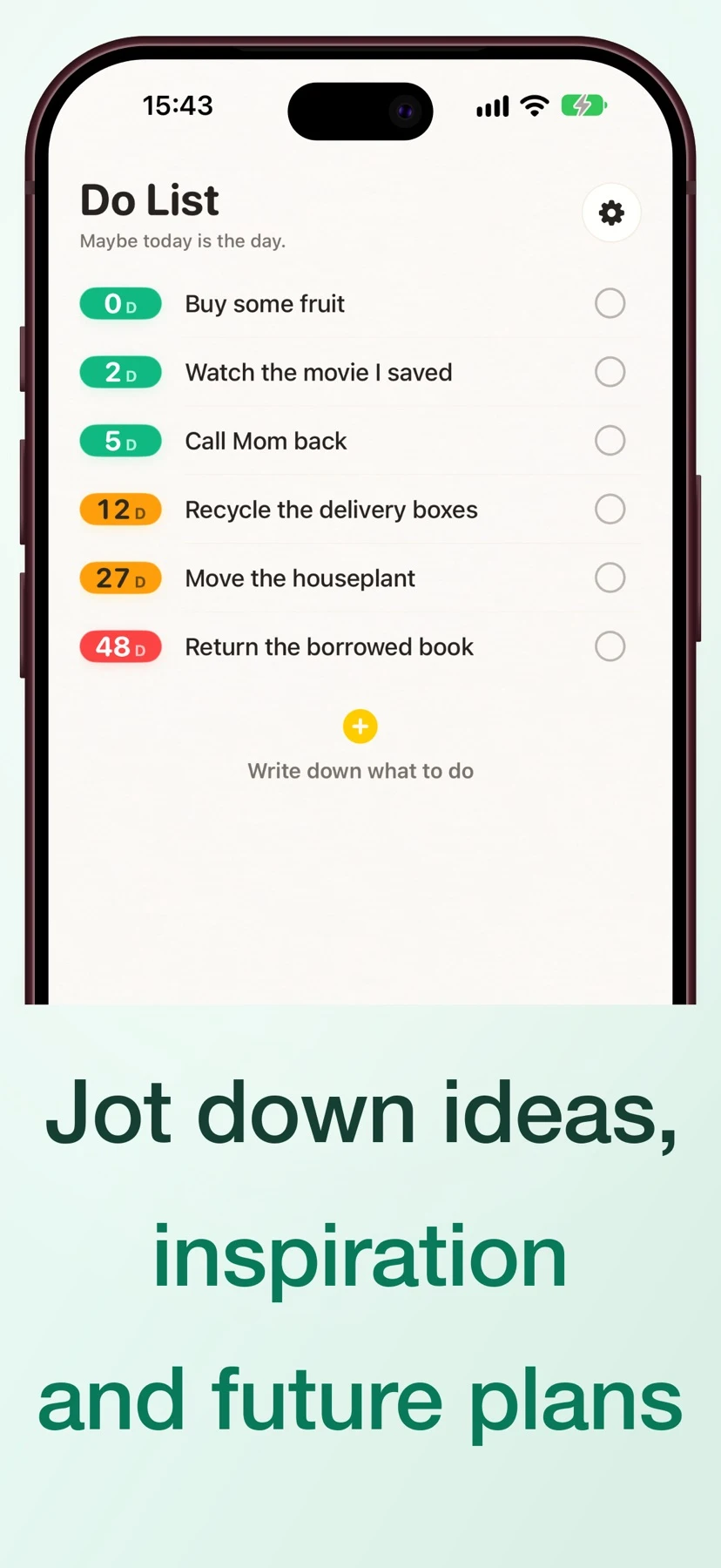
HowLong shows how many calendar days have passed since each task was added, so an old item is visible before it slips off your radar.
The short answer
HowLong shows how many calendar days have passed since each task was added, so an old item is visible before it slips off your radar.
Follow a sample workflow
Add several actual tasks on different days. When you check the list again, compare their day counts to see which open item has been waiting longest.
Move the item you intend to work on into Today. Set a reminder interval only if you want repeated prompts before it is finished.
For an at-a-glance view, add the Lock Screen widget on iPhone. Check off the task when done; the store description says the counter stops on completion.
Check price and access
Free download. The US App Store lists a $1.99 lifetime membership and a $2.99 yearly Premium option.
The store images mention a free trial. The trial duration and ongoing free feature limits were not publicly confirmed.
Limitations & considerations
- Elapsed days measure time since entry. A priority or deadline still needs to be set separately, and widget behavior was not tested on a device.
Use the linked official pages for current platform, access and purchase conditions.
Sources & scope
Reviewed November 21, 2026. This editorial guide is based on publicly available publisher documentation and product images.
- App Store listing
Publisher information checked November 21, 2026.