Ferrite Recording Studio
A spoken-word recording and editing candidate for interviews, narration and podcasts on iPhone or iPad.
Edit spoken-word audio on iPad
Shortlist it for podcast editing, reusable templates and keyboard-driven cleanup rather than music production.
Before you choose: The workflow rewards setup and practice. Pro limits and recording hardware should be checked separately.
Visit the official product page →The essentials
- Platforms
- iPhone · iPad
- Purchase model
- Free tier · Ferrite 3 Pro $29.99
- Developer / project
- Wooji Juice
- US App Store snapshot
- v3.3 · minimum OS 26.6 · Free to download. In-app purchases may be additional.
Checked 2026-10-18 · Verify current listing - App Store rating
- 4.6/5 · 976 ratings · US · 2026-10-18
Apple listing snapshot, not an iApp4Me score or a rating of one particular feature.
Price & purchase options
- Download: Free, with limits
- Ferrite 3 Pro: $29.99
- Ferrite 2 Pro → 3 Pro upgrade: $14.99, eligible owners only
The upgrade price is not the new-buyer price. Confirm the current free project limits before a large edit.
US App Store · USD · checked 2026-10-18 · Verify the current offer ↗. Taxes, promotions and checkout eligibility may change the amount.
Inside the app
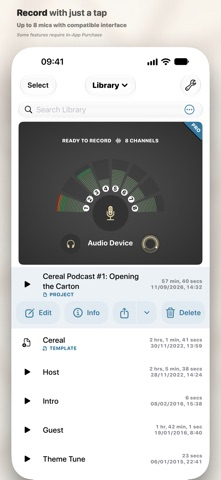
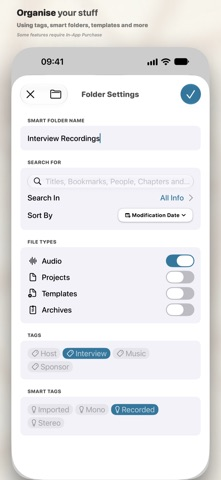
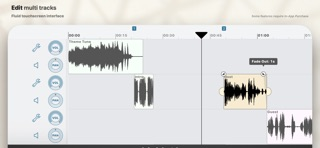
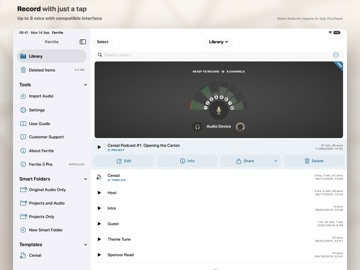
Developer-published product images. Captions identify the platform and source; these are not our test captures.
Ferrite Recording Studio
Who it suits
- Assembling interviews and spoken-word episodes
- An iPad audio-editing workflow
When to choose something else
- A video timeline
- Assuming multichannel recording works with any microphone
What reviewers and users say
Our summaries of linked accounts—not our own experience or a vote-based ranking. Older versions and different platforms are labeled. Sources reviewed October 18, 2026.
MacStories · Ryan Christoffel
Historical iPad podcast workflow · not a current UI guide
Christoffel edits Adapt using templates, silence removal and customized keyboard shortcuts. He finds setup valuable but the initial organization less intuitive.
Read in context: He explicitly says he did not try alternative editors. This is detailed workflow evidence, not a comparative award.
How to read disagreement
Different opinions can reflect different jobs, versions, devices or paid plans. We do not call a few comments “the consensus.” A consequential factual conflict that remains after checking those differences is a candidate for a focused hands-on test. A preference for one interface over another usually is not.
Features & tradeoffs
Features below come from the linked provider documentation. The recommendations above are our editorial interpretation.
- Recording and multitrack speech editing
- Developer-documented effects and export workflows
Limitations & considerations
- The free edition has limits; Ferrite 3 Pro and the eligible-owner upgrade are different offers.
- Recording hardware and a spoken-word editing workflow are separate choices. Do not assume music-production feature parity.
Documented features, attributed opinions and explicitly labeled hands-on observations are different kinds of evidence. We do not infer unmeasured performance or privacy guarantees.
Privacy & permissions
Check the provider’s policy for the exact feature you intend to use. A store privacy label is developer-reported; it is not an independent network audit. We only call processing offline when the evidence establishes that workflow.
Sources
Product facts checked October 18, 2026. Independent and user perspectives, where available, are attributed above. Missing external coverage is not treated as a negative verdict.
- Ferrite Recording Studio overview
Developer positioning: recording and multitrack editing for spoken-word productions.
- Ferrite detailed features
Developer explains recording, editing, format conversion and restrictions in the free edition.
- Ferrite official support
Documents recording hardware dependencies and free versus Pro channel limits.