
iMovie
Apple’s video editor is a baseline to try before buying a more complex editing workflow.
Assemble a straightforward video on Apple devices
Start here for a simple movie project before paying for a more complex timeline editor.
Before you choose: Exporting a finished video is different from handing over an editable project. Mac and iPad workflows differ.
Visit the official product page →The essentials
- Platforms
- iPhone · iPad · macOS
- Purchase model
- Free download
- Developer / project
- Apple
- US App Store snapshot
- v3.0.5 · minimum OS 17.6 · Free to download. In-app purchases may be additional.
Checked 2026-10-18 · Verify current listing - App Store rating
- 4.4/5 · 317,089 ratings · US · 2026-10-18
Apple listing snapshot, not an iApp4Me score or a rating of one particular feature.
Price & purchase options
- iPhone / iPad application: Free
Requires compatible Apple hardware and OS.
US App Store · USD · checked 2026-10-18 · Verify the current offer ↗. Taxes, promotions and checkout eligibility may change the amount.
Inside the app
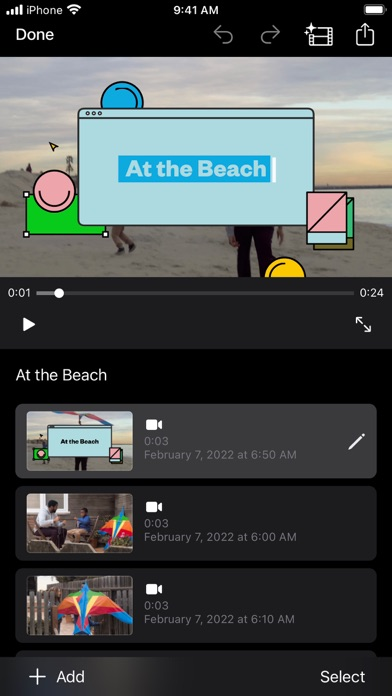
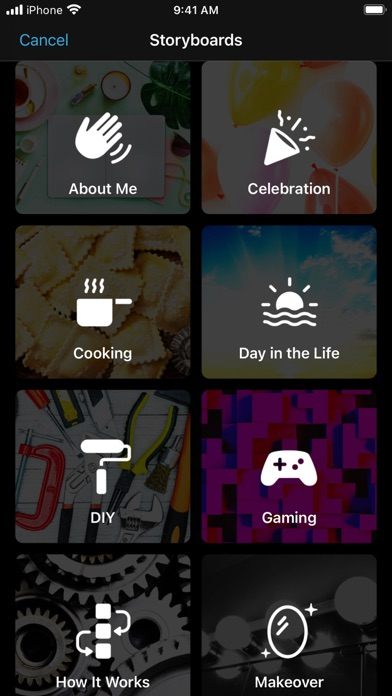
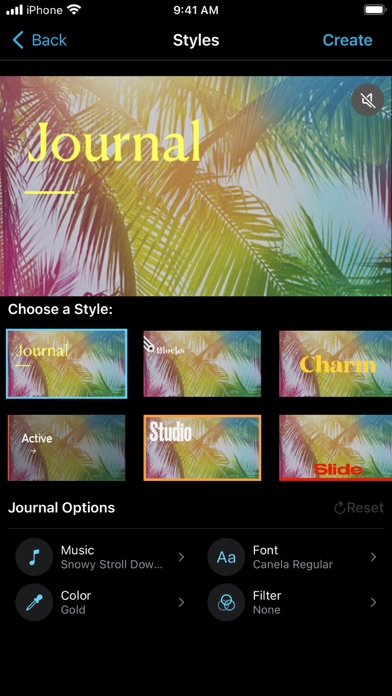
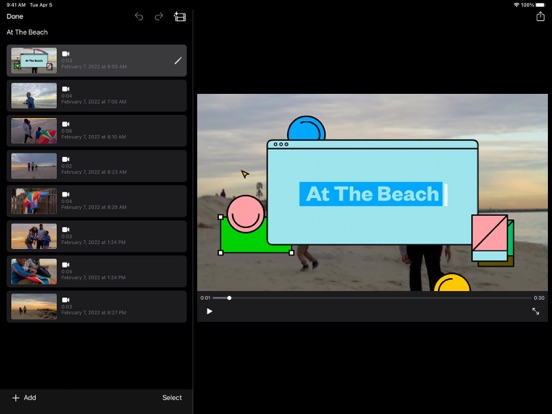
Developer-published product images. Captions identify the platform and source; these are not our test captures.
iMovie
Who it suits
- A first straightforward iPad movie
- Users who value a bounded workflow over extra controls
When to choose something else
- Assuming a project archive is a playable video
- Assuming every device exports identical formats
What reviewers and users say
Our summaries of linked accounts—not our own experience or a vote-based ranking. Older versions and different platforms are labeled. Sources reviewed October 18, 2026.
TechRadar · Steve Paris
Dec 6, 2023 · iPhone and iPad
Paris finds the Movie, Storyboard and Magic Movie approaches approachable for beginners, but too limited for more involved editing.
Read in context: His device-specific glitch involved iOS 16 and did not reproduce across all tested devices. It is not evidence of a current universal bug or a Mac review.
How to read disagreement
Different opinions can reflect different jobs, versions, devices or paid plans. We do not call a few comments “the consensus.” A consequential factual conflict that remains after checking those differences is a candidate for a focused hands-on test. A preference for one interface over another usually is not.
Features & tradeoffs
Features below come from the linked provider documentation. The recommendations above are our editorial interpretation.
- Movie, Storyboard and Magic Movie workflows
- Titles and audio editing
- Finished movie and editable project sharing
Limitations & considerations
- Mac and iPhone/iPad interfaces and export capabilities differ. Device requirements matter.
- A playable movie and an editable project are different deliverables. Automatic speech-to-subtitle generation is not established here.
Documented features, attributed opinions and explicitly labeled hands-on observations are different kinds of evidence. We do not infer unmeasured performance or privacy guarantees.
Privacy & permissions
Check the provider’s policy for the exact feature you intend to use. A store privacy label is developer-reported; it is not an independent network audit. We only call processing offline when the evidence establishes that workflow.
Sources
Product facts checked October 18, 2026. Independent and user perspectives, where available, are attributed above. Missing external coverage is not treated as a negative verdict.
- iMovie iPhone and iPad listing
Apple listing; free download, device-dependent export capabilities. Mac edition is separate.
- Export projects in iMovie on iPad
Apple distinguishes editable project export from a finished video.