PDF Expert
An Apple-focused PDF workspace spanning reading, annotations, signatures and paid document editing.
Annotate and manage PDFs on Apple devices
Shortlist it for a document workspace with reading, markup and paid editing capabilities rather than one isolated conversion.
Before you choose: Check the current plan for your target device; a review of the Mac version does not establish iPad feature access.
Visit the official product page →The essentials
- Platforms
- iPhone · iPad · macOS
- Purchase model
- Free download · paid editing plans
- Developer / project
- Readdle
- US App Store snapshot
- v7.26.2 · minimum OS 16.0 · Free to download. In-app purchases may be additional.
Checked 2026-10-18 · Verify current listing - App Store rating
- 4.7/5 · 216,184 ratings · US · 2026-10-18
Apple listing snapshot, not an iApp4Me score or a rating of one particular feature.
Price & purchase options
- Vendor annual plan: €84.99/year, Mac + iPhone + iPad
- Vendor one-time plan: €149.99, Mac only
EUR offers on the vendor website, not US App Store prices. The one-time Mac license is not an iPhone/iPad purchase; new features can cost extra. App Store offers differ.
Vendor website · EUR · checked 2026-10-18 · Verify the current offer ↗. Taxes, promotions and checkout eligibility may change the amount.
Inside the app
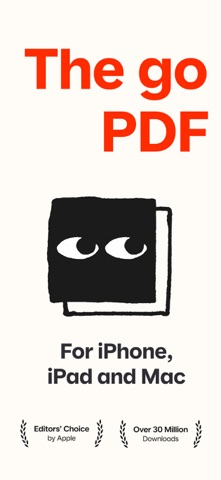
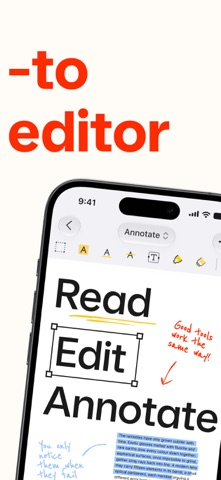
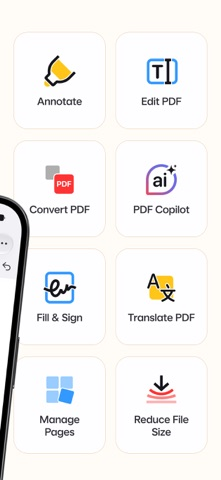
Developer-published product images. Captions identify the platform and source; these are not our test captures.
PDF Expert
Who it suits
- Frequent Apple-device PDF workflows
When to choose something else
- Buying a Mac-only offer for assumed iOS premium access
What reviewers and users say
Our summaries of linked accounts—not our own experience or a vote-based ranking. Older versions and different platforms are labeled. Sources reviewed October 18, 2026.
Apple App Store editorial
US listing editorial feature · publication date not supplied
Apple’s editorial feature emphasizes organizing, annotating and editing documents on iPad.
Read in context: Store editorial is distinct from an independent comparative benchmark or a customer review. The endorsement does not establish which features are free.
How to read disagreement
Different opinions can reflect different jobs, versions, devices or paid plans. We do not call a few comments “the consensus.” A consequential factual conflict that remains after checking those differences is a candidate for a focused hands-on test. A preference for one interface over another usually is not.
Features & tradeoffs
Features below come from the linked provider documentation. The recommendations above are our editorial interpretation.
- PDF annotation
- Signature placement
- Premium text/image editing and conversion
Limitations & considerations
- The vendor’s one-time €149.99 offer is Mac-only; it does not unlock iPhone/iPad editing. The €84.99 annual website offer covers the Apple-device plan.
- Editable and flattened exports serve different purposes. Reopen the output in another reader when forms or annotations matter.
Documented features, attributed opinions and explicitly labeled hands-on observations are different kinds of evidence. We do not infer unmeasured performance or privacy guarantees.
Privacy & permissions
Check the provider’s policy for the exact feature you intend to use. A store privacy label is developer-reported; it is not an independent network audit. We only call processing offline when the evidence establishes that workflow.
Sources
Product facts checked October 18, 2026. Independent and user perspectives, where available, are attributed above. Missing external coverage is not treated as a negative verdict.
- PDF Expert plans
Annual and Mac-only lifetime offers are different entitlements; verify local purchase screen.
- PDF Expert signing instructions
Official iOS signature and export workflow, not a comparison test.