PDFgear
A broad PDF utility suite worth investigating before paying for routine document operations.
Start with everyday PDF operations
A sensible shortlist for merging, reading and other routine document tasks. Use the platform-specific documentation: desktop and mobile tools are not interchangeable.
Before you choose: Do not assume every desktop editing or AI feature exists on iPhone.
Visit the official product page →The essentials
- Platforms
- iPhone · iPad · macOS
- Purchase model
- Free iPhone and iPad download
- Developer / project
- PDFgear
- US App Store snapshot
- v2.29 · minimum OS 15.0 · Free to download. In-app purchases may be additional.
Checked 2026-10-18 · Verify current listing - App Store rating
- 4.7/5 · 8,855 ratings · US · 2026-10-18
Apple listing snapshot, not an iApp4Me score or a rating of one particular feature.
Price & purchase options
- iPhone / iPad app: Free
Check mobile-specific features. Desktop editing and AI features are not a mobile entitlement promise.
US App Store · USD · checked 2026-10-18 · Verify the current offer ↗. Taxes, promotions and checkout eligibility may change the amount.
Inside the app
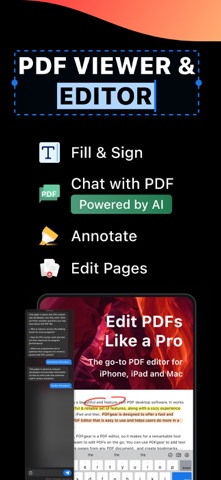
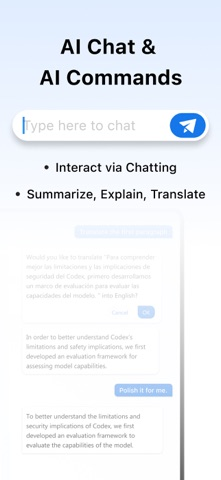
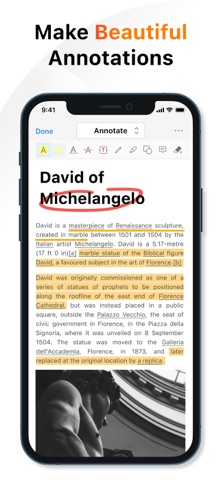
Developer-published product images. Captions identify the platform and source; these are not our test captures.
PDFgear
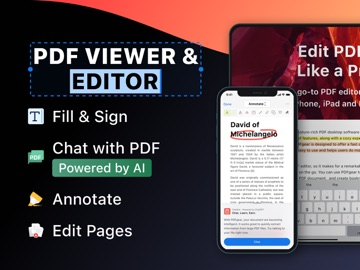
Who it suits
- Routine PDF operations without assuming a subscription is necessary
When to choose something else
- Unverified claims of perfect conversion fidelity
What reviewers and users say
Our summaries of linked accounts—not our own experience or a vote-based ranking. Older versions and different platforms are labeled. Sources reviewed October 18, 2026.
PDFgear · App Store reader examples
US feed · 50 recent entries retrieved 2026-10-18. Up to one positive and one critical example selected from that feed; not a representative sentiment survey.
anonymous ladybug sam · 2026-10-11 · 5/5 · v2.29
“I used to use preview to view my first aid…”Read the source feed ↗
Idkwhyuneedaname · 2026-10-15 · 1/5 · v2.29
“After the lastest update the program broke and no longer…”Read the source feed ↗
How to read disagreement
Different opinions can reflect different jobs, versions, devices or paid plans. We do not call a few comments “the consensus.” A consequential factual conflict that remains after checking those differences is a candidate for a focused hands-on test. A preference for one interface over another usually is not.
Features & tradeoffs
Features below come from the linked provider documentation. The recommendations above are our editorial interpretation.
- Merge PDFs
- Compress PDFs
- Annotation and document tools
Limitations & considerations
- Desktop and mobile feature lists are not interchangeable. Use the instructions for your target platform.
- Free tools are documented by the provider; that does not establish identical access to every AI or cloud feature.
Documented features, attributed opinions and explicitly labeled hands-on observations are different kinds of evidence. We do not infer unmeasured performance or privacy guarantees.
Privacy & permissions
Check the provider’s policy for the exact feature you intend to use. A store privacy label is developer-reported; it is not an independent network audit. We only call processing offline when the evidence establishes that workflow.
Sources
Product facts checked October 18, 2026. Independent and user perspectives, where available, are attributed above. Missing external coverage is not treated as a negative verdict.
- PDFgear official product site
Vendor describes its PDF tools as free; features vary by platform.
- PDFgear iPhone and iPad merge instructions
Official iPhone/iPad merge instructions, updated September 11, 2026.
- PDFgear compressor
Vendor advertises free offline app compression; no reduction percentage independently verified.