Merge PDF files
Combine documents in the right order, then verify the saved result.


The short answer
Start with an available built-in tool or a documented merger such as PDFgear. Merging should produce one PDF in your intended order; it does not automatically make scanned pages searchable or preserve every interactive feature.
Which app fits your job?
Preview
macOS · iPhone · iPadTry the included Mac tool first
For ordinary viewing, annotation and page operations, start with the tool already on your Mac before installing a larger PDF suite.
The tradeoff: This profile covers Mac Preview, not feature parity with the iPhone edition.
Included with macOS
Apple documentation · included software · 2026-10-18 · Plan details & source
Explore Preview →PDFgear
iPhone · iPad · macOSStart with everyday PDF operations
A sensible shortlist for merging, reading and other routine document tasks. Use the platform-specific documentation: desktop and mobile tools are not interchangeable.
The tradeoff: Do not assume every desktop editing or AI feature exists on iPhone.
Free iPhone and iPad download
US App Store · USD · 2026-10-18 · Plan details & source
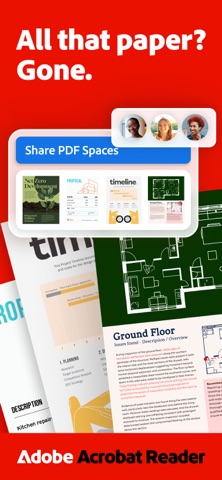
Explore PDFgear →Adobe Acrobat Reader
iPhone · iPad · macOSRead, comment and work within Adobe
Shortlist it when other people already exchange documents through Acrobat, or you need a familiar PDF reader with an upgrade path.
The tradeoff: Reader is not the same product entitlement as Acrobat Pro. Check which editing and conversion actions require payment.
Free reader · paid Premium offers
US App Store · USD · 2026-10-18 · Plan details & source
Explore Adobe Acrobat Reader →PdfCraft
macOS · Windows · Linux · FreeBSD · WebMerge, split and organize pages on desktop
A desktop/self-hosted option for document assembly. Its external tutorial makes the page-management workflow easier to assess before installing.
The tradeoff: Do not treat it as an iPhone app or an embedded-image extractor.
Free open-source software
Official repository · no app fee · 2026-10-18 · Plan details & source
Explore PdfCraft →
PDF Easy Combiner
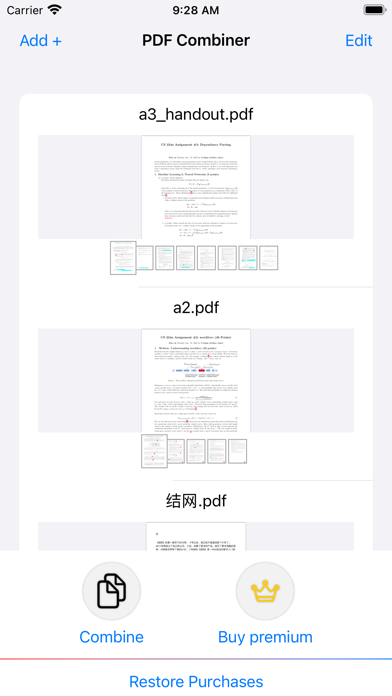
iPhone · iPadCombine whole PDFs on iPhone or iPad
Shortlist it for a focused file-merging workflow with control over input order. Compare PDFgear when you also need a broader mobile PDF toolkit; Preview and PdfCraft are separate Mac choices.
The tradeoff: The free allowance, actual export workflow and preservation of forms, links and bookmarks remain unverified. The listing shows a $2.99 Full Access offer; no same-file benchmark establishes a winner.
Free download · $2.99 Full Access offer
US App Store · USD · 2026-10-18 · Plan details & source
Explore PDF Easy Combiner →Editorial selection advice based on the linked product documentation, attributed feedback and any explicitly labeled test results—not a universal winner.
See the apps, not just the feature list
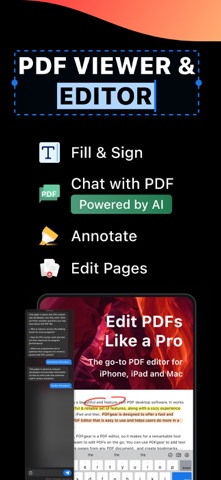
Developer-published product images. Captions identify the platform and source; these are not our test captures.
Preview
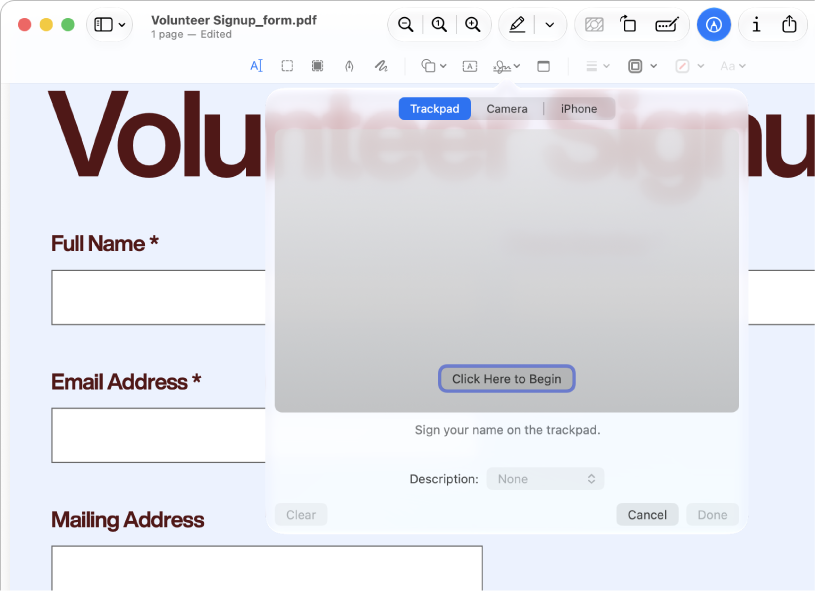
Apple documentation image; interface depends on macOS version.
PDFgear
Adobe Acrobat Reader
PdfCraft
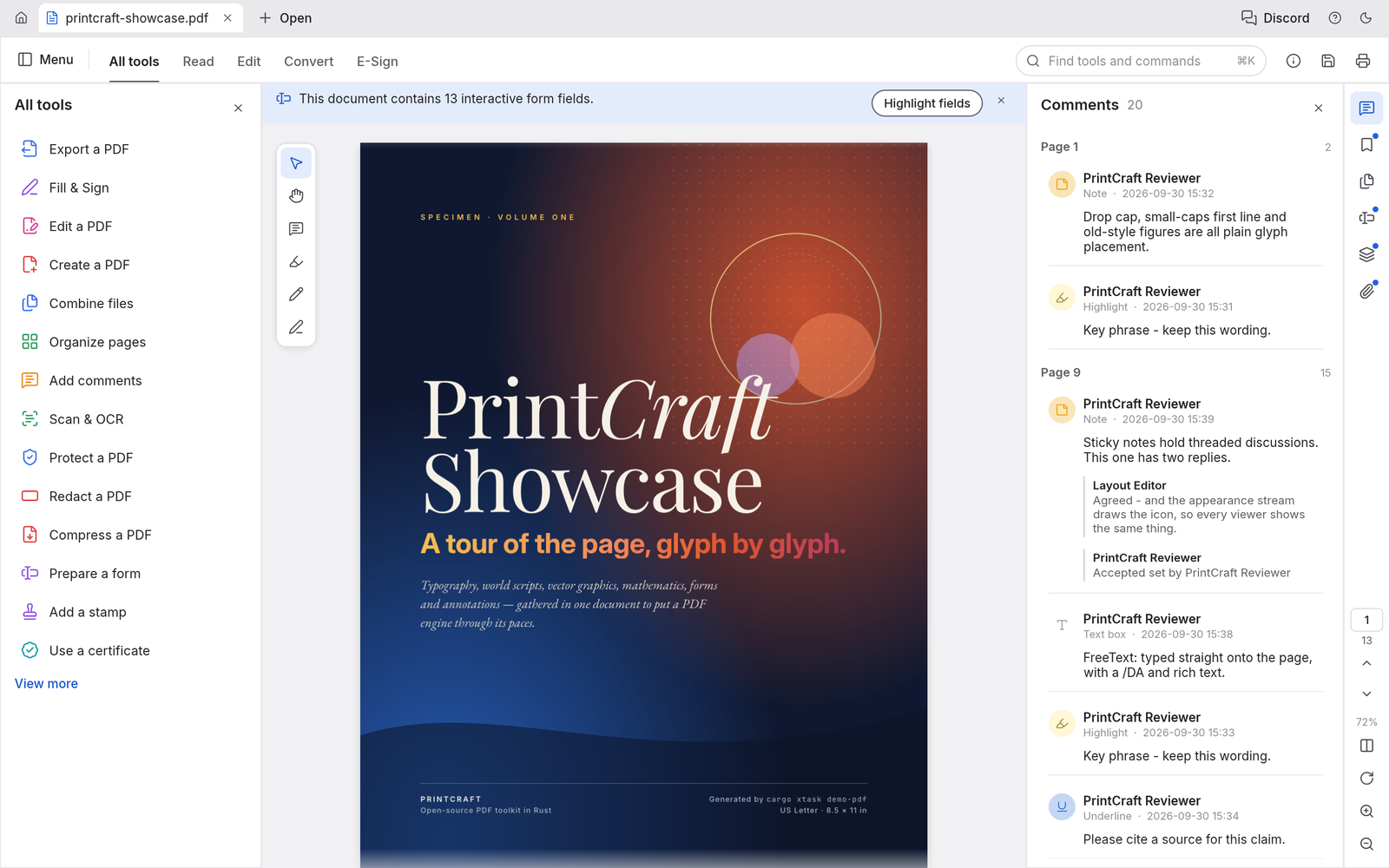
The official repository demo uses PrintCraft branding; it is not our capture of a tested PdfCraft release.
PDF Easy Combiner
What reviewers and users say
Our summaries of linked accounts—not our own experience or a vote-based ranking. Older versions and different platforms are labeled. Sources reviewed October 18, 2026.
Macworld · Chris Barylick
May 24, 2022 · Preview 11 / macOS Monterey 12.4
Barylick finds the included Preview useful for everyday forms, signatures and basic PDF changes before considering an Acrobat upgrade.
Read in context: A historical Mac comparison. Its old prices and format limitations are not current facts or evidence about iPhone Preview.
Macworld · Chris Barylick
May 24, 2022 · Mac Reader versus paid Acrobat editions
The reviewer distinguishes the free Reader from paid Acrobat tools and criticizes the upgrade-oriented experience when basic PDF work is the goal.
Read in context: Desktop and historical context, not a benchmark of the current iOS interface, mobile editing access or current subscription price.
ByteBriefly
Merge, split and organize PDF tutorial
The tutorial walks through document assembly and page-management operations.
Read in context: An external documentation-based tutorial, not our hands-on evidence or an iPhone workflow.
PDFgear · App Store reader examples
US feed · 50 recent entries retrieved 2026-10-18. Up to one positive and one critical example selected from that feed; not a representative sentiment survey.
anonymous ladybug sam · 2026-10-11 · 5/5 · v2.29
“I used to use preview to view my first aid…”Read the source feed ↗
Idkwhyuneedaname · 2026-10-15 · 1/5 · v2.29
“After the lastest update the program broke and no longer…”Read the source feed ↗
PDF Easy Combiner · External coverage: Exact App Store ID and product-name searches reviewed October 18, 2026 did not locate a suitable independent evaluation for this edition. The listing reports insufficient ratings for an overview. This profile uses attributed official information, not invented user consensus or a hands-on verdict.
How to read disagreement
Different opinions can reflect different jobs, versions, devices or paid plans. We do not call a few comments “the consensus.” A consequential factual conflict that remains after checking those differences is a candidate for a focused hands-on test. A preference for one interface over another usually is not.
Compare your options
| Approach | Intended result | Tradeoff | Evidence boundary |
|---|---|---|---|
| Apple built-in tools | A combined PDF where supported | OS-specific controls require confirmation | Apple Mac documentation; mobile controls differ |
| PDFgear iOS | Ordered file/page merge | Install and verify actual export | Vendor mobile instructions |
| Acrobat mobile premium | Combined files | Paid entitlement | Adobe subscription documentation |
| PdfCraft on Mac | Combine PDFs and organize pages | Free/open source per provider; installation and fidelity untested | Official project plus a documentation-based ByteBriefly tutorial; not a benchmark |
| PDF Easy Combiner on iPhone/iPad | Combine complete PDFs in a chosen file order | Free download + $2.99 Full Access listing; free allowance and output fidelity unverified | Official US App Store listing; not a device test |
Prepare files before choosing an app
Save all source documents somewhere you can identify reliably. A bank statement, application and supporting letter may have similar names but different revisions. Rename working copies and write down the intended document and page order. Keep originals rather than editing the only copy.
Your platform matters. Preview on Mac is not the same interface as Preview on iPhone. Older mobile systems may expose a different set of Files actions. We do not advertise one universal set of Apple menu labels.
Select for the controls you need
A basic merge is enough when whole documents are already correct. If you must omit or rearrange individual pages, choose a method with a page-level preview. PDFgear documents an iOS merge workflow including ordering files and pages; actual execution remains on our checklist.
After saving, open the output in another PDF viewer. Check total page count, each join between documents, rotations and small text. Test fields if a form needs to remain interactive. Keep certificate-signed originals separately; do not assume that constructing a new combined document preserves signature validity.
When a browser is appropriate
A browser route avoids installing another app but still needs a processing and privacy check. Do not generalize the upload behavior of one web service to every other service. For private paperwork, select a route with documented handling and validate the required operation offline where practical.
Consider PdfCraft for Mac page work
ArtCraft documents Combine files for creating one PDF and Organize pages for page-level changes. Its Extract and Split operations create PDF documents, not individual image files. The ByteBriefly tutorial explains those distinctions using official screenshots and proposed output checks; it explicitly does not report an independent fidelity benchmark.
Keep the inputs and inspect the combined result in another viewer. ArtCraft claims preservation of links, forms, layers and bookmarks; we have not verified these claims. Native iPhone/iPad support is not established by the desktop or self-hostable web downloads.
Consider PDF Easy Combiner for a focused iPhone or iPad merge
PDF Easy Combiner advertises combining whole PDF files and choosing their order. Shortlist it when that is the complete job; PDFgear is a broader mobile alternative, while Preview and PdfCraft address Mac workflows. File ordering is not evidence of individual-page editing, splitting or OCR.
The US listing offers a free download and a $2.99 Get Full Access purchase. Its description also mentions no hidden costs, so do not infer unlimited free merging from that description. The exact allowance, modern-device workflow and preservation of forms, bookmarks and links remain unverified. No overall winner or speed advantage is established.
Limitations & considerations
- Preview: Mac and mobile Preview have different controls and system requirements; the linked Mac instructions do not establish mobile feature parity.
- PDFgear: Desktop and mobile feature lists are not interchangeable. Use the instructions for your target platform.
- Adobe Acrobat Reader: Free Reader, mobile Premium and desktop Acrobat Pro are different entitlements.
- PdfCraft: Desktop downloads and the self-hostable web build do not establish a native iPhone/iPad workflow. Its Extract operation means page extraction, not recovery of embedded pictures.
- PDF Easy Combiner: The listing shows a $2.99 Full Access purchase but does not define the complete free merge allowance or renewal terms.
Documented features, attributed opinions and explicitly labeled hands-on observations are different kinds of evidence. We do not infer unmeasured performance or privacy guarantees.
Sources & scope
Reviewed October 18, 2026. Sources include official documentation and an external documentation-based tutorial; neither is our own hands-on evidence. This article uses the linked documentation; any hands-on observations are separately labeled.
- Preview user guide for Mac
Mac documentation; do not assume identical iPhone/iPad controls.
- PDFgear iPhone and iPad merge instructions
Official iPhone/iPad merge instructions, updated September 11, 2026.
- Acrobat mobile subscription scope
Mobile-only plans are not equivalent to full desktop Acrobat subscriptions.
- ArtCraft — official PdfCraft product and downloads
Official page reviewed October 18, 2026; lists version 0.6.0, free desktop downloads and a self-hostable WebAssembly build. Feature, fidelity and no-telemetry statements are provider claims, not our tests.
- ByteBriefly: combine PDFs, extract pages and split a document
External documentation-based tutorial, published October 18, 2026. Credits official screenshots and explicitly disclaims an independent file-fidelity benchmark. Not hands-on validation or a quality verdict.
- PDF Easy Combiner — US App Store
Official listing reviewed October 18, 2026: iPhone/iPad PDF merging and file ordering, free download with a $2.99 Get Full Access purchase. No-ads and privacy statements are developer-reported; no device or file-fidelity test performed.