Reeder vs Reeder Classic: Which App Should You Choose?
These are different reading workflows, not simply the free and paid editions of one app.
The short answer
Choose current Reeder for a timeline mixing several source types. Choose Reeder Classic for its traditional RSS and read-later workflow, especially when a supported external service matters. Confirm the exact app and regional purchase screen before migrating.
Side by side
| Question | Current Reeder | Reeder Classic |
|---|---|---|
| How do I catch up? | Resume a mixed-source timeline | Traditional RSS/read-later workflow |
| Syncing model | iCloud for its own state | Built-in iCloud or listed external services |
| Old tutorials apply? | Not automatically | Only if they match the edition and version |
| Buying decision | Inspect free limits and subscription terms | Inspect its separate store listing |
| Migration test | Check allowed import and saved links | Check chosen service and article state |
Identify the app before following an old tutorial
A search for Reeder can lead to instructions for different generations. Before buying, compare the product name, icon, store listing and operating-system requirements. Keep the edition name in your notes so you do not troubleshoot a control that belongs to another app.
Current Reeder: a timeline to resume
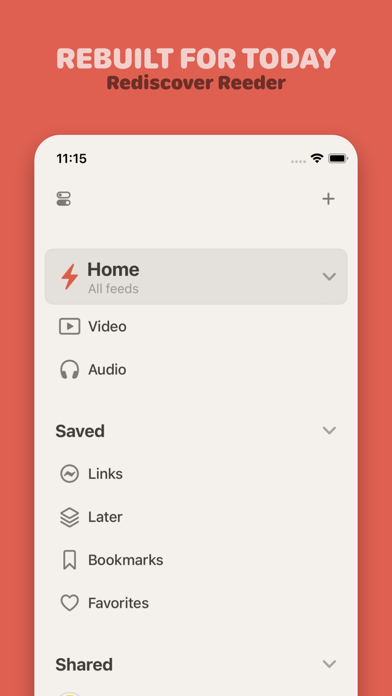
The newer product brings RSS and other supported sources into one timeline. Reading progress is based on scroll position rather than the old unread queue, and its own synchronization uses iCloud. Its free evaluation has collection and import limits documented in Help.
Classic: a traditional client with service choices
The developer explicitly keeps the older app available as Reeder Classic. It combines RSS and read-later reading and lists external services such as Feedbin, Feedly, Inoreader and FreshRSS, as well as optional built-in iCloud feeds.
Treat a listed service as a compatibility starting point, not a guarantee that every historical integration remains operational. Verify the service you personally need before moving your subscriptions.
Use your existing account to narrow the choice
If a paid feed service holds your subscription list and reading state, check the supported-account route first. If you want a single mixed timeline and do not need that service account, evaluate the newer product with a representative small collection.
If the main problem is subscription cost rather than reading style, compare a free conventional reader such as NetNewsWire as another option. Switching between the two Reeder editions is not the only possible decision.
Migrate in a reversible order
Export the feed list where supported, record the location of saved articles and move a small folder first. Confirm an excerpt-only feed, an old saved link and a source with frequent updates. Only then move the rest.
Keep the previous app and account until your important reading material is accounted for. OPML is useful for subscriptions but should not be described as a complete backup of every saved article and reading state.
Limitations & considerations
- Menu names and availability depend on the installed system or app version; the linked documentation is the reference for current controls.
Use the linked official pages for current platform, access and purchase conditions.
Sources & scope
Reviewed October 25, 2026. Provider facts are attributed in each section. Examples, decision rules and quality checks are iApp4Me editorial guidance. Screenshots are credited provider illustrations unless a separate observation is explicitly identified.
- Reeder: current product
Official documentation; feature and version scope checked October 25, 2026.
- Reeder: help and free-tier limits
Official documentation; feature and version scope checked October 25, 2026.
- Reeder Classic: separate product
Official documentation; feature and version scope checked October 25, 2026.


No comments yet. Be the first to share your experience.