Lingopie
Lingopie combines a video catalogue with clickable vocabulary, a word bank and flashcard review.

Learners who want a dedicated watch, click, save and review routine built around real video material.
Lingopie combines a video catalogue with clickable vocabulary, a word bank and flashcard review. It fits learners who want to watch and review in one service on web or mobile. Choose the language entitlement and billing channel carefully: the mobile monthly plan does not include the general seven-day trial.
Before you choose: Monthly/quarterly and yearly/lifetime language entitlements differ.
Visit the official product page →The essentials
- Platforms
- Web · iOS · Android
- Purchase model
- Paid subscription and one-time plans are documented; trial and language access vary by purchase route.
- Developer / project
- Lingopie
Inside the app
Developer-published product images. Captions identify the platform and source; these are not our test captures.
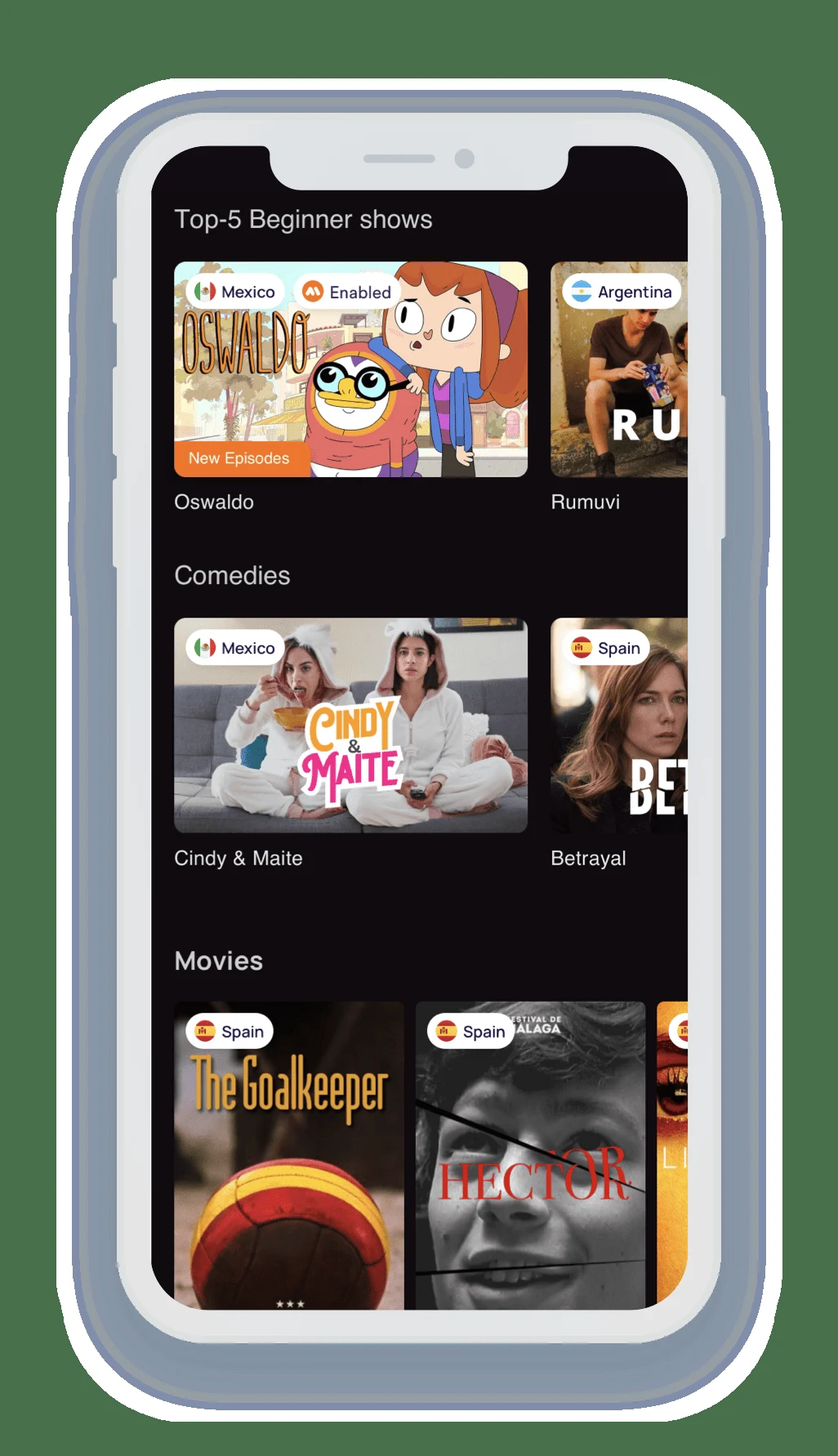
Who it suits
- Learners who want a dedicated watch, click, save and review routine built around real video material.
When to choose something else
- Learners who need a specific title absent from the catalogue or a permanently free viewing service.
Features & tradeoffs
Features below come from the linked provider documentation. The recommendations above are our editorial interpretation.
- Clicked words enter a word bank for later flashcard review.
- Clickable/dual subtitles and speed controls support replaying a scene.
- Web and iOS/Android app routes are documented.
How words enter the review loop
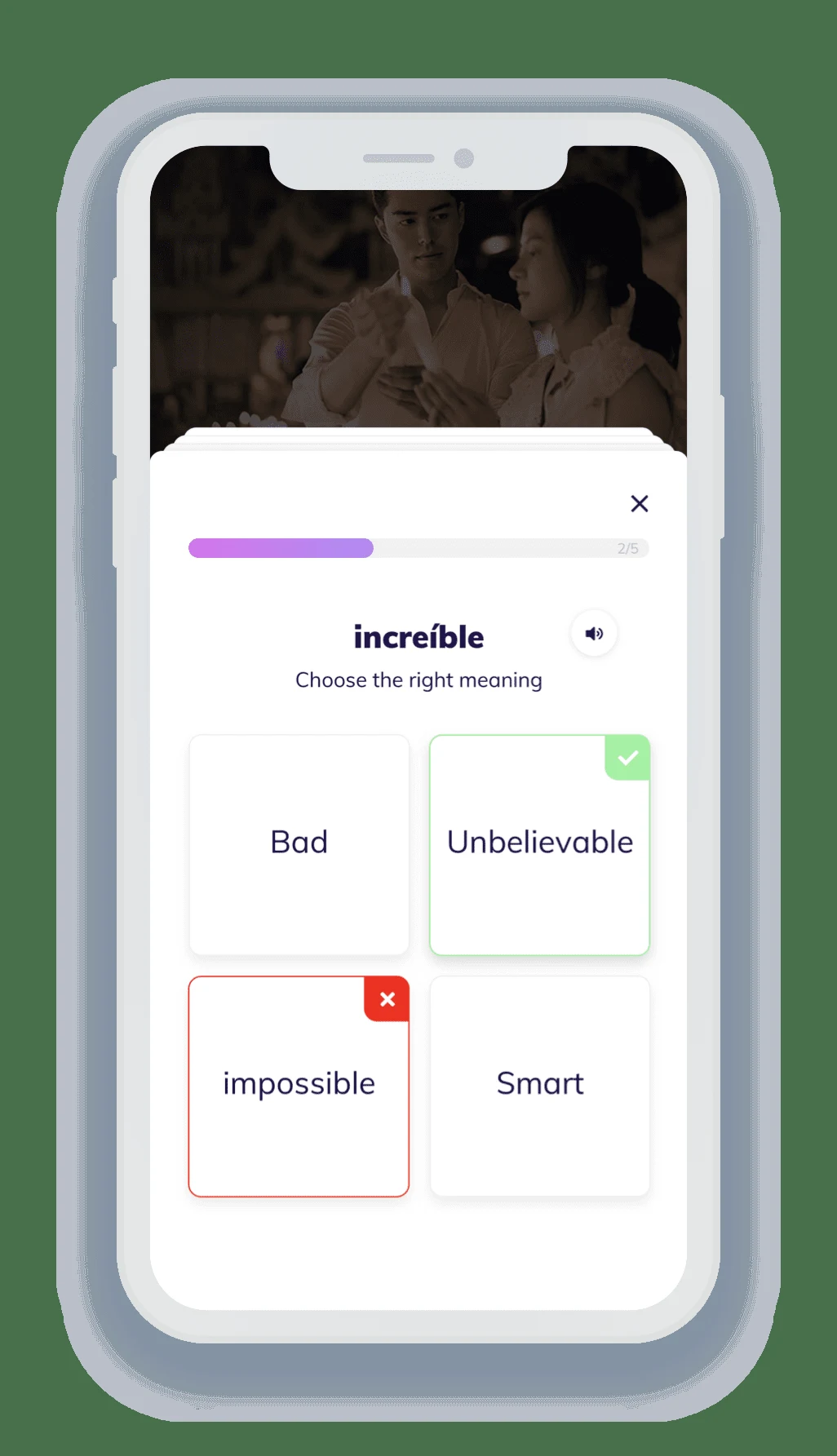
Lingopie’s help says clicking a word translates it and adds it to the word bank. Revisit those saved words as flashcards after watching. For an idiom, retain the full line or scene in your notes because an isolated word translation may not explain the phrase.
Use a short scene and check the saved items
Choose a scene you can partly understand. Watch for meaning, click a few useful words, then confirm they appear in the word bank. The pictured review exercise illustrates the later vocabulary stage; it is not a guarantee that simply watching a full episode creates a lesson you will remember.
Languages, platforms and trial exceptions
The plan help lists one language for monthly/quarterly plans and all languages for yearly/lifetime plans. Web, iOS and Android routes are documented, with country availability determined by the store/account. The help gives qualified web/iOS trial terms but explicitly excludes the mobile monthly plan. The browser extension needs an internet connection.
Limitations & considerations
- Monthly/quarterly and yearly/lifetime language entitlements differ.
- The mobile monthly plan excludes the general seven-day trial.
- Catalogue, store availability and extension connectivity affect the actual routine.
Use the linked official pages for current platform, access and purchase conditions.
Privacy & permissions
The browser extension is an online learning route. Do not infer offline playback from the fact that a mobile app exists; check the specific app feature and downloaded material separately.
Sources
Product facts checked October 24, 2026. Independent and user perspectives, where available, are attributed above. Missing external coverage is not treated as a negative verdict.
- Lingopie: what it is and how to learn
Watching, clickable vocabulary, speed and flashcard review.
- Lingopie: subscription plans
Plan and trial conditions differ by purchase channel; monthly exception noted.
- Lingopie: browser extension guide
Extension setup, vocabulary and connectivity requirements.
- Lingopie: official Android app
Official developer listing confirms Android availability; local availability can differ.
No comments yet. Be the first to share your experience.