Free Dual-Subtitle Tools for Language Learning: Plans and Content Costs
Separate the price of the learning tool from the content subscription and the features you need after watching.
The short answer
Language Reactor offers a free route with plan-dependent features; its paid page distinguishes source subtitles and advanced learning tools. Lingopie is a paid service with qualified trial offers, not a permanently free catalog. For a free-first routine, start with accessible content and verify which subtitle and review features are actually included.
Side by side
| Your situation | Useful route | Check before choosing |
|---|---|---|
| Public video with useful tracks | Free-first subtitle workflow | Availability of the actual language tracks |
| Desktop Chrome viewing | Language Reactor free access | Some saving and advanced features are paid |
| Dedicated catalog trial | Lingopie offer if eligible | Purchase-route exceptions and renewal |
Define free for the complete routine
The complete job includes access to the video, useful subtitles, a way to understand unfamiliar lines and a way to review expressions. A free extension does not include a paid streaming catalog. A trial is not a permanent free plan, and a free video does not guarantee usable subtitle tracks.
Write down the content you intend to study and the device you will use. If you already have access to suitable public videos, the remaining requirement may be a subtitle-and-dictionary workflow. If you need a dedicated catalog, compare that cost explicitly instead of hiding it inside a “free tool” list.
Language Reactor is a relevant free-first candidate
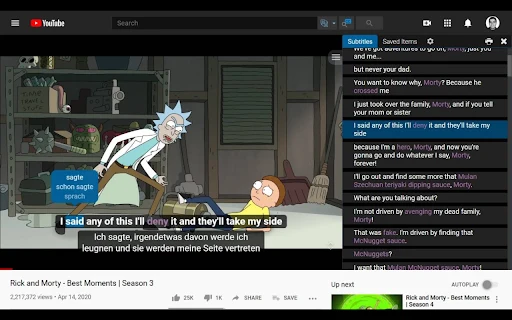
The official Pro comparison describes free use of subtitles supplied by Netflix and separate paid speech-recognition or translation capabilities. It also distinguishes vocabulary-saving features. The developer listing identifies its extension as a desktop Chrome tool for supported Netflix and YouTube material.
Start with a video that already has the language tracks you need. Confirm that the extension recognizes the source, then check which learning controls are available without upgrading. Do not assume that a feature demonstrated on a paid account belongs to the free tier.
Lingopie’s trial is a different proposition
Lingopie’s subscription page describes paid plans and trial conditions tied to purchase route, with an explicit monthly-plan exception. That means it should be evaluated as a possible trial of a paid routine, rather than ranked as a permanently free alternative.
Before starting any trial, identify the relevant language material and the renewal terms shown at checkout. The general trial heading and a specific plan exception should not be collapsed into a claim that every user receives the same offer. Use the offer actually attached to your purchase route.
Image source and original context
A free review routine can remain simple
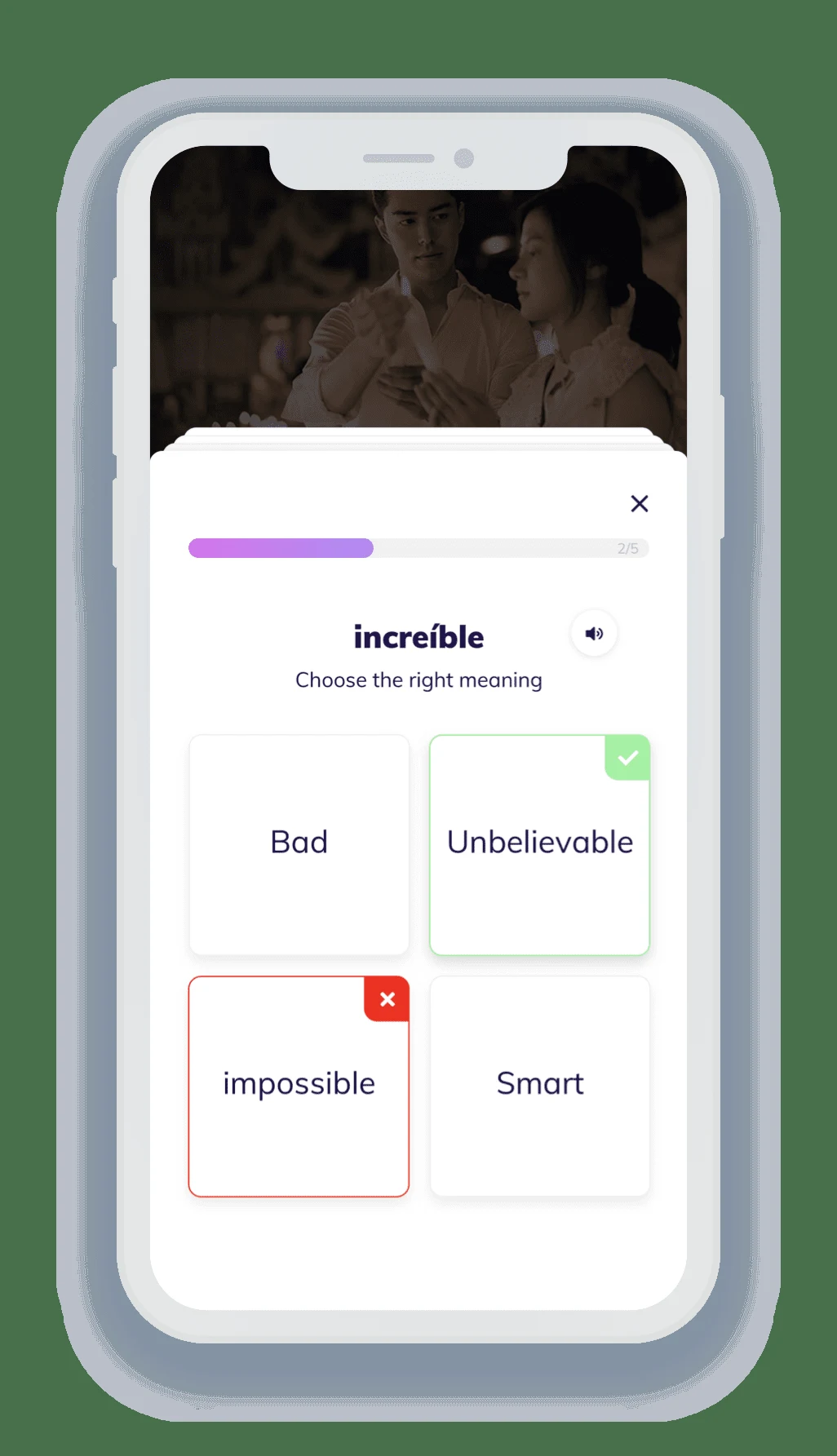
Choose a short accessible video with reliable original-language subtitles. Watch once for meaning, then revisit a few lines. Keep a small personal vocabulary note with the phrase, its context and your own example sentence. This can support a useful routine even when an integrated export or flashcard feature is paid.
Avoid copying an entire subtitle file into an unrelated service merely for convenience. Keep the review material focused on the expressions you are studying. If a translation is confusing, use the scene context and another reliable dictionary rather than memorizing the first wording uncritically.
Upgrade for a named missing feature
An upgrade makes sense when it removes a specific recurring obstacle: better support for a needed subtitle source, convenient saving across sessions or a dedicated catalog you will use. It makes less sense when the free workflow already supports your short daily routine.
Compare the commitment and renewal route, then choose the smallest plan that provides the missing capability. Keep the first few sessions consistent so you can judge the convenience of the workflow. The goal is a sustainable viewing-and-review habit, not collecting several overlapping language subscriptions.
Limitations & considerations
- Check current access and purchase terms for your country and account before paying.
Use the linked official pages for current platform, access and purchase conditions.
Sources & scope
Reviewed October 24, 2026. Product facts follow the linked provider documentation. Selection advice and example prompts are iApp4Me editorial guidance. Screenshots and provider examples are credited beside each image. Availability and plan terms are dated October 24, 2026.
- Language Reactor: free and Pro features
Provider distinctions for subtitle sources, vocabulary saving and memory.
- Language Reactor: official Chrome Web Store listing
Developer listing describes desktop Chrome, Netflix and YouTube support.
- Lingopie: subscription plans
Plan and trial conditions differ by purchase channel; monthly exception noted.
No comments yet. Be the first to share your experience.