How to Learn a Language with Lingopie: Subtitles, Vocabulary and Review
Use a short scene, a few meaningful expressions and a later review instead of pausing for every unknown word.
The short answer
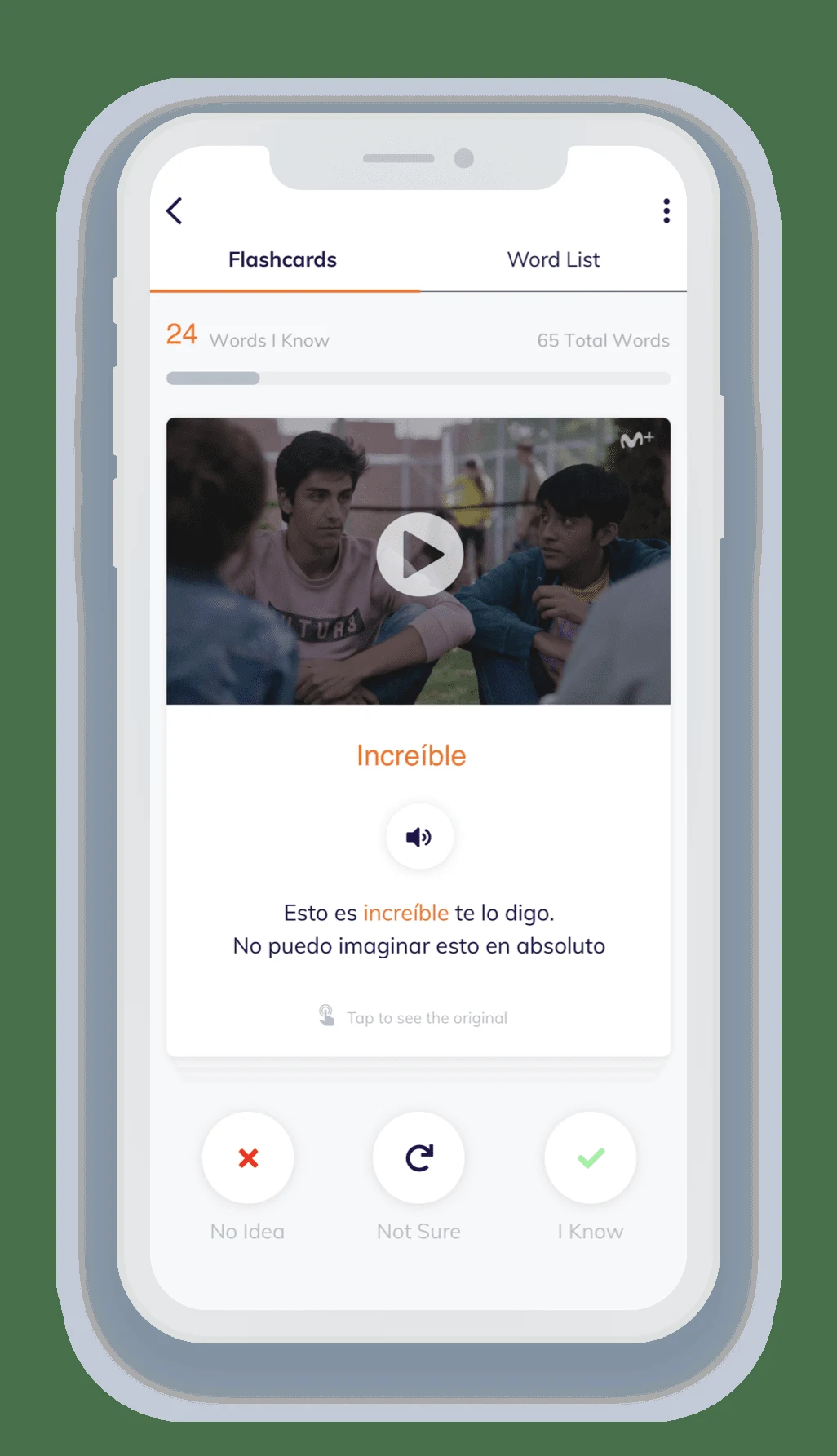
Choose a short Lingopie scene that you can partly understand, watch for the overall meaning, then revisit it with clickable vocabulary and subtitles. Save a small set of useful expressions and return to the flashcards later. Adjust speed when needed, but finish by listening again at a natural pace.
Side by side
| Your situation | Useful route | Check before choosing |
|---|---|---|
| Too many unknown words | Choose a shorter, easier scene | Keep the situation understandable |
| Useful unfamiliar phrase | Save it with context | Avoid an unmanageable word list |
| Later review | Recall, then replay the scene | Return to natural listening speed |
Choose a scene below your frustration threshold
Start with a familiar situation: ordering food, arriving at work or meeting a friend. A scene where you understand the situation but miss some phrases gives you a reason to look things up. If every line is incomprehensible, choose easier material rather than turning the entire session into dictionary work.
Set a short duration before pressing play. Ten focused minutes can include watching, replaying and review; a full episode can absorb the whole session before any active work happens. Keep the goal concrete, such as understanding one exchange and retaining five expressions.
Watch once for the situation
Use the available subtitles to establish who is speaking, what they want and what changes in the scene. Lingopie’s introductory help describes clickable translations, vocabulary collection and playback-speed adjustment. Use those tools to recover meaning, not to interrupt every second of the dialogue.
On the first pass, leave minor unknown words alone if the scene still makes sense. Note the lines that block understanding or sound especially useful. This gives the second pass a purpose and keeps the viewing experience connected to real conversation.
Replay and save phrases with context
Return to the important lines and click the unfamiliar wording. Prefer a phrase you could use over an isolated word with many meanings. Keep the surrounding sentence or scene in mind so you can later recognize how the expression works.
If the translation seems odd, replay the line and inspect the situation. Subtitles and translations are aids, not infallible explanations of every joke or idiom. Save fewer expressions when the dialogue is dense. A manageable review set makes it more likely that you will return to the material.
Use the review loop
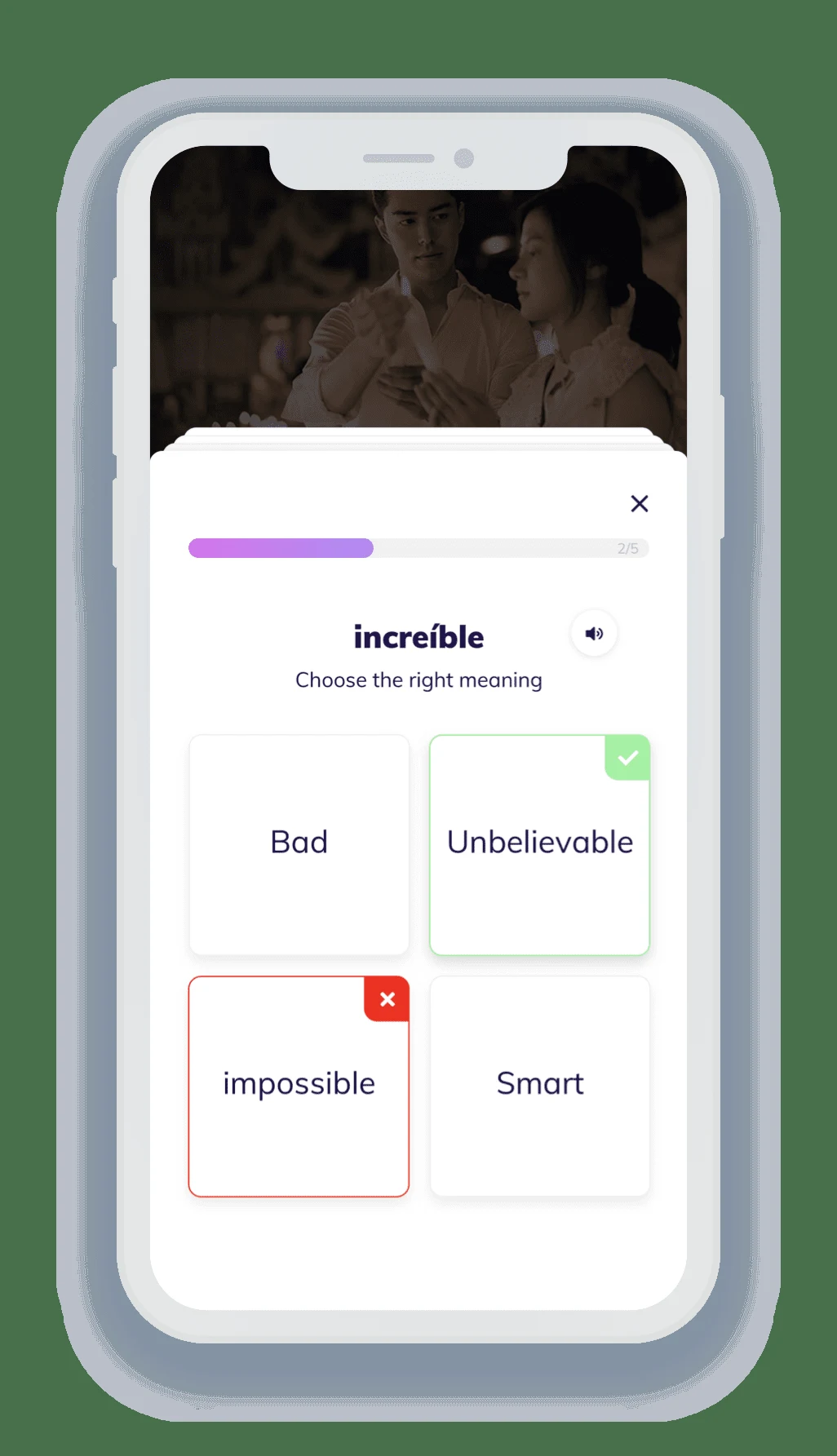
Lingopie documents flashcard review for collected vocabulary. Revisit the saved material after the viewing session and try to recall the meaning before revealing it. Say a short original sentence using an expression when you can, rather than only recognizing the translated card.
Then replay the scene without stopping at every line. The aim is to hear the expressions in context with less effort. If you used slower playback to understand a difficult phrase, return toward natural speed for the final listen. Keep pronunciation practice separate from assuming you can reproduce every line perfectly.
Lingopie: what it is and how to learn
Image source and original context
Make the next session easier to start
Keep a short note of the show, scene and expressions you want to revisit. Begin the next session with a quick recall before adding new material. Reuse a familiar scene when it still contains useful language; novelty is not the only source of progress.
If you study through Lingopie’s extension, the official guide notes that it needs an internet connection. Plan accordingly for travel. Before paying, check the current language catalog and the purchase-channel terms, particularly trial conditions. Build the routine around content and access you can actually use.
Limitations & considerations
- Check current access and purchase terms for your country and account before paying.
Use the linked official pages for current platform, access and purchase conditions.
Sources & scope
Reviewed October 24, 2026. Product facts follow the linked provider documentation. Selection advice and example prompts are iApp4Me editorial guidance. Screenshots and provider examples are credited beside each image. Availability and plan terms are dated October 24, 2026.
- Lingopie: what it is and how to learn
Watching, clickable vocabulary, speed and flashcard review.
- Lingopie: browser extension guide
Extension setup, vocabulary and connectivity requirements.
- Lingopie: subscription plans
Plan and trial conditions differ by purchase channel; monthly exception noted.
No comments yet. Be the first to share your experience.