Zotero
A reference library connecting bibliographic records, attached papers and research annotations.
Keep papers connected to citations
Choose a reference manager when author, publication and citation metadata matter as much as the PDF itself.
Before you choose: An attachment sync workflow needs more planning than saving a link for later.
Visit the official product page →The essentials
- Platforms
- iPhone · iPad · macOS
- Purchase model
- Free app · optional attachment storage
- Developer / project
- Digital Scholar and contributors
- US App Store snapshot
- v2.0.8 · minimum OS 16.6 · Free to download. In-app purchases may be additional.
Checked 2026-10-18 · Verify current listing - App Store rating
- 4.6/5 · 434 ratings · US · 2026-10-18
Apple listing snapshot, not an iApp4Me score or a rating of one particular feature.
Price & purchase options
- App and 300 MB attachment storage: Free
- 2 GB: $20/year; 6 GB: $60/year; unlimited: $120/year
These are attachment-storage plans, not a paid license required to use the reference manager.
Vendor website · USD · checked 2026-10-18 · Verify the current offer ↗. Taxes, promotions and checkout eligibility may change the amount.
Inside the app
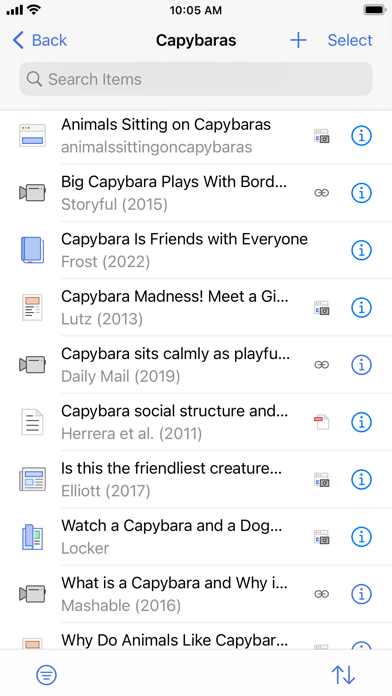
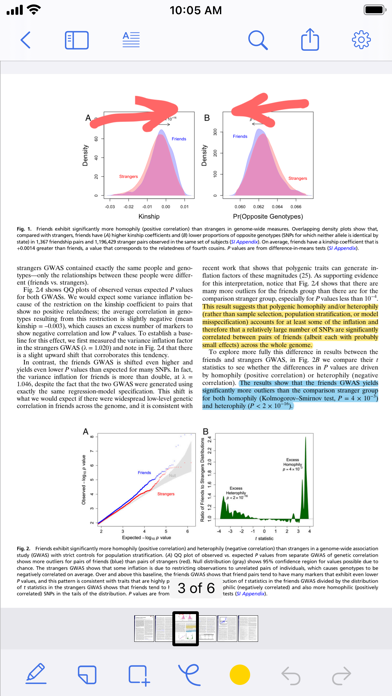
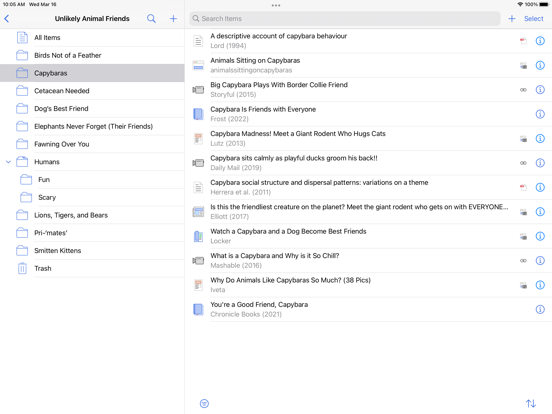
Developer-published product images. Captions identify the platform and source; these are not our test captures.
Zotero
Who it suits
- Reading papers as part of an ongoing research project
- Keeping notes connected to bibliographic context
When to choose something else
- Assuming unlimited free cloud storage for every PDF
- Treating all desktop note-writing commands as iPad features
What reviewers and users say
Our summaries of linked accounts—not our own experience or a vote-based ranking. Older versions and different platforms are labeled. Sources reviewed October 18, 2026.
r/zotero · nbpf-_- and participants
Historical iPadOS 18 discussion · version not stated
One researcher wants blank handwritten pages and better treatment of mathematical material; others value text highlighting and describe annotation-to-note workflows.
Read in context: A small, self-selected discussion distinguishes reference-library work from a freeform notebook. Reported limitations need current-version verification, not repetition as universal defects.
How to read disagreement
Different opinions can reflect different jobs, versions, devices or paid plans. We do not call a few comments “the consensus.” A consequential factual conflict that remains after checking those differences is a candidate for a focused hands-on test. A preference for one interface over another usually is not.
Features & tradeoffs
Features below come from the linked provider documentation. The recommendations above are our editorial interpretation.
- Reference records
- Collections
- PDF annotations
- Personal and group libraries
- Citation-oriented workflow
Limitations & considerations
- Metadata sync and attachment-file sync are different. Paid attachment storage is optional, not a license required to use Zotero.
- A reference library is not a freeform handwritten notebook. The cited iPad annotation discussion is not a current universal defect report.
Documented features, attributed opinions and explicitly labeled hands-on observations are different kinds of evidence. We do not infer unmeasured performance or privacy guarantees.
Privacy & permissions
Check the provider’s policy for the exact feature you intend to use. A store privacy label is developer-reported; it is not an independent network audit. We only call processing offline when the evidence establishes that workflow.
Sources
Product facts checked October 18, 2026. Independent and user perspectives, where available, are attributed above. Missing external coverage is not treated as a negative verdict.
- Zotero for iOS
Documents iPad/iPhone libraries, saving and PDF annotations. Page has an older update date; current interface needs verification.
- Zotero syncing
Distinguishes free data syncing from attachment-file syncing and storage limits.
- Zotero PDF reader
Annotation-to-note workflow; desktop instructions must not be presented as iPad buttons.