Preview
Apple’s built-in PDF and image tool; mobile and Mac versions must be documented separately.
Try the included Mac tool first
For ordinary viewing, annotation and page operations, start with the tool already on your Mac before installing a larger PDF suite.
Before you choose: This profile covers Mac Preview, not feature parity with the iPhone edition.
Visit the official product page →The essentials
- Platforms
- macOS · iPhone · iPad
- Purchase model
- Included with macOS
- Developer / project
- Apple
- App Store rating
- No dated rating snapshot available; no iApp4Me score assigned.
Price & purchase options
- Mac Preview: included with macOS
A compatible Mac is required. This profile covers Mac Preview.
Apple documentation · included software · checked 2026-10-18 · Verify the current offer ↗. Taxes, promotions and checkout eligibility may change the amount.
Inside the app
Developer-published product images. Captions identify the platform and source; these are not our test captures.
Preview
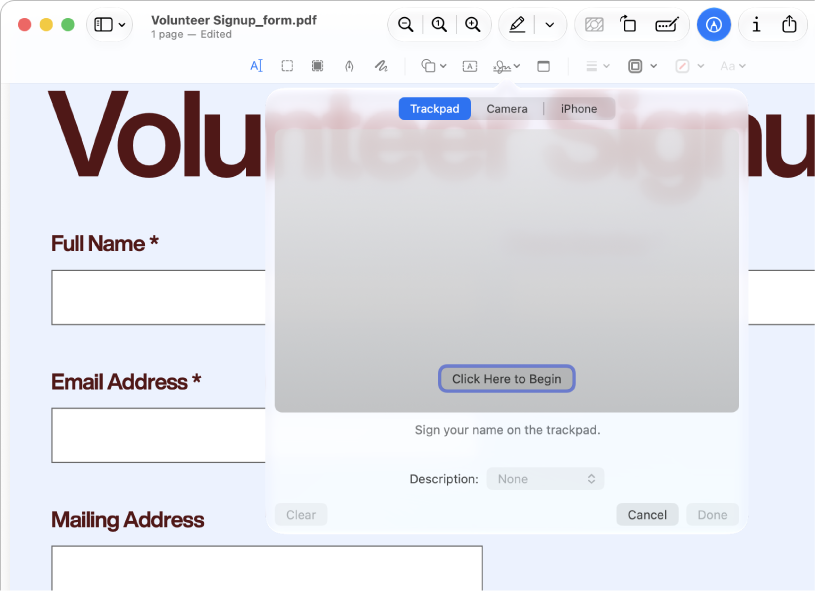
Apple documentation image; interface depends on macOS version.
Who it suits
- Trying built-in tools for straightforward document work
When to choose something else
- Assuming desktop instructions work on older iPhones
What reviewers and users say
Our summaries of linked accounts—not our own experience or a vote-based ranking. Older versions and different platforms are labeled. Sources reviewed October 18, 2026.
Macworld · Chris Barylick
May 24, 2022 · Preview 11 / macOS Monterey 12.4
Barylick finds the included Preview useful for everyday forms, signatures and basic PDF changes before considering an Acrobat upgrade.
Read in context: A historical Mac comparison. Its old prices and format limitations are not current facts or evidence about iPhone Preview.
How to read disagreement
Different opinions can reflect different jobs, versions, devices or paid plans. We do not call a few comments “the consensus.” A consequential factual conflict that remains after checking those differences is a candidate for a focused hands-on test. A preference for one interface over another usually is not.
Features & tradeoffs
Features below come from the linked provider documentation. The recommendations above are our editorial interpretation.
- PDF viewing and markup
- Mac PDF page organization
- Mac PDF export and size-reduction options
Limitations & considerations
- Mac and mobile Preview have different controls and system requirements; the linked Mac instructions do not establish mobile feature parity.
- Size-reduction filters can degrade images or fine text. Keep the original PDF.
Documented features, attributed opinions and explicitly labeled hands-on observations are different kinds of evidence. We do not infer unmeasured performance or privacy guarantees.
Privacy & permissions
Check the provider’s policy for the exact feature you intend to use. A store privacy label is developer-reported; it is not an independent network audit. We only call processing offline when the evidence establishes that workflow.
Sources
Product facts checked October 18, 2026. Independent and user perspectives, where available, are attributed above. Missing external coverage is not treated as a negative verdict.
- Preview user guide for Mac
Mac documentation; do not assume identical iPhone/iPad controls.
- Reduce a PDF in Preview on Mac
Apple instructions for PDF size reduction; not evidence of output quality.