Put your apps to work.

Business & sales guides.

Research accounts, manage sales context and prepare accurate follow-up.

Business & sales

Showing 1–3 of 3 guides

Newest published first
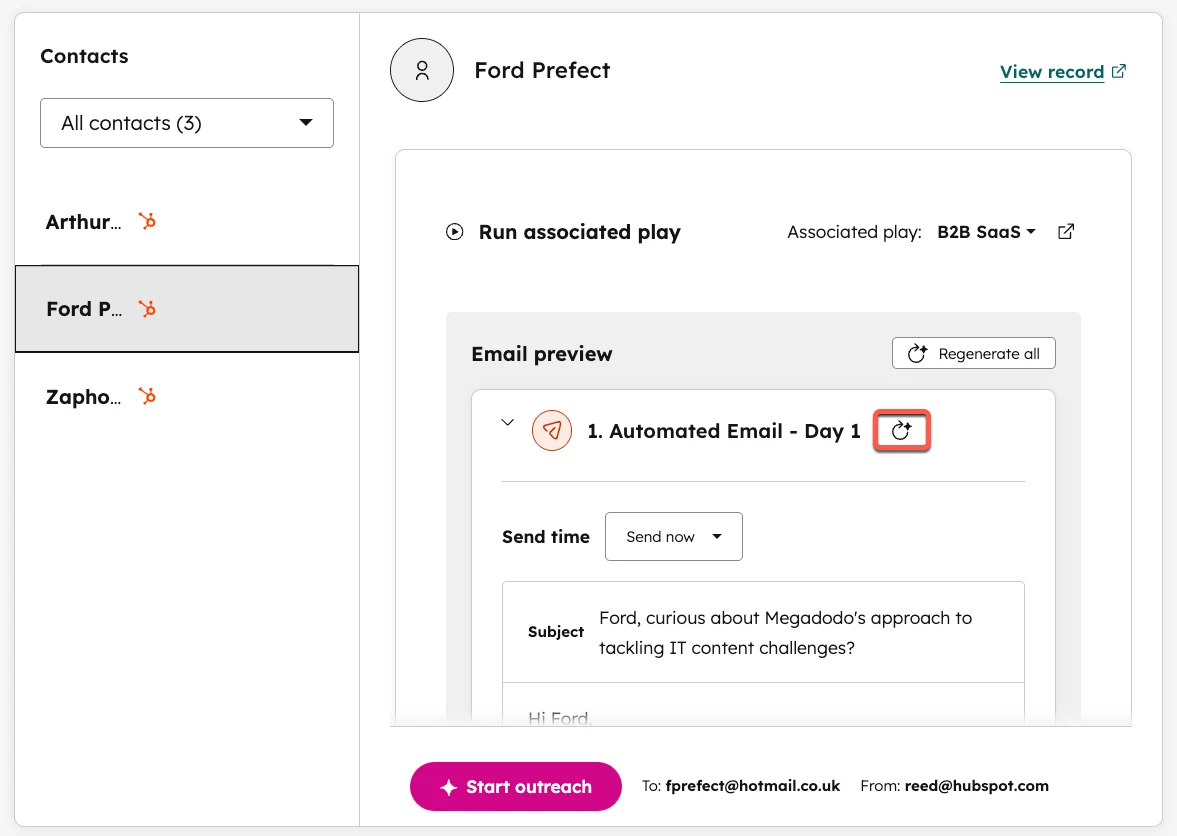
HubSpot’s official sales-workspace screenshot shows an email preview and the regenerate control. Read the draft against its source facts before approving outreach.
How-to guide Oct 24, 2026

How to Review AI Sales Follow-Ups Before They Are Sent

Review an AI follow-up in this order: confirm the recipient and relationship, verify every personalized claim, inspect the proposed next step and check the stop rules. Keep the final approved message in the CRM. Automation should not turn a research hint into a claim the recipient never made.
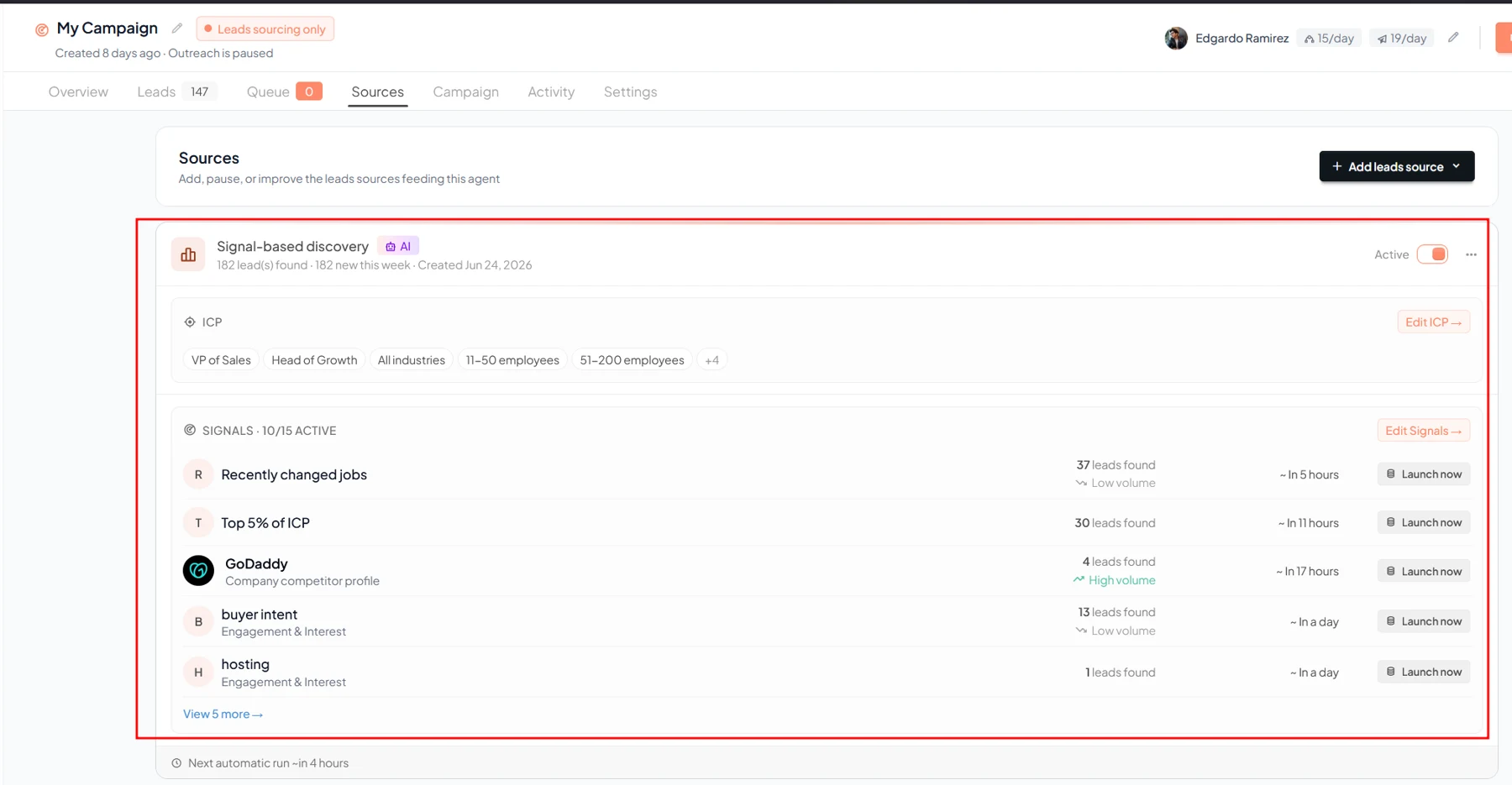
Gojiberry’s help article shows a campaign’s intent-signal source configuration. Choose a signal that has a clear connection to the account you want to research.
How-to guide Oct 24, 2026

How to Use Buying Signals to Prioritize Sales Leads with AI

Use buying signals to prioritize research, then combine them with business fit and a recent verifiable source. Score the account separately from the contact, record why the signal matters and send the highest-priority cases to review. A signal is evidence of activity, not a confirmed purchase decision.

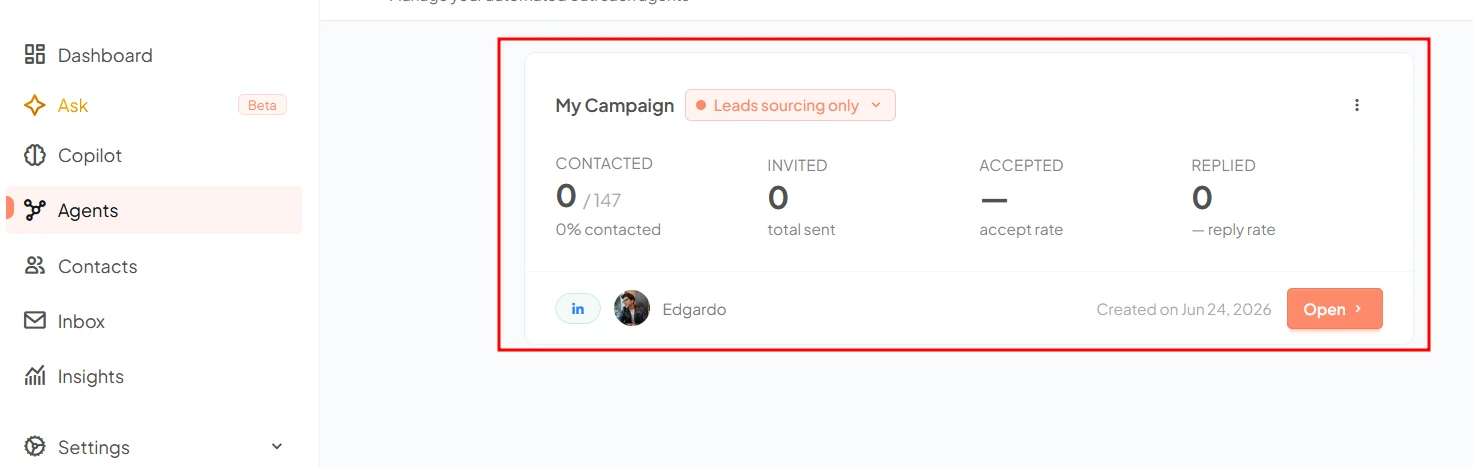
Gojiberry’s campaign view shows the configured agent and campaign progress. Verify the campaign’s scope before starting automated work.
How-to guide Oct 24, 2026

How to Get Started with Gojiberry AI: Signals, Leads and Follow-Up

Start by defining an ideal customer profile and a useful signal, then review the resulting prospects before enabling outreach. Gojiberry’s documented workflow moves from signal monitoring to leads and campaigns. Keep sender access, message review and stopping conditions explicit; a signal is a reason to investigate, not proof of buying intent.