Higgsfield vs Swagga: Photo, Video and Editing Workflows
Compare creative workflows and export requirements without assuming that a larger model menu produces a better final video.
The short answer
Choose Higgsfield when a specific effect or production workflow in its catalog matches the brief. Consider Swagga.ai when motion references, identity-oriented scenes or a quick product reveal are central. Compare the same source, intended movement and export requirement; there is no evidence here for a universal quality winner.
Side by side
| Your situation | Useful route | Check before choosing |
|---|---|---|
| Specific effect required | Inspect Higgsfield’s matching tool | Model and plan eligibility |
| Controlled motion from an image | Inspect Swagga.ai’s matching workflow | Reference options and export |
| Client-ready finished clip | Compare the complete edit cost | Credits, revisions and usage terms |
Compare a project, not a collection of demos
A useful comparison starts with the same deliverable. Pick one source image, an intended camera move and a destination format. Decide whether you need a single short clip or a set of shots for an edit. Without that brief, almost any showcase can look like the best option.
For a portrait, list the facial details that must stay recognizable. For a product, list the packaging and dimensions that must remain accurate. Then identify the controls each candidate offers for that specific job. This avoids comparing one tool’s polished advertisement with another tool’s unedited first output.
Where Higgsfield is a relevant shortlist
The Higgsfield catalog presents effects, shot generation, transitions and product-ad workflows. The breadth is useful when a project needs several related creative treatments. It can also mean you need to understand which tool, model and plan applies to the chosen treatment.
Higgsfield’s official guide establishes its browser-based access route. Use that route when comparing costs and capabilities; a third-party app using a similar name is not a valid substitute. Check the selected feature’s current access rather than carrying an entitlement from a different part of the catalog into the comparison.
Where Swagga.ai is a relevant shortlist
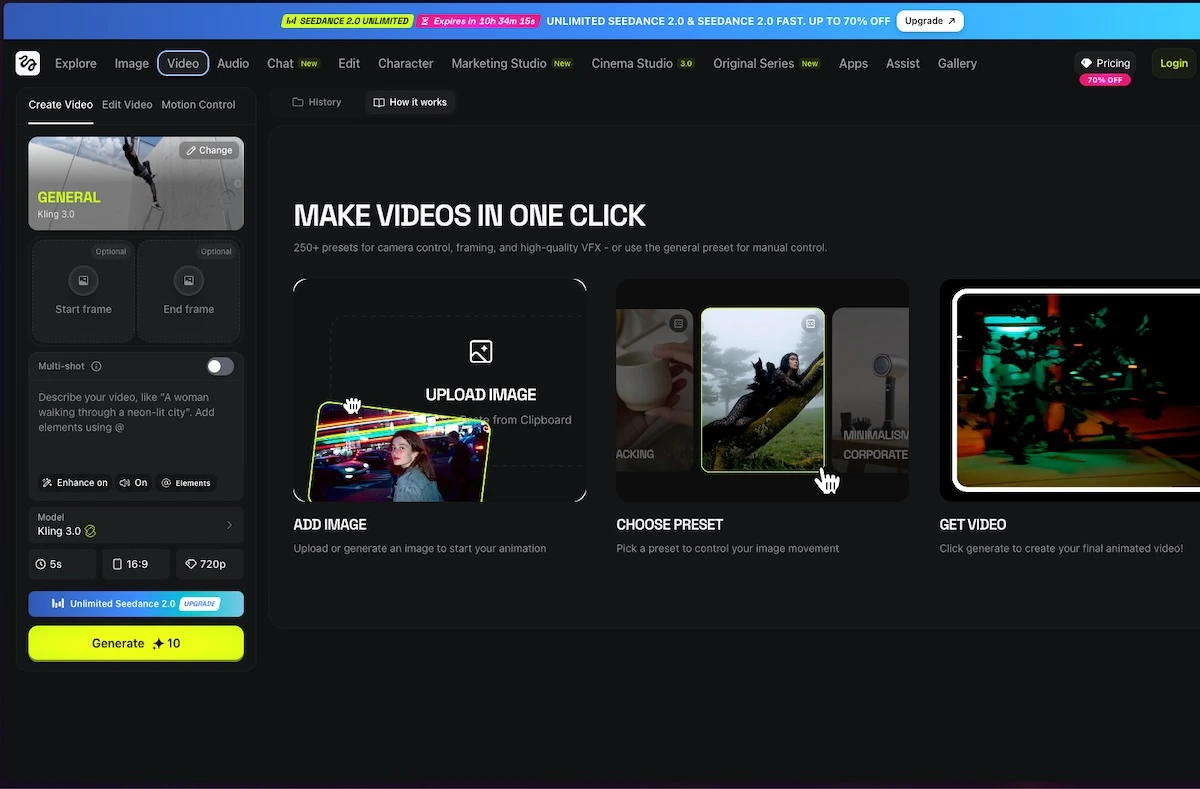
Swagga.ai presents a studio with photo, video and editing sections, and highlights motion-reference, portrait and product-reveal workflows. That makes it a sensible candidate when you already have an image and want to direct what happens next.
The useful question is how much control the current workflow gives you over the specific change. Can you describe the movement clearly? Can you preserve the parts of the reference that matter? If a public page does not establish a detailed control or export allowance, check the signed-in interface before treating the feature as included.
Swagga.ai: photo and video studio
Image source and original context

Make the cost comparison honest
A subscription price alone is insufficient. Include the credits for the chosen generation, the cost of likely revisions and the export access needed for the final file. Keep model-specific limits and promotional allowances separate. Do not multiply a best-case generation count into a promise about finished usable clips.
The public pricing pages are the right starting points, but the extracted Swagga page did not expose a full entitlement table. That leaves an account-level check before purchase. The comparison therefore does not invent a precise per-video cost or claim that either service is cheaper for every project.
Which one should you choose?
Choose the tool whose current workflow matches the brief with the fewest uncertain steps. If the desired effect is the defining part of the project, start from the effect catalog. If the defining part is controlled motion from a reference, start from that workflow.
For a client deliverable, confirm the applicable usage terms and keep the source material, prompt and final edit organized. If neither tool keeps an essential label or face sufficiently stable, use the generated material as a background or transition and keep the important element in a conventional edit. A narrower use can produce a more credible result.
Limitations & considerations
- Check current access and purchase terms for your country and account before paying.
Use the linked official pages for current platform, access and purchase conditions.
Sources & scope
Reviewed October 24, 2026. Product facts follow the linked provider documentation. Selection advice and example prompts are iApp4Me editorial guidance. Screenshots and provider examples are credited beside each image. Availability and plan terms are dated October 24, 2026.
- Higgsfield: creator tools
Official catalog of creative workflows.
- Higgsfield: official platforms
Official browser platform, account requirements and mobile-app clarification.
- Swagga.ai: photo and video studio
Official product identity and creative workflow descriptions.
- Higgsfield: pricing
Live plan entry point; account offers and model access can vary.
- Swagga.ai: pricing
Official pricing entry point; public extraction did not expose a full entitlement table.
No comments yet. Be the first to share your experience.