Free AI Video Without Watermarks: What to Check Before You Create
Avoid a misleading free-tool ranking by checking generation access and the actual downloadable file separately.
The short answer
A free preview does not prove free watermark-free export. The checked sources do not establish a durable, general-purpose free-and-no-watermark entitlement for Higgsfield or Swagga.ai. Adobe documents limited free generations, with model and feature conditions. Verify the selected tool’s current export before building a project around it.
Side by side
| Your situation | Useful route | Check before choosing |
|---|---|---|
| Free account advertised | Check generation and download separately | An account is not an export entitlement |
| Limited generation allowance | Budget revisions before starting | Model and feature conditions |
| No confirmed qualifying route | Use an ordinary photo-video edit | Avoid promising unsupported free access |
The requirement has two separate parts
A tool qualifies only if you can generate the needed video without paying and download a usable file without an unwanted visible mark. A free account, a promotional allowance and a watermarked preview do not establish that combination.
Write down the actual project requirements: duration, resolution, format, number of clips and whether the work is commercial. A tool may satisfy a tiny experiment while failing a finished project. Evaluate that complete requirement rather than accepting a broad “free AI video” label.
What the checked providers establish
Higgsfield’s official-platform guide describes paid plans and explains that any included free generations belong on its own website. Swagga.ai’s public pricing route did not expose a complete entitlement table in the checked material. Neither source supports a confident blanket recommendation for a permanently free watermark-free workflow.
Adobe’s generative-credit documentation describes limited free generations with feature and model conditions. That makes Adobe a candidate to inspect, not proof that every video model and export is free. Check the precise tool and account offer before spending time preparing a project.
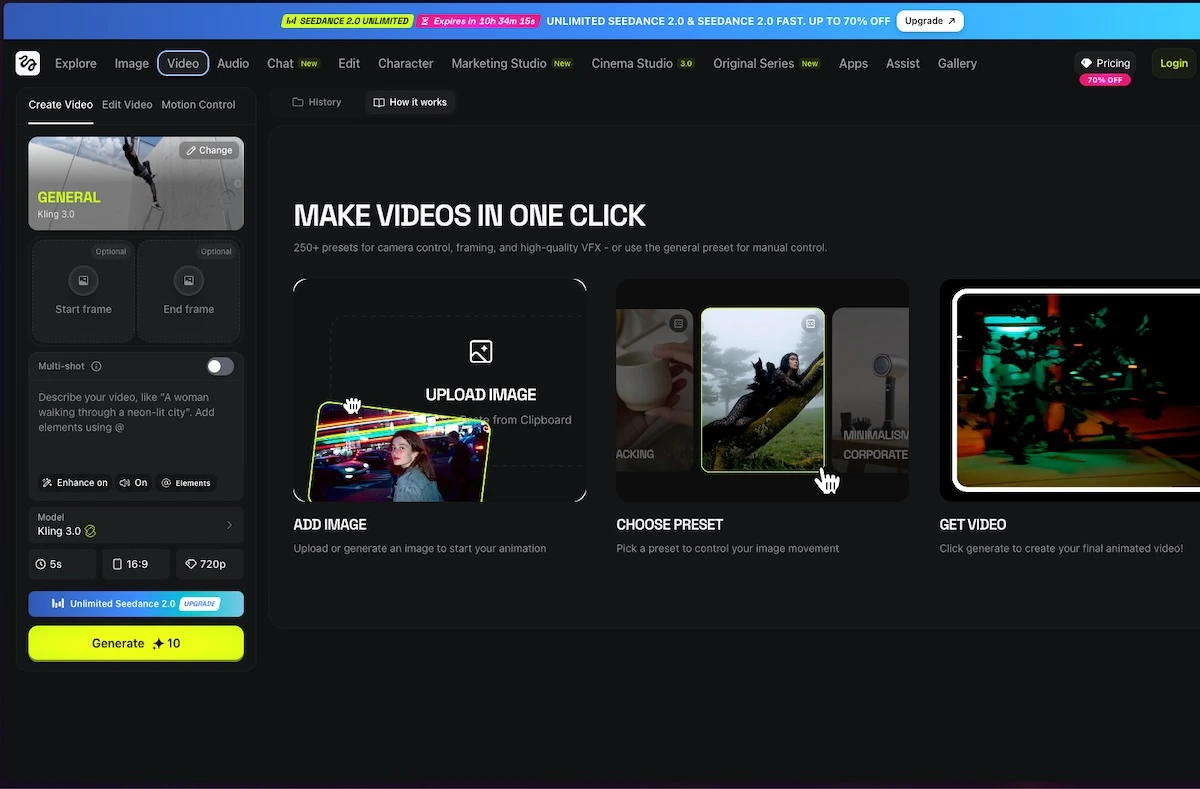
Higgsfield: official platforms
Image source and original context

Inspect the export before generating a series
Use a non-sensitive sample and inspect the download controls. Look for an upgrade requirement, the available dimensions, the permitted duration and any watermark statement. If the file is downloadable, open the saved copy and inspect the full frame, including corners and end cards.
Keep visible branding separate from provenance metadata. A provider may attach information about how media was created without placing a visible logo over the video. Do not remove a watermark or provenance mark to make an otherwise ineligible output appear to satisfy the requirement.
Compare the allowance with the real project
A small free allowance can disappear during revisions. Count the clips you need, then leave room for changes and rejected outputs. If the allowance resets, note when; if it expires, do not treat it as a continuing production budget.
Consider whether the job actually requires generation. A slideshow or a subtle movement applied to a real photo in an ordinary editor may provide a clean result with fewer uncertainties. That is especially useful when accurate product details and predictable export matter more than invented motion.
Choose a verified route or narrow the brief
If the current account clearly includes the required generation and clean export, keep a note of the offer and complete a small project first. If it does not, choose a paid plan deliberately, reduce the scope or use a conventional photo-video edit.
This article does not invent a ranked list to fit the keyword. The useful answer is the qualification process and the limits of the current evidence. Recheck the linked provider pages when offers change, and judge the actual downloaded deliverable rather than the sign-up promise.
Limitations & considerations
- Check current access and purchase terms for your country and account before paying.
Use the linked official pages for current platform, access and purchase conditions.
Sources & scope
Reviewed October 24, 2026. Product facts follow the linked provider documentation. Selection advice and example prompts are iApp4Me editorial guidance. Screenshots and provider examples are credited beside each image. Availability and plan terms are dated October 24, 2026.
- Higgsfield: official platforms
Official browser platform, account requirements and mobile-app clarification.
- Higgsfield: pricing
Live plan entry point; account offers and model access can vary.
- Swagga.ai: pricing
Official pricing entry point; public extraction did not expose a full entitlement table.
- Adobe: generative credits FAQ
Generation allowances depend on plan, feature and model.
No comments yet. Be the first to share your experience.