Do Photo Recovery Apps Work? What You Can Actually Recover
Find out whether a tool is recovering an original, restoring a backup or merely showing an existing thumbnail.
The short answer
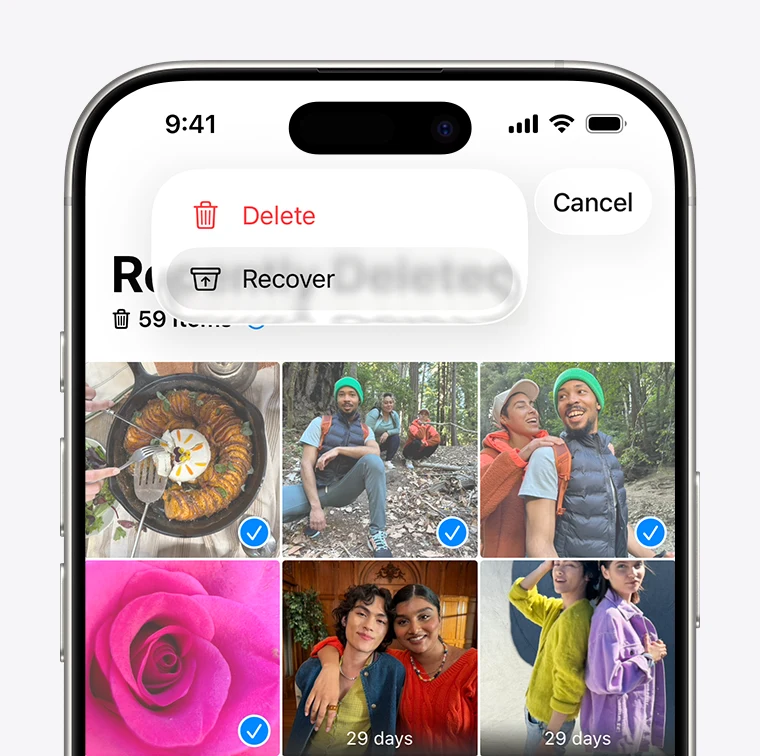
Photo recovery works when an original or usable copy still exists in Recently Deleted, a cloud account, a backup or another storage location. An app’s preview is not proof that it can restore the full original. Start with the phone and cloud service’s own recovery routes before paying for a recovery claim.
Side by side
| Your situation | Useful route | Check before choosing |
|---|---|---|
| Still in Recently Deleted or trash | Use the provider’s restore route | Current retention and correct account |
| A backup or shared copy exists | Preserve and inspect that copy | Resolution and restore side effects |
| Only a recovery-app thumbnail | Ask what the preview represents | Do not treat it as proof of an original |
Ask what was actually deleted
A missing photograph may have been removed from an album, hidden, moved to another account or deleted from the library. These are different situations. Check the account, date range, archive or hidden area and any other device where the photo was used before assuming the underlying file is gone.
Keep the distinction between the original and a copy. A message attachment, shared-album image or cached thumbnail may preserve a useful version, but it may have different resolution or metadata. A recovery tool should explain which kind of result it has found.
Image source and original context
Use the built-in iPhone recovery route first
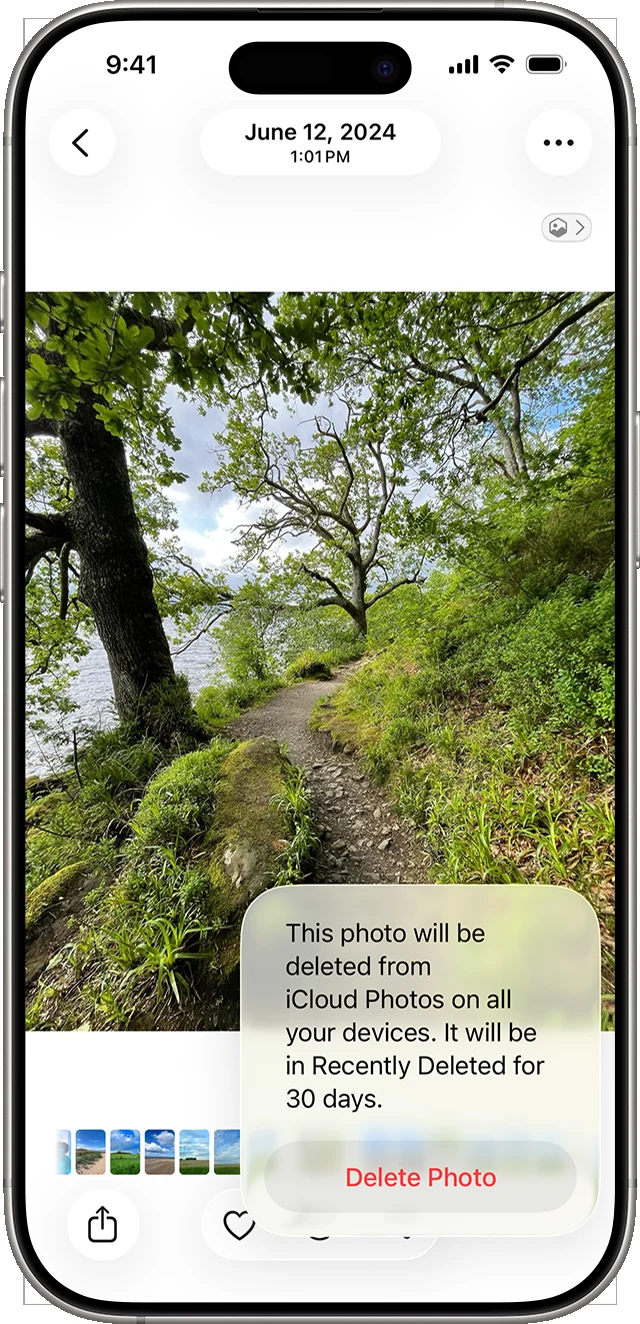
Apple says deleted photos remain in Recently Deleted for 30 days and explains that iCloud Photos propagates deletions across devices using the same account. Check Recently Deleted promptly and follow Apple’s recovery instructions for your system version.
Do not assume that seeing the same deletion on another synced device means there must be a separate intact backup there. Synchronization and independent backup solve different problems. Look for an actual saved copy or backup that predates the deletion, and understand the effect of restoring it before replacing current device data.
Check the cloud provider’s current policy
The checked Google Photos help currently specifies 30 days in Trash for backed-up photos and for non-backed-up items deleted on Android 11 or newer. It says permanently deleted items cannot be restored through Google Photos or recovered with Google Takeout. Use the retention shown for the actual item if an account’s interface differs.
Check the phone gallery and any removable card separately. Google Photos deletion can also remove the local device copy and synced copies, so another signed-in device is not automatically an independent backup. Archive and Locked Folder are other places to inspect when a photo is missing rather than deleted.
Evaluate what a paid recovery app is showing
Before paying, ask whether the preview represents a full-resolution original, a thumbnail, a cloud copy or an existing file the app has simply rediscovered. Look for dimensions, format and a clear explanation of the storage location. A persuasive grid of small pictures is not a guarantee of usable recovery.
Be especially cautious about absolute promises concerning permanently deleted data. The result depends on the device, storage and whether a copy remains accessible. Do not grant broad account access or install untrusted software merely because an advertisement promises a certain percentage of recovery.
Choose the next step from the evidence
If Recently Deleted or Trash contains the full item, restore it there first. If a messaging attachment is the only remaining copy, save it and note its dimensions before paying for a scan. If a tool shows only thumbnails without original dimensions or a recoverable file location, do not treat that as proof it found the original.
A device-backup restore is a separate operation that can replace current data. First check whether the photo was independently included in that backup and whether synchronization already removed it. For important recovered photos, create an independent export and confirm that it opens.
Limitations & considerations
- Check current access and purchase terms for your country and account before paying.
Use the linked official pages for current platform, access and purchase conditions.
Sources & scope
Reviewed October 24, 2026. Product facts follow the linked provider documentation. Selection advice and example prompts are iApp4Me editorial guidance. Screenshots and provider examples are credited beside each image. Availability and plan terms are dated October 24, 2026.
- Apple: delete and recover photos
Recently Deleted, 30-day recovery and iCloud Photos deletion propagation.
- Google Photos: delete photos and videos
Current trash policy and limits on permanently deleted items; policy may change.
No comments yet. Be the first to share your experience.