Solve photo tasks: events, collages, cutouts and recovery
Choose the actual photo job, then use the simplest workflow that delivers a usable saved image.

The short answer
Pick the specific result: an event print, a combined image, a transparent cutout or a recoverable original.
Side by side
| Your situation | Useful route | Check before choosing |
|---|---|---|
| Choosing a tool | Read a function-led selection | Task fit and platform |
| A limit decides eligibility | Read the condition-specific guide | Current plan and output boundaries |
| Ready to carry out the task | Follow the relevant tutorial | Inputs, steps and saved result |
These are four different photo jobs
An event booth must deliver a capture to a guest. A collage combines existing images. Background removal needs an edge and file with transparency. Recovery needs an original or accessible copy; a grid of thumbnails does not establish one.
Choose the matching route
- Event station: compare iPad capture, sharing and the exact printer connection.
- Simple collage: use a Select Photos → Combine Images → save shortcut, or a layout editor.
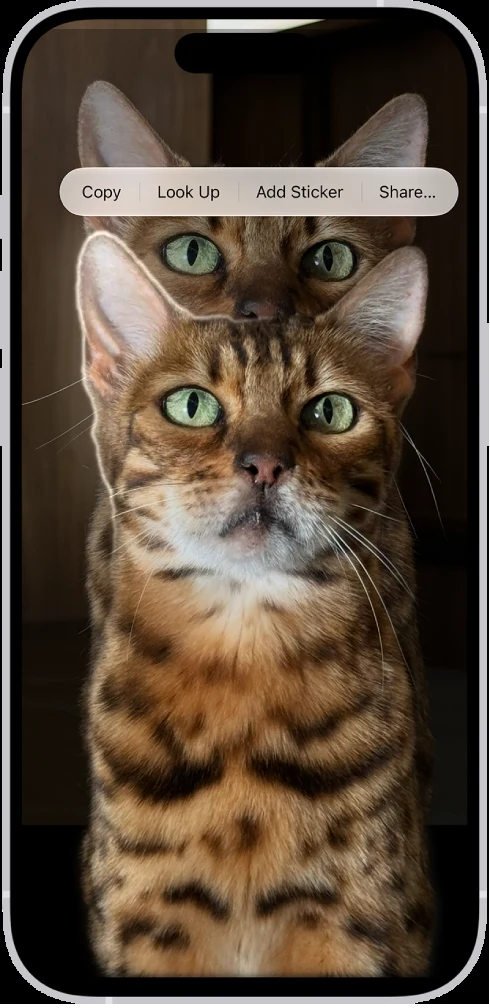
- Transparent cutout: try native subject lift or a documented PNG-download route.
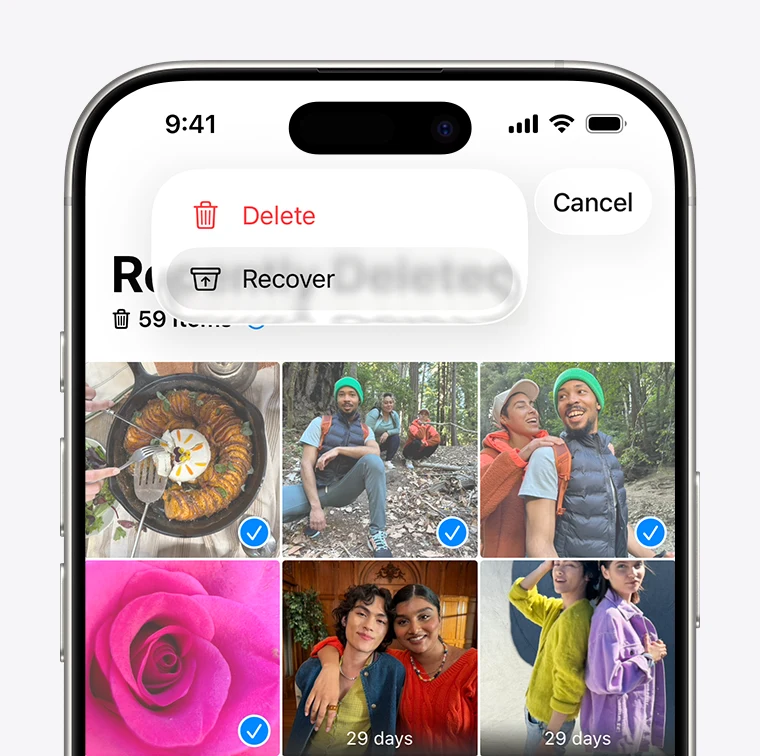
- Missing photo: check Recently Deleted/Trash and independent copies before paying for a recovery scan.
Inspect the saved result
For a collage, inspect dimensions and crop. For a cutout, view it over a colored background and check for an opaque rectangle or edge halo. For an event, retrieve the same print/download a guest receives. These checks concern the output you can actually use.
For recovery, first restore an available item from Recently Deleted or Trash. Then inspect the actual recovered file and its dimensions; a thumbnail preview alone does not establish that the original is recoverable.
Limitations & considerations
- Use the current official access and purchase terms for your actual account and country.
Use the linked official pages for current platform, access and purchase conditions.
Sources & scope
Reviewed October 24, 2026. Product facts follow the linked provider documentation. Selection advice, example prompts and explanatory diagrams are iApp4Me editorial guidance. Availability and plan terms are dated October 24, 2026.
- Simple Booth: iPad photo booth apps
HALO and Classic product positioning.
- Simple Booth: software plans
Booth licenses, plan access and event-term billing.
- Booth.Events: plans and features
Offline and guest-experience features in the provider plan table.
- Booth.Events: USB printing
Supported printing routes and iPad hardware qualification.
- Apple: transform actions in Shortcuts
Documents Combine Images as a transform action.
- Canva: photo collage maker
Collage workflow, free versus premium assets and watermark conditions.
- Canva: photo editor
Mobile and desktop editing, with some features requiring paid access.
- Apple: lift a subject from a photo on iPhone
Touch-and-hold, copy, drag and share subject workflows.
- Adobe: free background removal
The checked URL now presents the Firefly background-removal flow.
- Apple: delete and recover photos
Recently Deleted, 30-day recovery and iCloud Photos deletion propagation.
- Google Photos: delete photos and videos
Current trash policy and limits on permanently deleted items; policy may change.