How to Manage AI Character Chat History, Memory and Privacy
Separate the visible chat, the facts used as memory and the account information a service may retain.
The short answer
Manage character-chat privacy in three passes: save what you want to keep, review conversation and memory controls, then use the provider’s deletion or account route when needed. Hiding a conversation is not the same as deleting it, and a character’s fictional memory is not an explanation of the service’s data policy.
Side by side
| Your situation | Useful route | Check before choosing |
|---|---|---|
| Stop using a story fact | Review memory and active context | Dialogue alone may not change stored settings |
| Leave a hosted account | Use documented removal and billing routes | Export before irreversible deletion |
| Local frontend plus cloud model | Review both parts | Local interface does not mean local processing |
Identify the three layers
The visible conversation is the transcript you can reopen. Memory is the selected context the product may use to shape later replies. Account data can include settings, characters, personas and other records. Changing one layer does not necessarily change the others.
Start by deciding your goal. Do you want the character to stop using a story fact, remove a chat from view, delete retained conversation or close the account? A clear goal prevents an apparently successful interface action from leaving the actual problem unresolved.
Keep a portable story summary first
Before deleting anything, save the fictional facts you want to retain: the setting, characters, relationships and current scene. Keep the summary compact and omit unnecessary personal information. This is usually more portable than a large transcript in a service-specific format.
If a provider offers export, inspect what the export actually contains before relying on it. A saved file does not establish that the service has deleted its own copy. Export and deletion are separate operations with different purposes.
Review memory using the product’s controls
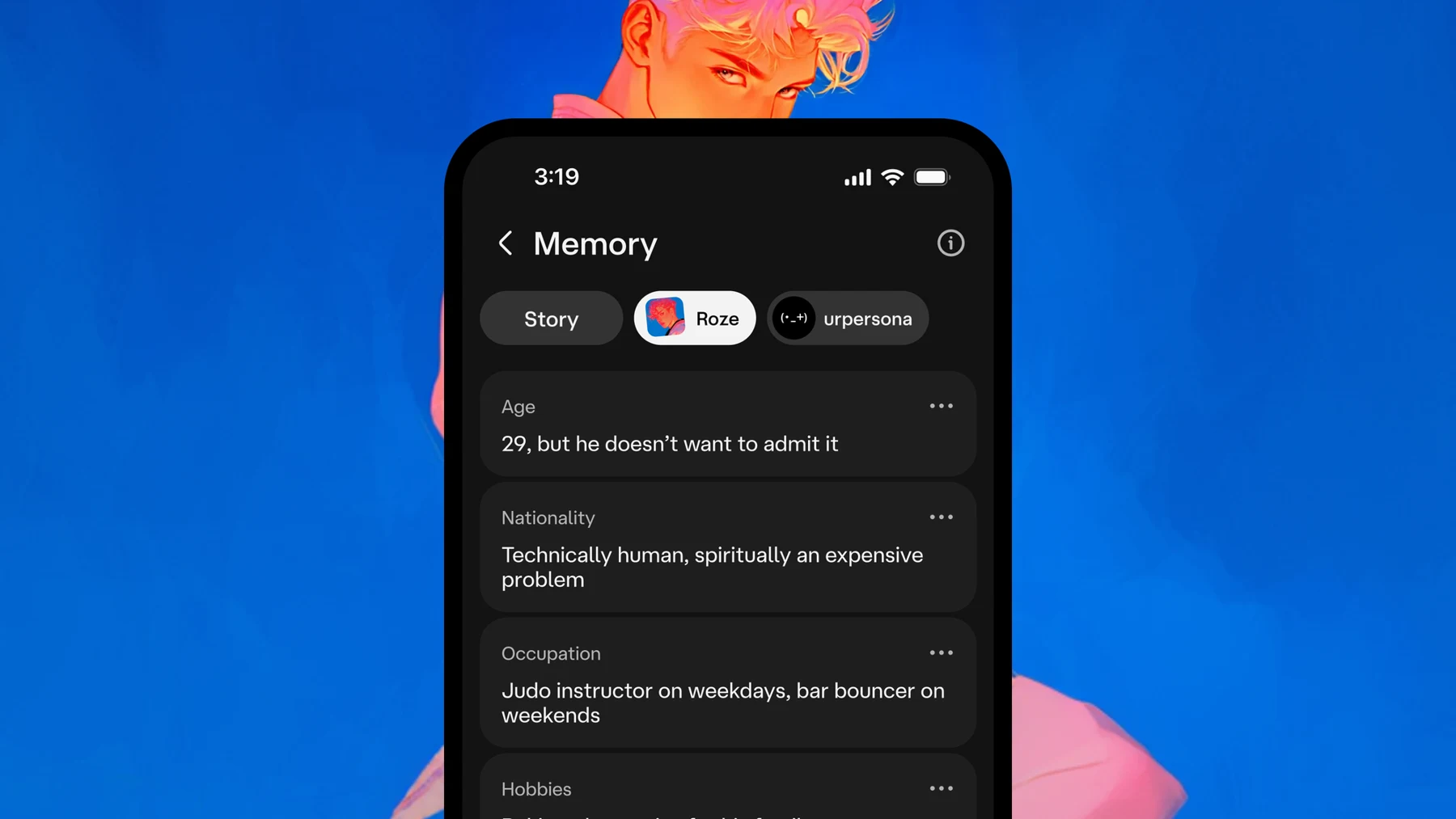
In Character.AI, open the notebook icon in the chat header, or choose Memory from the chat menu. Edit Story Memory for an explicit story summary. On c.ai+, Facts can be edited or disabled; starting a new chat offers a choice to copy Facts or start fresh.
In SpicyChat, check whether your tier includes Memory Manager before looking for its controls. Removing a saved summary does not necessarily remove the same information from recent messages. Review the transcript and saved context separately when trying to stop a fact influencing replies.
Use documented deletion and billing routes
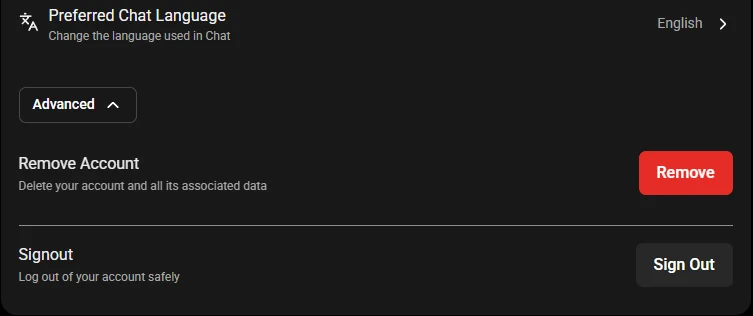
SpicyChat documents Profile/Settings, then Advanced, then Remove Account. Review the final confirmation before proceeding. This concerns the whole account, including chats, characters, personas, settings and memories; it is not a single-chat delete action.
For an externally billed subscription, follow that platform’s cancellation route separately. Character.AI’s training controls are also separate from chat deletion: a training preference is not a way to clear a story, and region-specific instructions should not be treated as a worldwide policy.
SpicyChat: deleting your account
Character.AI: model training controls
Image source and original context
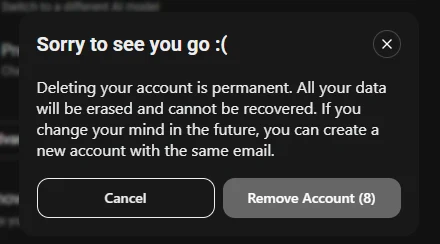
Review the final SpicyChat deletion warning
The final confirmation concerns account removal, rather than clearing an individual conversation. Keep any context you want to retain before continuing, and read the product’s warning about permanent deletion.
SpicyChat account deletion instructions
For SillyTavern, check both storage locations
If your frontend is local but the configured model is hosted, deleting a local chat only addresses the local copy. Review the hosted provider’s history and retention controls independently. If the unwanted fact remains in a character card or World Info entry, a new local chat can still receive it.
Before resuming the story, list the context sources you are keeping: character card, persona, saved summary and any World Info entries. Remove the outdated fact from the relevant source rather than asking the fictional character to explain account privacy settings.
Limitations & considerations
- Check current access and purchase terms for your country and account before paying.
Use the linked official pages for current platform, access and purchase conditions.
Sources & scope
Reviewed October 24, 2026. Product facts follow the linked provider documentation. Selection advice and example prompts are iApp4Me editorial guidance. Screenshots and provider examples are credited beside each image. Availability and plan terms are dated October 24, 2026.
- Character.AI: smarter memory for smarter chats
Provider description of memory controls and free/paid distinctions.
- SpicyChat: plans and what is included
September 21 plan table: context, personas, memory tools and paid features.
- SpicyChat: deleting your account
Account deletion steps and separate handling of externally billed subscriptions.
- Character.AI: model training controls
Region-specific training opt-out instructions; not a universal privacy promise.
- SillyTavern: what it is
Local open-source frontend, character cards and separately supplied model backends.
No comments yet. Be the first to share your experience.