How to Review AI Agent Permissions Before Connecting Your Apps
Translate a broad account-connection prompt into a small set of permissions the task actually needs.
The short answer
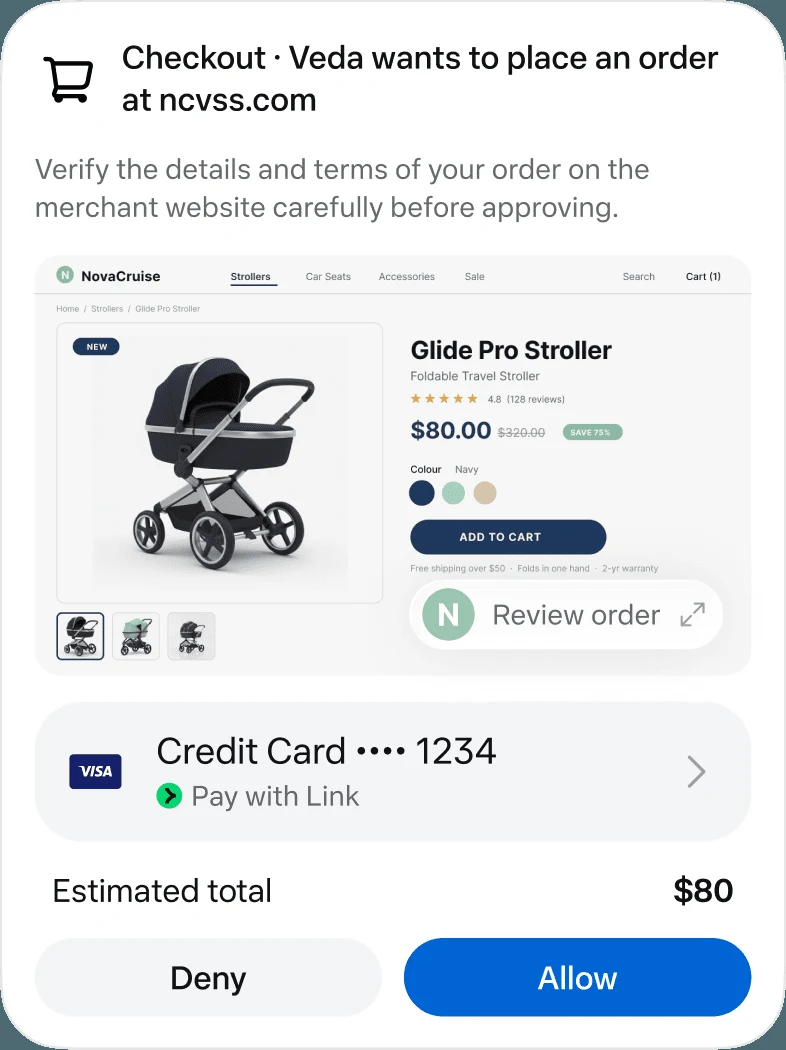
Before connecting an app to an AI agent, identify the account, the information it can read, the actions it can perform and how to revoke access. Start with the smallest scope that can complete the job. Treat permission to read and permission to send, edit or delete as separate decisions.
Side by side
| Your situation | Useful route | Check before choosing |
|---|---|---|
| Calendar brief | Read the relevant calendar | Account identity and event scope |
| Reply preparation | Read context and produce a draft | Sending stays a separate decision |
| Finished project | Review and revoke access | Stored history needs separate attention |
Name the resource, not just the service
“Connect email” is an incomplete description. Which mailbox? Which folders? Does the task need attachments or only event dates? A personal account and a shared work account can contain very different information even when both use the same service.
Write a one-line purpose for each connection. For example, a meeting brief may need calendar events and selected messages, while a public competitor summary may need no account connection at all. If you cannot explain why a connection is needed, leave it out until the task makes the reason clear.
Read the consent screen as an access inventory
Google’s linked-app documentation distinguishes signing in, sharing account data and allowing an agent to interact with another app. Those are different relationships. A sign-in button is not proof that the service has email access, and stopping an agent does not necessarily remove every underlying account link.
Match the consent screen to your purpose statement. If the requested access is broader than expected, check whether a narrower connection or a manual file export is available. Keep the original service’s security settings in mind; the agent interface is only one place where access can be managed.
Separate reading from actions
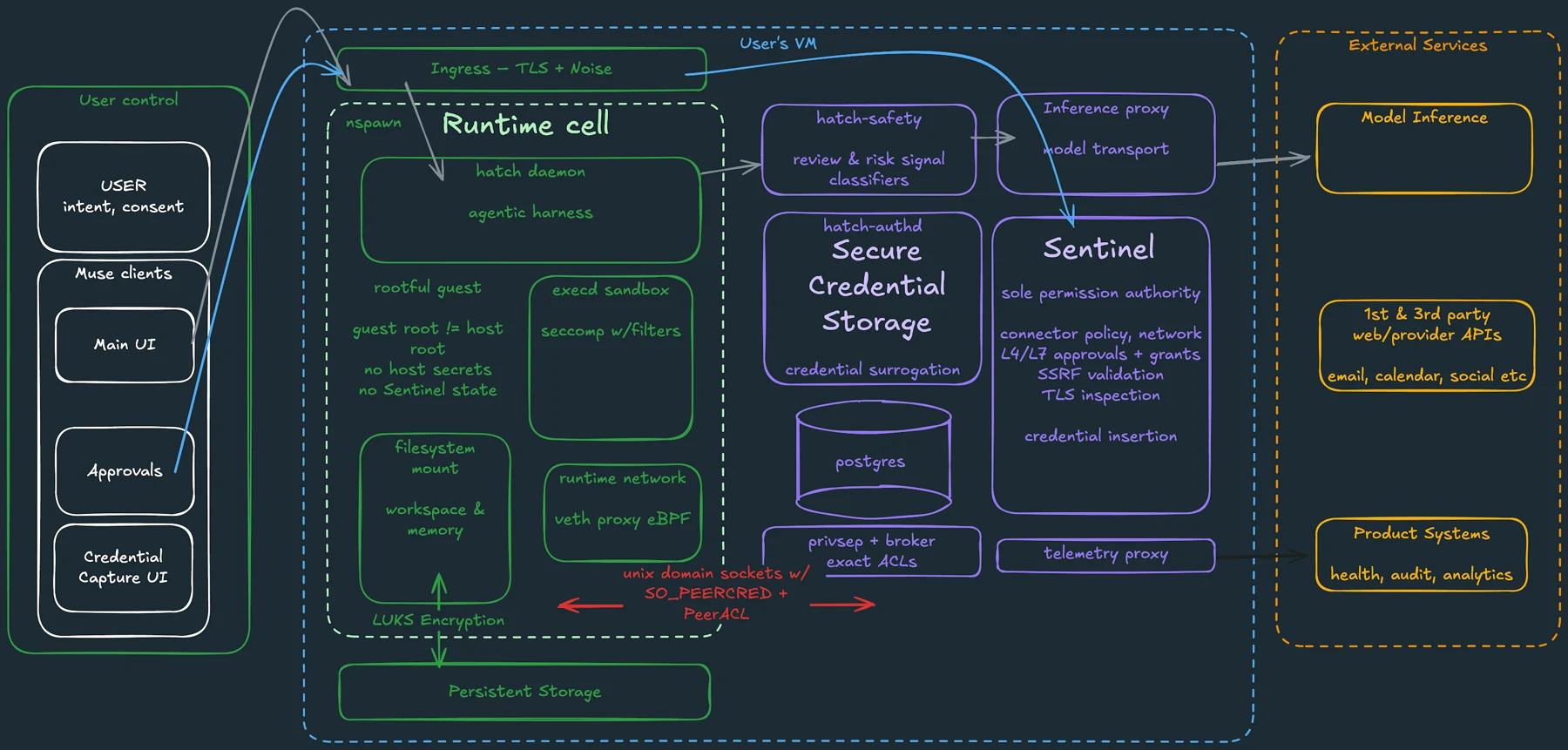
An agent might need to read a document to summarize it without needing permission to edit that document. Likewise, preparing a reply does not require sending it. Meta’s Muse security description explains separate controls around connector actions and user approvals, illustrating why an account connection is not the whole permission model.
For your first assignment, request a draft or a proposed change list. Make the action boundary explicit in the task description and check the product’s available controls. A conversational request to “be careful” is weaker than a clear scope supported by the permission settings.
Meta: how we built safety into Muse
Image source and original context
Think about what happens after the task
A one-hour job can leave an account connection active for months. Decide when you will review it. Project-based connections should have a natural end: the event is over, the report is delivered or the shared folder is no longer needed.
Also distinguish future access from retained information. Disconnecting a service may prevent new reads without removing text already saved in conversation history or memory. Keep a short record of the service, the purpose and the date you connected it so you can clean up deliberately rather than guessing later.
A practical permission worksheet
Use four columns: resource, required reading, allowed actions and removal route. Fill them in before enabling a recurring workflow. If an account mixes unrelated sensitive information with the task material, consider supplying a narrower document instead of the whole account.
When the workflow changes, revisit the worksheet. A briefing that becomes an automated follow-up process now has a different action requirement. Do not let the expanded job inherit old assumptions silently. The permission scope should follow the task you actually want done today.
Limitations & considerations
- Check current access and purchase terms for your country and account before paying.
Use the linked official pages for current platform, access and purchase conditions.
Sources & scope
Reviewed October 24, 2026. Product facts follow the linked provider documentation. Selection advice and example prompts are iApp4Me editorial guidance. Screenshots and provider examples are credited beside each image. Availability and plan terms are dated October 24, 2026.
- Google: manage linked apps and agent permissions
Distinguishes sign-in, data access and agent permissions.
- Meta: how we built safety into Muse
Provider description of VM isolation, permissions and approval controls.
- Anthropic: get started with Claude Duet
Eligibility, setup, connectors and current preview limits.
No comments yet. Be the first to share your experience.