
Photo & Video
Filmmaker Pro - Video Editor
A color-coded timeline helps manage clips, overlays and sound.
Apps observed in Apple’s US App Store charts for Photo & Video.
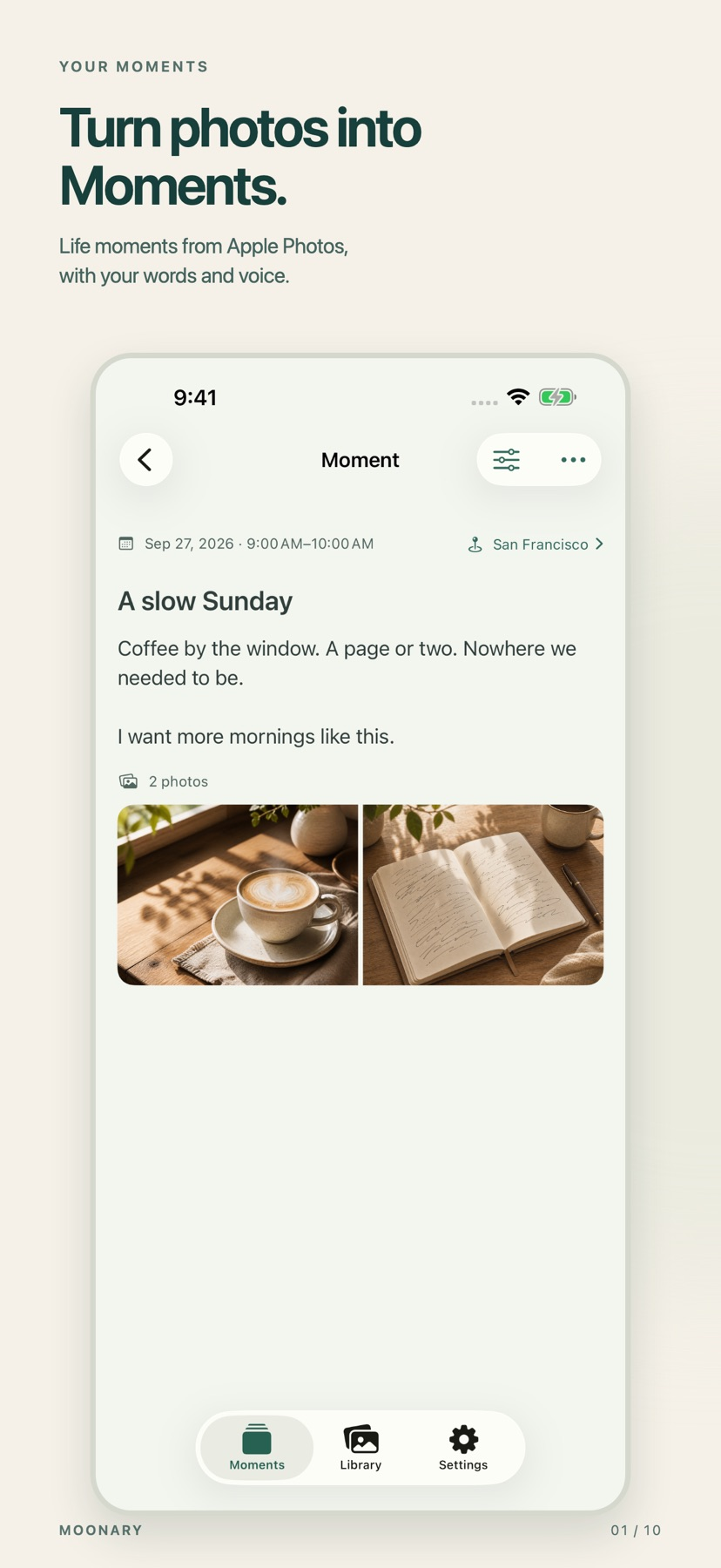
Add writing, voice and attachments to photo Moments, then revisit them through a timeline, calendar or collection.
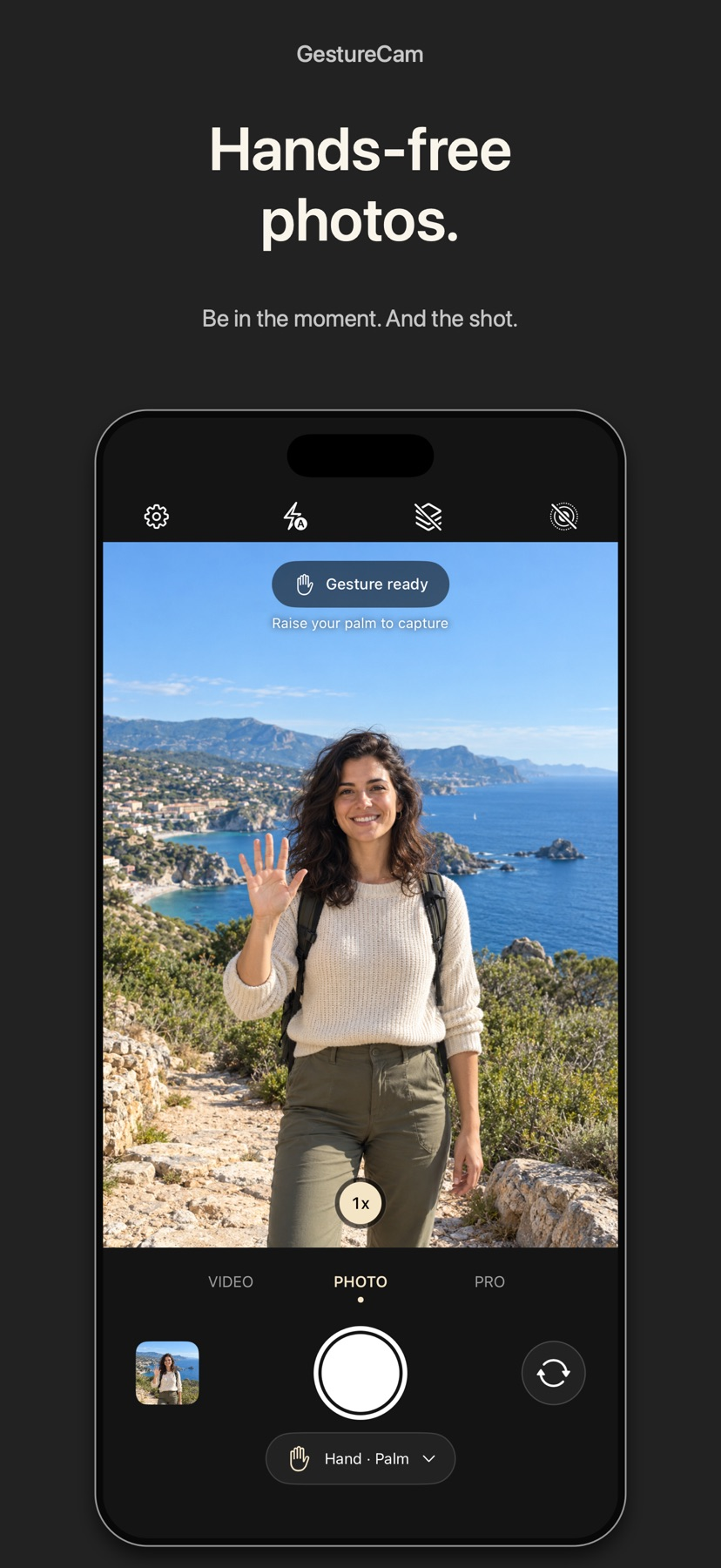
Set down an iPhone and trigger a photo with a palm gesture, or use Pro Auto Capture to keep taking shots while people hold a pose.
Showing 121–140 of 432
A color-coded timeline helps manage clips, overlays and sound.

Trimming, keyframes and masking support both quick and more detailed edits.

Keyframes, tracking and caption tools sit alongside familiar cuts and transitions.

Named collections make it easier to explore warm, monochrome or seasonal treatments.

Monitoring overlays help inspect capture settings before recording.
素材组织和时间线编辑紧密结合,支持专业格式与 XML 交换。
前后镜头、图库和保存分享形成简单创作流程。
Editable visual looks preserve original footage as described.
A persistent camera overlay and configurable shape avoid assembling a full streaming scene for a simple tutorial.
A reusable font can give typed conversations an individual appearance.
常用修图与设计资源集中,可从照片编辑转到版式制作。

Consider Fotorist for trying several art treatments on the same photo. Compare faces, lettering and fine edges at the final viewing size before converting a larger set. Download required styles before relying on offline processing.
队列与连续抓帧可批量保存JPEG、PNG、TIFF或HEIC。

监视文件夹可上传媒体,并把评论带回时间线。

Pairing codes connect family contributors with a shared display.

Photo-library and cloud imports make ordering physical prints straightforward.

置顶小窗、区间循环和进度记忆便于回看片段。

Camera effects and voice transformations combine in one workflow.
Per-screen adjustments and quick toggling make experimental changes easy to compare.

Template selection lowers the setup needed for a small animation experiment.