How to Get Started with Meta Muse: Availability, Setup and First Tasks
Find Meta’s actual personal-agent product, check availability and start with a bounded goal.
The short answer
Use Meta’s official Muse entry point, confirm that your region and account can access it, then give it one clearly scoped job. Begin with research or a draft, identify the source apps and keep sending, purchasing and other consequential actions behind an explicit review.
Side by side
| Your situation | Useful route | Check before choosing |
|---|---|---|
| Similar app name | Verify Meta’s product links | Developer and official domain |
| Public research only | Use a narrowly scoped request | No unnecessary personal connections |
| Longer goal | Define checkpoints | Progress is separate from permission to act |
Make sure you have the right Muse
Muse is a common product name. This guide concerns Meta’s personal AI agent, introduced in September 2026, rather than an unrelated music, meditation or video service. Follow the product links from Meta’s announcement before signing in or paying.
Check availability for your actual country and account. Meta announced a Japan launch on October 23, illustrating why the original US launch should not be treated as the final country list. A guide for a supported market may still contain steps unavailable elsewhere. Use the current official entry point to establish your own access.
Choose a goal small enough to explain
Start with something like preparing a short list of venues, collecting project deadlines or organizing a weekly plan. Name the constraints: date, location, budget range and the form of the result. Add what the agent should do when information conflicts or a required detail is missing.
For example: “Find three suitable venues for a small weekday workshop. Compare capacity, location and published booking terms. Return the source links. Do not contact venues or make a booking.” This makes research useful without silently converting it into a commitment.
Connect a service only when the job needs it
Meta describes Muse as working through its own cloud computer. Closing the phone app is therefore different from shutting down a local process. Treat an account connection as ongoing access that needs a purpose, rather than a one-time upload.
If public web research is enough, do not connect email just because setup suggests it. If the job needs a calendar, verify the account and the relevant calendars before proceeding. Keep a note of the connection so you can remove it when the project finishes.
Ask for milestones and inspect proposed actions
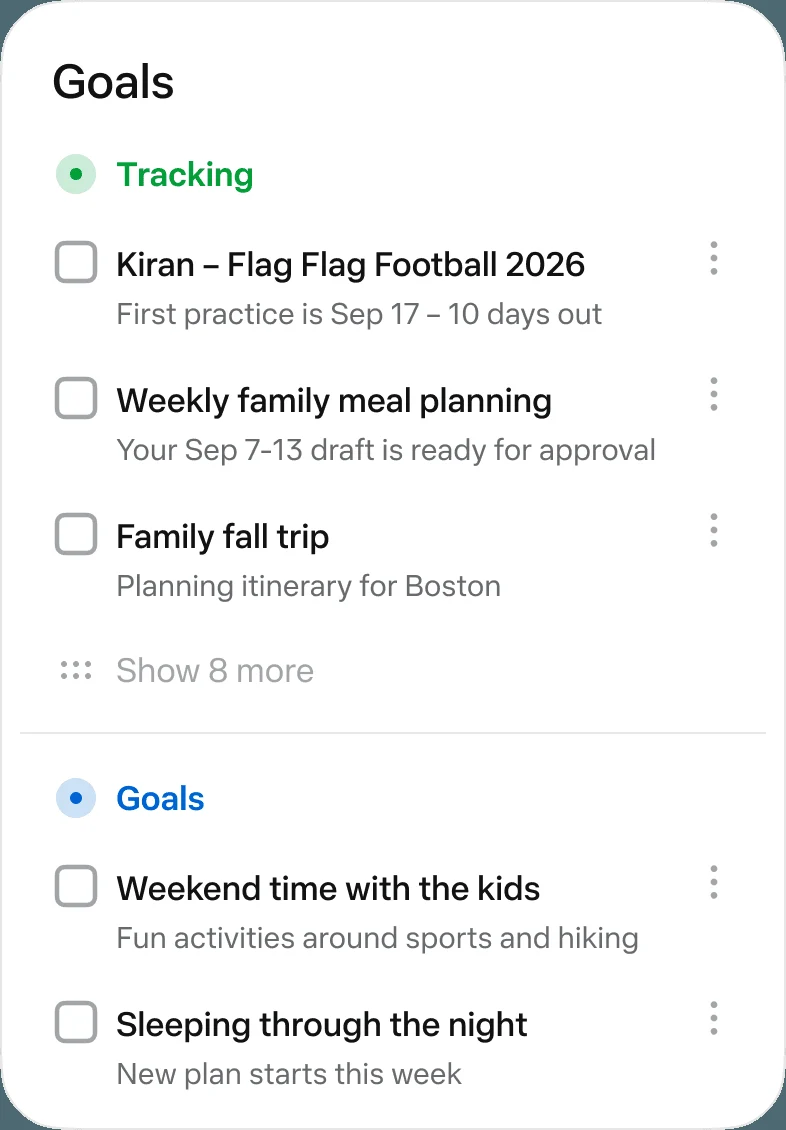
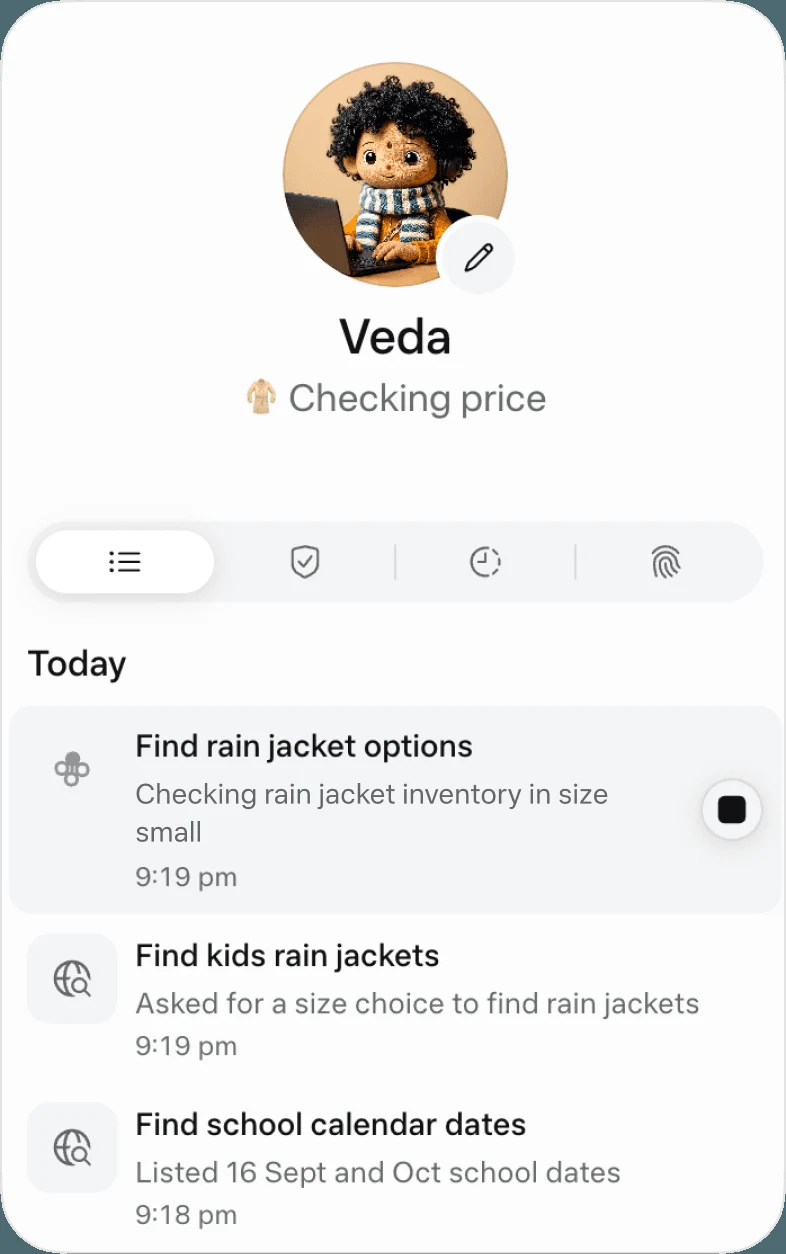
Muse’s published interface separates activity/status from continuing Goals. Ask for an initial plan with a visible milestone, such as a three-venue shortlist with capacity, travel time and published booking conditions. Reopen the activity trail to see what was attempted and what still needs you.
For a proposed reservation or purchase, compare the approval request with the original constraints: venue or seller, date, total amount and the specific action. A completed research task is not a completed booking. If a permission allows more than the one action you intended, review the permission choice before continuing.
Image source and original context
Meta: how we built safety into Muse
Finish the venue-research example
A usable handoff has three candidate venues, a source link and checked date for each, and a short list of unanswered questions such as availability or deposit terms. “Best venue” without a published reason is not a finished comparison.
When the shortlist is delivered, stop the continuing goal if no more monitoring is wanted. Remove any account connection used only for this event. Keep the shortlist in your regular project folder so the next decision does not depend on reopening the full chat.
Limitations & considerations
- Check current access and purchase terms for your country and account before paying.
Use the linked official pages for current platform, access and purchase conditions.
Sources & scope
Reviewed October 24, 2026. Product facts follow the linked provider documentation. Selection advice and example prompts are iApp4Me editorial guidance. Screenshots and provider examples are credited beside each image. Availability and plan terms are dated October 24, 2026.
- Meta: introducing Muse
Launch and product positioning; updated September 30, 2026.
- Meta: Muse launches in Japan
October 23 regional availability update.
- Meta: how we built safety into Muse
Provider description of VM isolation, permissions and approval controls.
No comments yet. Be the first to share your experience.