How to create a searchable PDF with Scanner Pro
Capture clearly, configure recognition, then verify the exported text layer.
 Scanner Pro
 Step-by-step guide
The short answer
Capture the document, review the image, enable the appropriate OCR language and export a PDF. Reopen it elsewhere and search a known phrase. Our current workflow is sourced from Readdle documentation, not a completed device test.
Is this the right fit?
Scanner Pro
iPhone · iPadTurn paper into an organized document library
Look here when scanning, recognizing text and exporting documents are recurring work, not just an occasional camera capture.
The tradeoff: OCR and workflow features can depend on your purchase entitlement.
Free download · Plus pricing requires checkout
US App Store · USD · 2026-10-18 · Plan details & source
Explore Scanner Pro →Editorial selection advice based on the linked product documentation, attributed feedback and any explicitly labeled test results—not a universal winner.
See the apps, not just the feature list
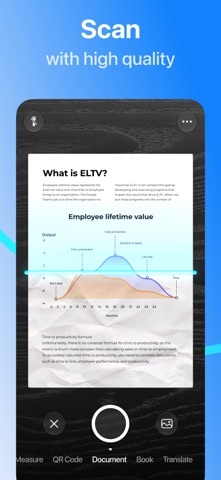
Developer-published product images. Captions identify the platform and source; these are not our test captures.
Scanner Pro
What reviewers and users say
Our summaries of linked accounts—not our own experience or a vote-based ranking. Older versions and different platforms are labeled. Sources reviewed October 18, 2026.
App Store · kcezz
May 27, 2025 · US listing · version not stated
A student describes scanning homework for digital submission, valuing edge detection, adjustable cropping and correction of angled captures.
Read in context: One everyday scanning account, not a measured OCR-accuracy comparison or proof of the current free entitlement.
App Store · Ipad4me2
Jun 19, 2025 · historical workflow report
A long-time user reports lost automation workflows. Their later update says scan renaming and a newly created workflow work again, while the old workflows remain lost.
Read in context: Do not repeat the renaming failure as still unresolved. This is a user report, not our reproduction of the current app or proof that backups are currently unavailable.
Scanner Pro · App Store reader examples
US feed · 50 recent entries retrieved 2026-10-18. Up to one positive and one critical example selected from that feed; not a representative sentiment survey.
Pourmalla · 2026-10-16 · 4/5 · v9.0.2
“Dear Readdle Support Team, I have been using Scanner Pro…”Read the source feed ↗
Josie Sam · 2026-10-15 · 1/5 · v9.0.2
“After a major update, the app struggles to scan and…”Read the source feed ↗
How to read disagreement
Different opinions can reflect different jobs, versions, devices or paid plans. We do not call a few comments “the consensus.” A consequential factual conflict that remains after checking those differences is a candidate for a focused hands-on test. A preference for one interface over another usually is not.
Side by side
| Check | Record |
|---|---|
| Capture | Crop, focus, page order |
| Recognition | Language and errors |
| Export | Watermark, text search, destination |
1. Start with a readable capture
Use a non-sensitive printed page with a known sentence, numbers and a small table. Place it on a contrasting background in even light. Grant camera access only when you are ready to capture; record all permission prompts in the test.
Check crop, orientation and focus before continuing. OCR is not a replacement for a complete scan. A clipped line or blurred total should be recaptured, not treated as a recognition failure.
2. Check recognition entitlement and language
Readdle’s help distinguishes new Plus customers from users who bought earlier versions. Capture the entitlement shown on a fresh installation; do not infer free access from a legacy account.
In Settings, locate Text Recognition (OCR) and the relevant language group. Enable the appropriate group before evaluating a non-Latin document. For the initial fixture, use clearly printed text rather than handwriting.
3. Review recognized content
Open the scan and inspect the Text view described in Readdle’s help. Compare the known phrase and every test number to the paper. If the chosen language is wrong, correct it and reprocess rather than silently editing the benchmark output.
4. Export and verify outside the app
Use the export control and choose PDF. Record watermark, size and share destinations. Save a copy to Files and open it in a second viewer. Search for the known phrase and try selecting the corresponding words.
Seeing text inside Scanner Pro is not enough to establish that the delivered PDF is searchable. Retain the exported file alongside a photo of the source fixture. Advanced Word or text exports are different deliverables and may require different access.
Privacy boundary
The vendor describes on-device OCR. That statement does not cover every optional cloud destination or share-link feature. The linked destinations can have separate data-handling rules; use only authorized documents.
Limitations & considerations
- The public US in-app purchase list does not state the billing periods for several Plus amounts. Confirm the period and eligibility on the purchase sheet.
- OCR and advanced export access depend on entitlement; legacy buyers can have different access. On-device OCR does not make every cloud destination local.
Documented features, attributed opinions and explicitly labeled hands-on observations are different kinds of evidence. We do not infer unmeasured performance or privacy guarantees.
Sources & scope
Reviewed October 18, 2026. These are provider-published sources; listings and feature access can change. This article uses the linked documentation; any hands-on observations are separately labeled.
- Scanner Pro OCR help
Vendor describes on-device OCR and different entitlements for previous buyers and new customers.
- Scanner Pro tools
Lists capture, import, export and document tools.
- Scanner Pro export guide
Documents export formats and watermark/Plus boundaries; requires purchase-screen confirmation.