What to Check Before Giving an AI Agent Access to Your Email
Use five concrete questions to decide whether connecting an inbox is proportionate to the job.
The short answer
Before giving an agent email access, check which mailbox it can read, what it stores, who processes the information, how permissions are enforced and how you can remove access and retained context. If the task needs only a few messages, supplying those messages may be a better fit than connecting the whole inbox.
Side by side
| Your situation | Useful route | Check before choosing |
|---|---|---|
| A few relevant messages | Supply a narrow source set | Avoid unnecessary whole-inbox access |
| Recurring account overview | Review processing and scope | Read access differs from action approval |
| Sensitive material with sharing limits | Use an allowed workflow | Marketing language is not a policy |
Begin with the amount of email the job needs
Email contains more than conversation. It can include account-recovery links, attachments, private correspondence and details about other people. A task that needs three project messages does not automatically justify access to years of unrelated mail.
Name the purpose in concrete terms: preparing a meeting brief, locating an invoice or drafting a reply. Then ask whether a selected thread, exported document or restricted mailbox would be enough. The best connection is the one that supplies the needed context without making every later task depend on the whole account.
Ask where processing and storage happen
A mobile interface does not tell you where the work happens. Meta’s Muse security documentation describes a dedicated cloud VM and identifies separate inference and telemetry paths. That is more specific than a general claim that an agent is “private,” but it still needs to be understood as the provider’s described architecture.
For any candidate, look for a policy covering chat content, connected data, attachments and retained memory. Check whether the account type changes those terms. If the documentation does not clearly answer a question that matters to you, leave it unresolved rather than treating silence as a promise.
Distinguish data handling from permission controls
Encryption, model-training settings and action approvals answer different questions. A service can protect a stored file while still requiring broad read access. An approval before sending a message does not necessarily limit which messages were read to prepare it.
Review the connection scope in the source account and the agent’s action controls together. If your goal is a read-only brief, keep sending and deletion outside the assignment. For a shared work mailbox, confirm that connecting another service is appropriate for the material and the people whose messages it contains.
Image source and original context
Check the exit route before the connection
Find the current disconnect route and the controls for memory and history. Google’s account documentation explains that removing a linked app’s access is distinct from other account links. The agent may also keep previously retrieved information according to its own policy.
Record the mailbox, purpose and intended end date. If you later stop using the agent, this record makes cleanup straightforward. A workflow should be easy to leave without losing the original source messages, project documents or the ability to understand what happened.
Make the access decision proportionate
For low-sensitivity recurring administration, a documented connection with clear controls may be worth the convenience. For a one-off sensitive exchange, a manually prepared summary may be enough. For information you cannot share with another processor, do not connect the account merely because the product offers a reassuring label.
This is a choice about the actual data and task, not a universal verdict on agents. Keep the source documents in their normal system, request source-linked outputs and revisit the connection when the purpose changes. A small, explicit scope is easier to understand than a broad standing instruction.
Limitations & considerations
- Check current access and purchase terms for your country and account before paying.
Use the linked official pages for current platform, access and purchase conditions.
Sources & scope
Reviewed October 24, 2026. Product facts follow the linked provider documentation. Selection advice and example prompts are iApp4Me editorial guidance. Screenshots and provider examples are credited beside each image. Availability and plan terms are dated October 24, 2026.
- Meta: how we built safety into Muse
Provider description of VM isolation, permissions and approval controls.
- Google: manage linked apps and agent permissions
Distinguishes sign-in, data access and agent permissions.
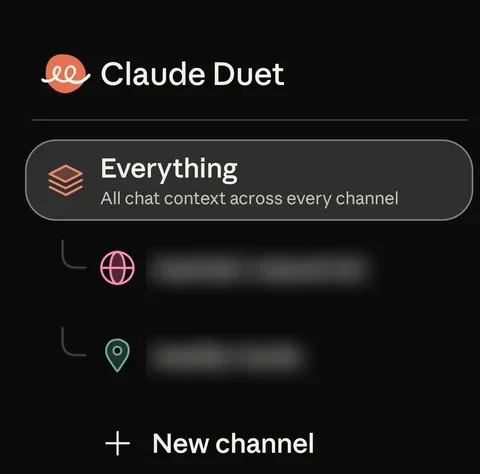
- Anthropic: get started with Claude Duet
Eligibility, setup, connectors and current preview limits.
No comments yet. Be the first to share your experience.