Kinfolk Kitchen may suit a family that wants a usable cookbook and a place for the stories around each dish. The iOS listing combines recipes, photos and voice memories with Cook Mode and printable keepsakes. The website describes a broader cloud and AI feature set whose exact iOS access boundaries remain unverified.
Research reviewed
Free download; no IAP or subscription table was displayed in the checked US store. Cloud and AI allowances or additional costs remain unknown.
Lexigrow may suit a learner who wants a small daily vocabulary routine with review and games in one place. The store describes IELTS, TOEFL and academic collections, plus Russian, Spanish and Portuguese translations. The exact free allowance is not established, and subscriptions are separate from the free download.
Research reviewed
Free download with ads; exact free allowance unknown. US Pro: $3.99/month or $17.99/year. The description advertises a 14-day trial on the yearly plan; eligibility untested.
L
Reading & learning
Lingopie combines a video catalogue with clickable vocabulary, a word bank and flashcard review.
Lingopie combines a video catalogue with clickable vocabulary, a word bank and flashcard review. It fits learners who want to watch and review in one service on web or mobile. Choose the language entitlement and billing channel carefully: the mobile monthly plan does not include the general seven-day trial.
Research reviewed
Paid subscription and one-time plans are documented; trial and language access vary by purchase route.
LlamaGen may suit a storyteller who wants to draft a small comic from an idea and a cast of characters. Its documented iPhone flow separates story input, character choices, style and panel layout. Review the generated sequence and the credit cost before making a larger project; character consistency and output quality have not been independently tested.
Research reviewed
Free download; free credits unknown. US iOS: Standard $18/mo or $172.99/yr; Pro $30/mo or $359.99/yr. Other subscriptions and one-time credit packs apply; website prices differ.
Consider Local Music Organizer for diagnosing a Mac collection built from local files. Its missing-file guide separates a broken library link from an audio file that has actually disappeared. Review matches and back up the library before changing records.
Research reviewed
Free download with a 3-day full trial. US Full Version unlock: $29.99 once; no subscription according to the current listing.
Consider Love Widget for an agreed sharing routine with one partner. The optional distance display adds background location sharing; it is a separate choice from exchanging photos or notes.
Research reviewed
Free download with optional US Premium: $0.99/month, $8.99/year or $24.99 lifetime. The description advertises a 7-day trial; verify eligibility and offer terms.

Photos & design
Use an adjustable screen as a nearby light or creative color source.
Choose LumaFold for nearby screen-light experiments, a camera mirror or color accents, using a second camera for separate subjects. Try the basic controls before buying advanced presets. It is not an established substitute for a photographic light with measured brightness and color performance.
Research reviewed
Free download; optional paid features. See feature and purchase boundaries below.
Audio, video & subtitles
A multitrack editor to investigate when an iPad project needs more deliberate control over layers and sound.
Consider it when a simple movie editor no longer fits your multitrack editing workflow.
Research reviewed
$29.99 app · optional paid extras
Audio, video & subtitles
A Mac transcription candidate with a broader workflow than a simple subtitle generator.
Shortlist it when you need transcript editing and exports as well as captions. Pick a local model when the intended workflow is on-device.
Research reviewed
Free edition · Pro €64 one-time
Consider Math Zen for repeated practice around a mathematical concept you want to understand. Attempt a problem, inspect the related rule and worked example, then try another problem of that type. The mistake journal gives that review a place to continue. Start with the available core topics; Premium expands the library and exam paths. Neither adaptive difficulty nor exam branding establishes improved scores.
Research reviewed
Free core topics; Premium adds the full library, exam paths and detailed analytics. US: $3.99/week, $6.99/month, $29.99/year; lifetime entries $24.99–$39.99, eligibility varies.

Language & study
Continue short vocabulary lessons from the iPhone Lock Screen.
Choose Memorio for short vocabulary sessions that continue on the iPhone Lock Screen after you start them in the app. It is a focused recall interface rather than a full language course. Consider the recurring free lesson allowance before making it your daily Lock Screen routine.
Research reviewed
Free download; optional paid features. See feature and purchase boundaries below.

Journaling & memory keeping
Consider Mental when you want to inspect and correct what an AI journal remembers. Free check-ins remain useful; Ask Mental and Memory belong to Pro and require online processing of relevant journal content.
Research reviewed
Free check-ins, notes, voice input and journal reading; first week of wrap-ups included. US Pro: $7.99/month or $49.99/year.
Meow Go Home suits a player who enjoys compact logic puzzles with a gentle presentation. Moving one cat also asks its linked partner to move, making a wall or blocked square a useful part of the solution. The current version is described as free, with undo and hints replenished through active play.
Research reviewed
US store: free; current description says no ads or IAP. Undo and hints replenish through active puzzle play.
M
AI & assistants
Muse is a cloud personal-agent service for tasks and ongoing goals, with free entry and paid subscriptions.
Muse is a cloud personal-agent service for tasks and ongoing goals, with free entry and paid subscriptions. Its activity trail, Goals view and action approvals are useful when a request needs follow-up beyond a single chat reply; availability still depends on the market and account.
Research reviewed
Free entry route and paid upgrades described by Meta; verify current account and regional terms.

Music practice
Keep a steady practice pulse and add structured rhythm exercises when needed.
Choose Tempo Wheel for a focused metronome with a useful free tempo range and subdivisions. Consider the one-time Pro upgrade when you need background playback, Lock Screen controls or structured tempo and silent-bar exercises. The free app is less suitable if it must keep playing behind a sheet-music app.
Research reviewed
Free download; optional paid features. One-time Pro; no subscription.
Mom Alarm Clock addresses the coordination around a family morning. Its iPhone documentation describes pairing two compatible iPhones, setting the child's alarm and reviewing the device's reported wake-up check. Treat those reports as information for a parent check-in and test the setup during the day.
Research reviewed
Free download. Ongoing free limits and paid options remain unknown; the developer says these still need verification.
Moonary suits someone whose photographs need a little context to remain meaningful. Its documented workflow links a Moment to photos already in Apple Photos and adds the words or recordings that explain the occasion. The free allocation is enough to try a small collection before choosing Plus.
Research reviewed
Free up to 20 Moments and 3 Collections. US Plus: $2.99/month, $24.99/year or $59.99 lifetime.
Consider My Midlife Story when remembering changes and preparing questions is more useful than a daily streak. Basic logging, search and PDF visit briefs are described as free; optional Premium adds deeper organization.
Research reviewed
Free logging, search, visit briefs and PDF export. Optional US Premium: $6.99/month or $49.99/year. Trial terms depend on the offer.

Reading & learning
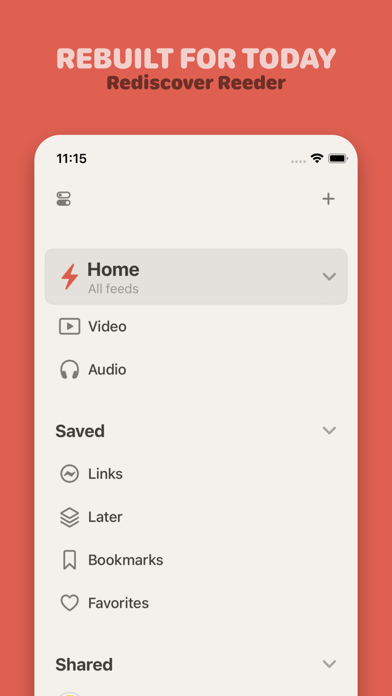
A free, open-source feed reader for a deliberate list of websites.
A practical starting point for following websites in a native Apple RSS client.
Research reviewed
Free open-source reader
Choose Nihongo for a dictionary-centered reading workflow: look up a word in context, return to the passage and review useful words later. The free dictionary and short Clippings offer a starting point. Pro adds OCR and wider study tools; the newer two-column layout has its own device and OS requirements, beyond the minimum needed to install the app.
Research reviewed
Free dictionary and Clippings up to 250 characters. US Pro: $4.99/month, $11.99/3 months, $49.99/year or $179.99 lifetime. Pitch Accents is a separate $9.99 add-on.